 Free Android app
Sam Updater for Android
Waiting on the next One UI update for your Galaxy? Sam Updater does the checking for you and sends a notification when a new build shows up for your model and region.
It follows stable updates, One UI betas and the test builds Samsung is still working on. No account, no ads.
Here's why you need it
Samsung doesn't send a new update to every Galaxy on the same day. It goes out in waves, one region at a time, and yours can get it days or even weeks after the first one.
So you keep opening Settings > Software update > Download and install, and most days it just says your software is up to date.
I built Sam Updater to do that checking for you. It reads Samsung's release info and update server for your model and region, and lets you know when something new shows up.
- 8 hrsbetween checks in the background
- 3kinds of builds: stable, beta and test
- 2.3 MBdownload size
- 0ads, accounts or trackers
What you get in the app
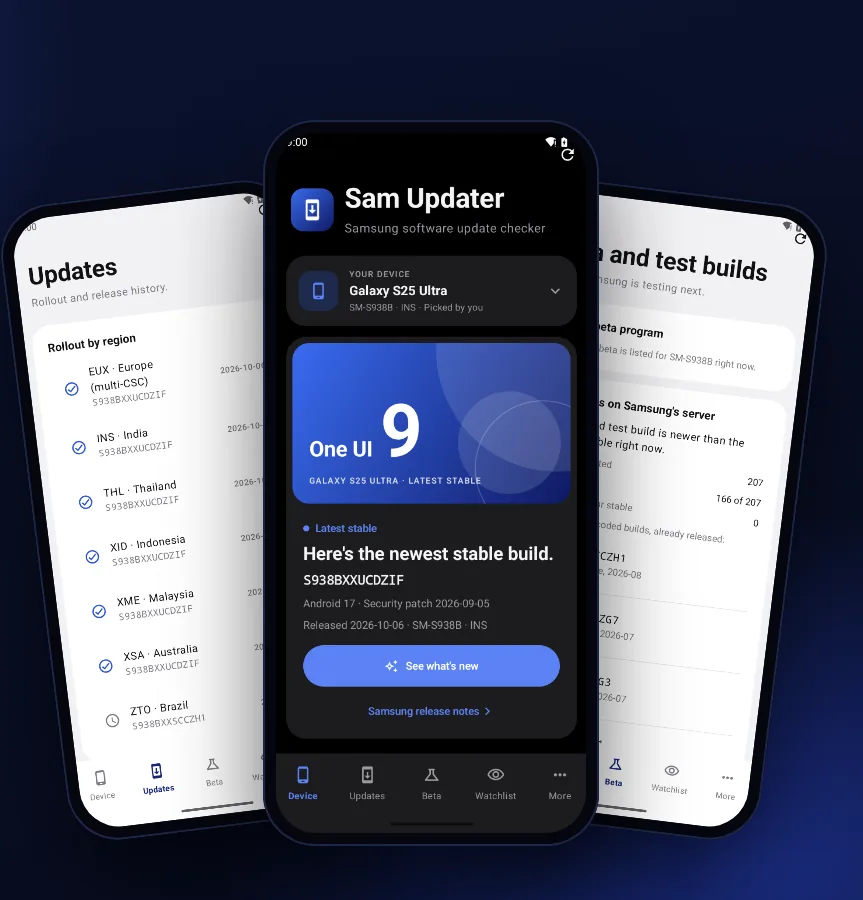
There are five tabs at the bottom: Device, Updates, Beta, Watchlist and More. Here's what each one does, using a Galaxy S25 Ultra (SM-S938B) on the INS region as the example.
Device tab
Your phone and its newest build
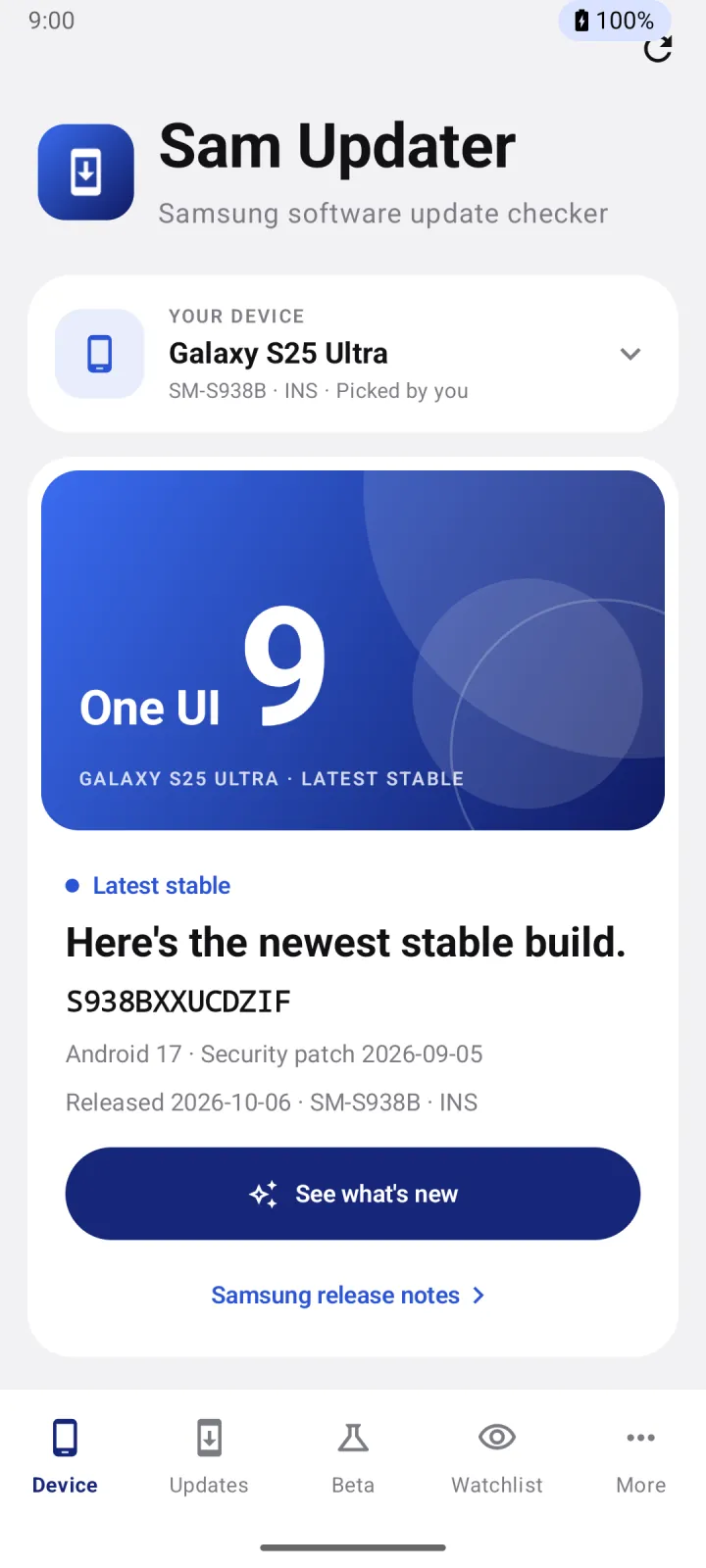
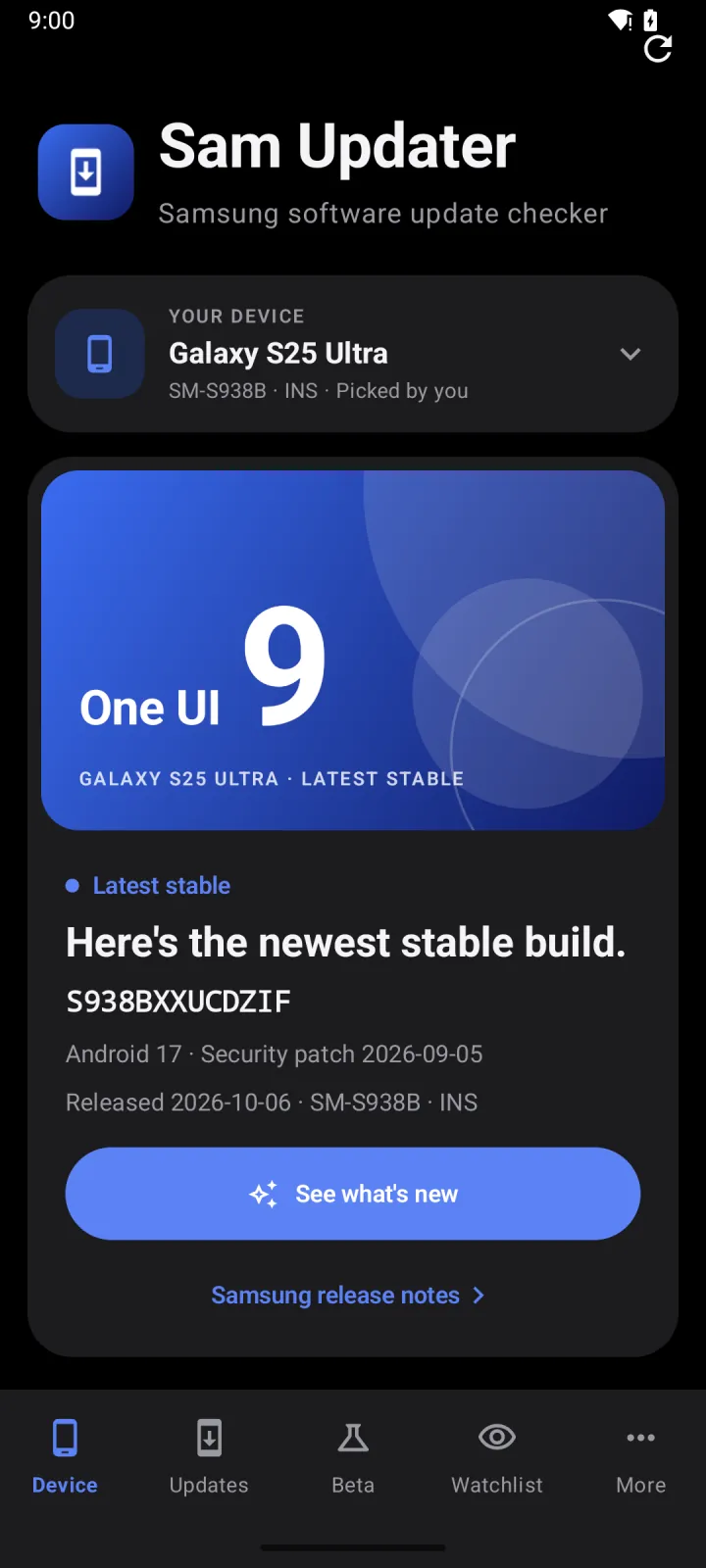
This is the first screen you see. It shows your phone, the newest stable build for your model and region, and the security patch that comes with it.
For the S25 Ultra on INS, that's S938BXXUCDZIF with One UI 9, Android 17 and the September 2026 security patch. Samsung released it on October 6, 2026.
Tap See what's new to read Samsung's release notes for that build.
Updates tab
Follow the rollout, region by region
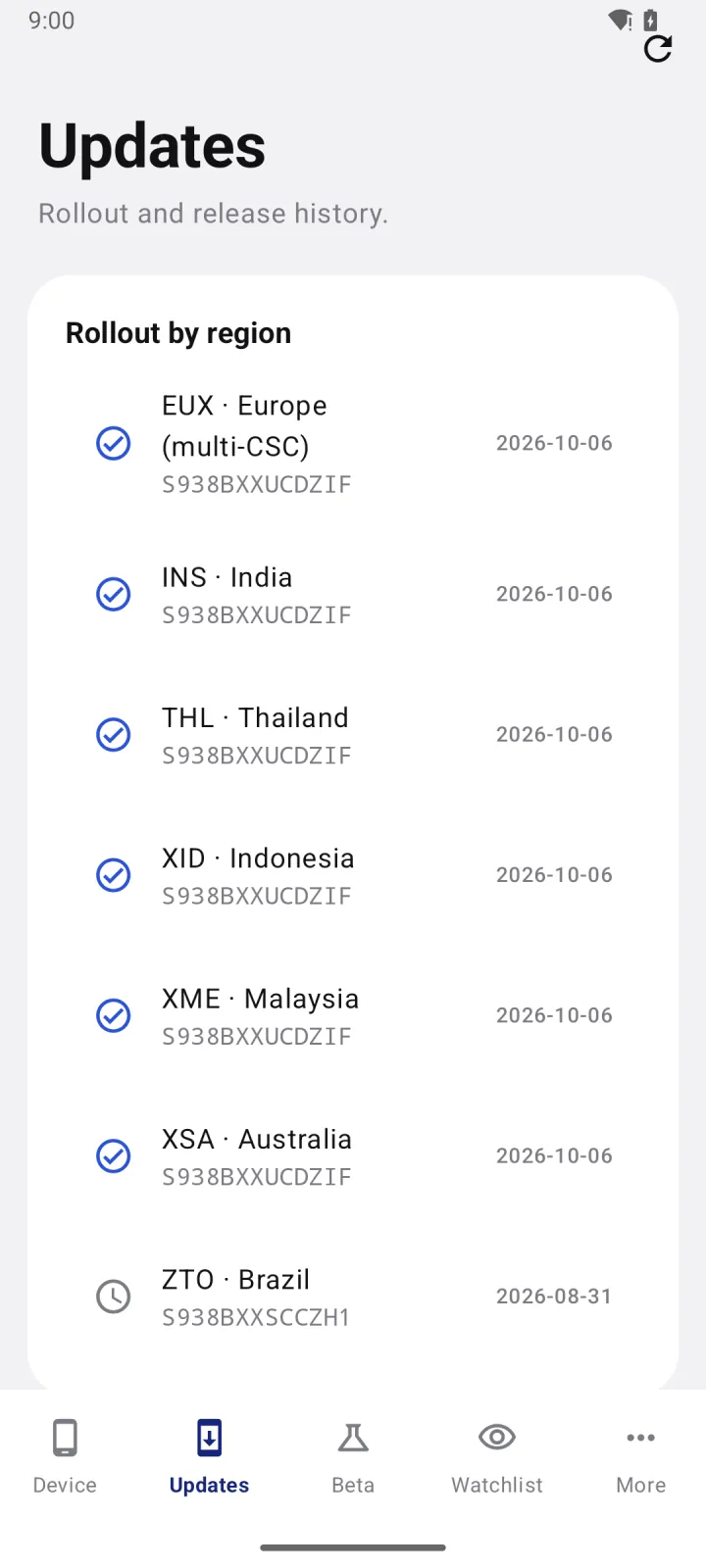
Updates shows where a build has landed so far. Each row has the region code, the build it's on, the security patch and the date.
Regions on the newest build sort to the top. Here, EUX, INS, THL, XID, XME and XSA already have S938BXXUCDZIF, while ZTO in Brazil is still on S938BXXSCCZH1 from August.
If a new build has reached a few regions and yours isn't one of them yet, it's most likely on the way.
Beta tab
See betas and test builds early
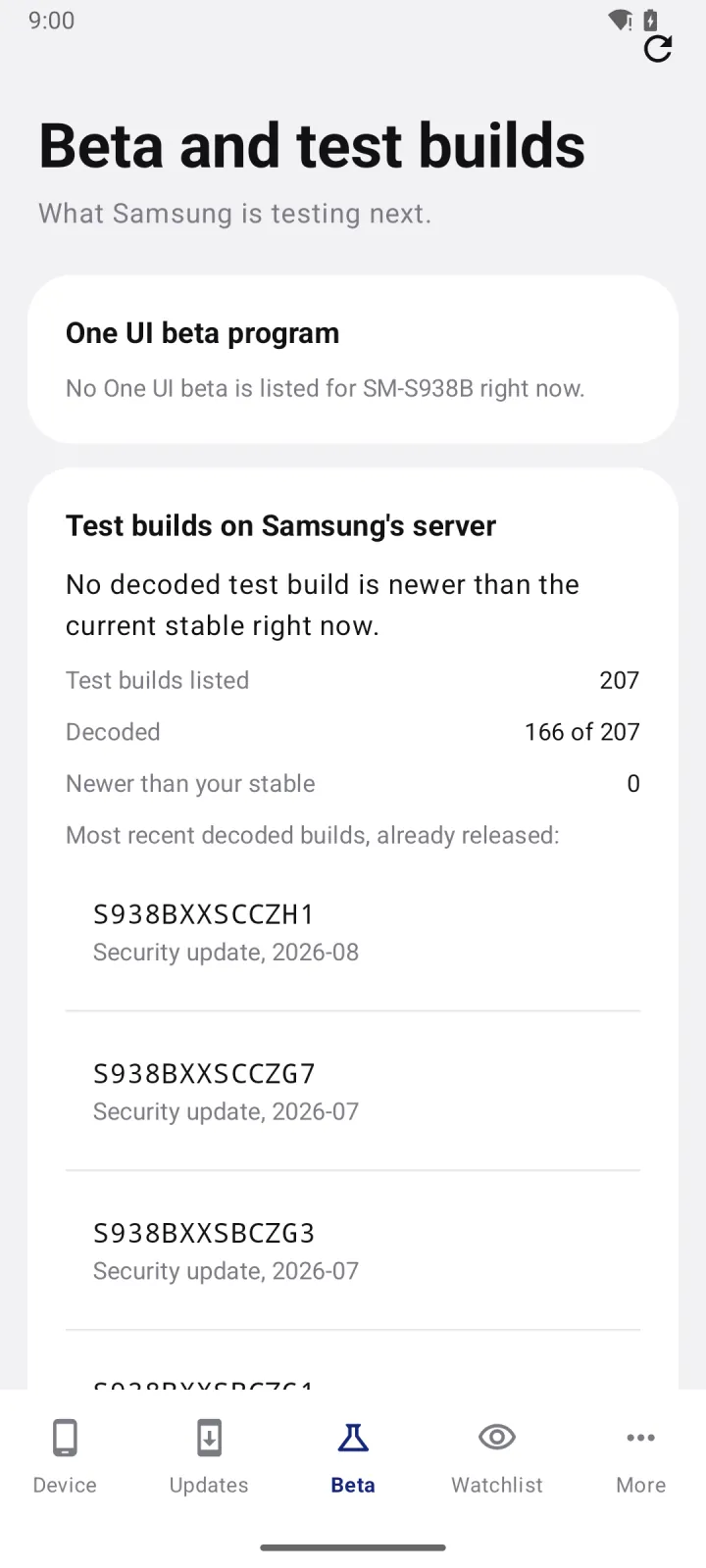
Samsung's update server also lists the builds it's still testing. They show up there well before an update goes public.
The Beta tab reads that list for your model and region and decodes what it can. For the S25 Ultra, it found 207 test builds, decoded 166 of them and checked whether any were newer than the stable build.
It also shows a One UI beta when one is listed for your model. A new test build is often the first sign that an update is coming.
Watchlist tab
Follow more than one phone
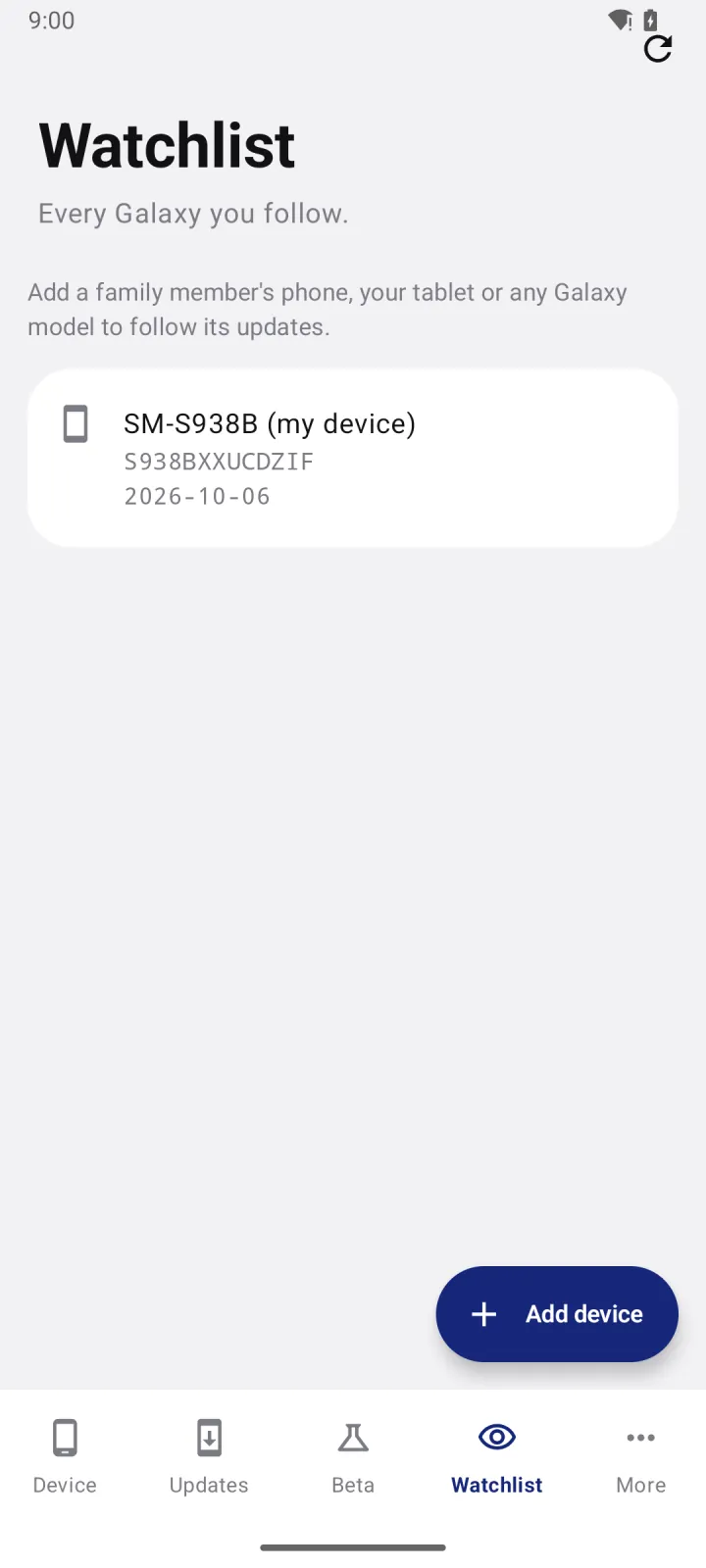
Got a Galaxy Tab S10 too? Or a parent on a Galaxy A55 who keeps asking when their update is coming?
Tap Add device on the Watchlist tab and add it with its model and CSC. The app checks every phone on the list along with yours and sends the same alerts for each one.
Alerts
Get a notification when something new shows up
The app checks in the background about every 8 hours, whenever your phone is online. You don't need to keep it open.
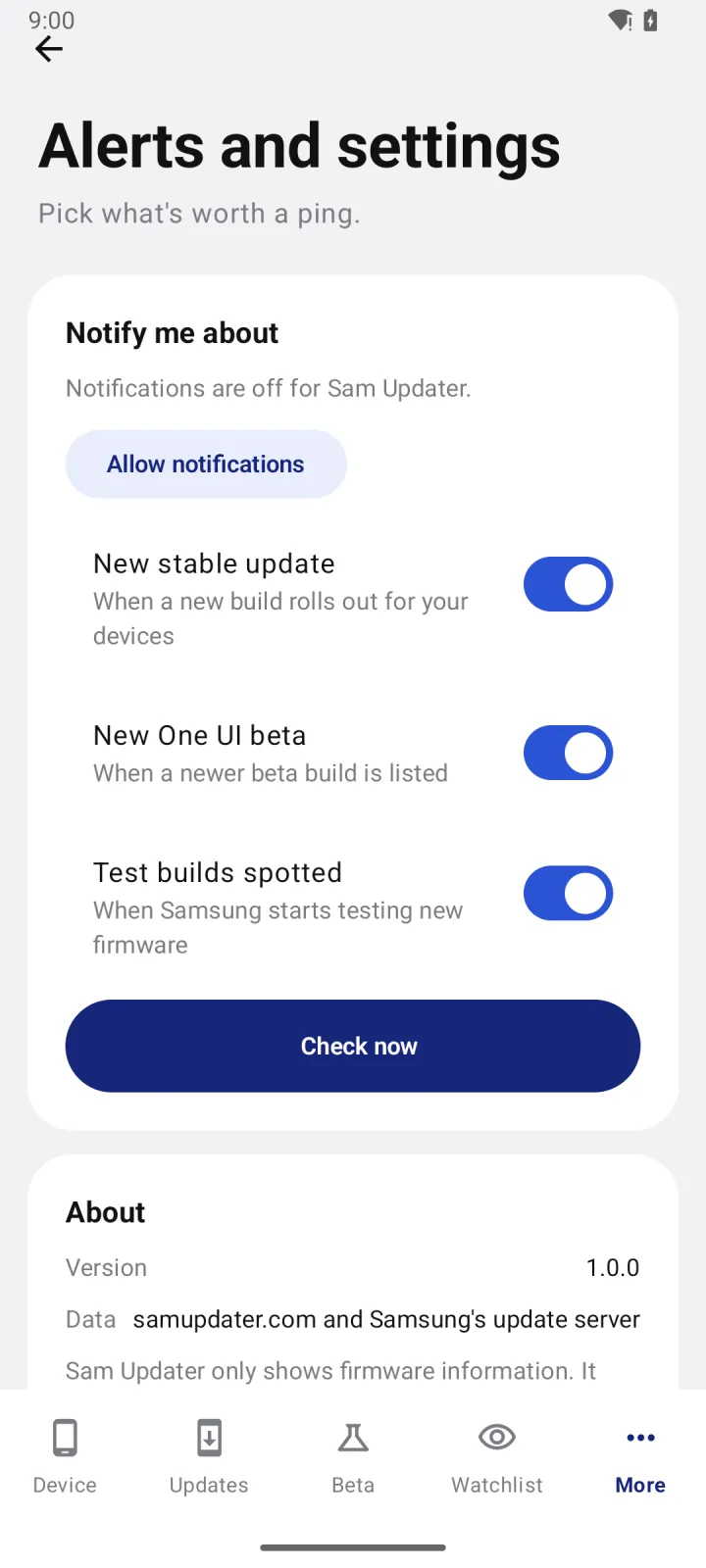
Pick what you want to hear about: a new stable update, a new One UI beta or test builds spotted. Test builds use a quiet channel, so your phone won't buzz every time one shows up.
Want to check right now? Go to More > Alerts and settings and tap Check now.
Firmware decoder
Find out what a build number means
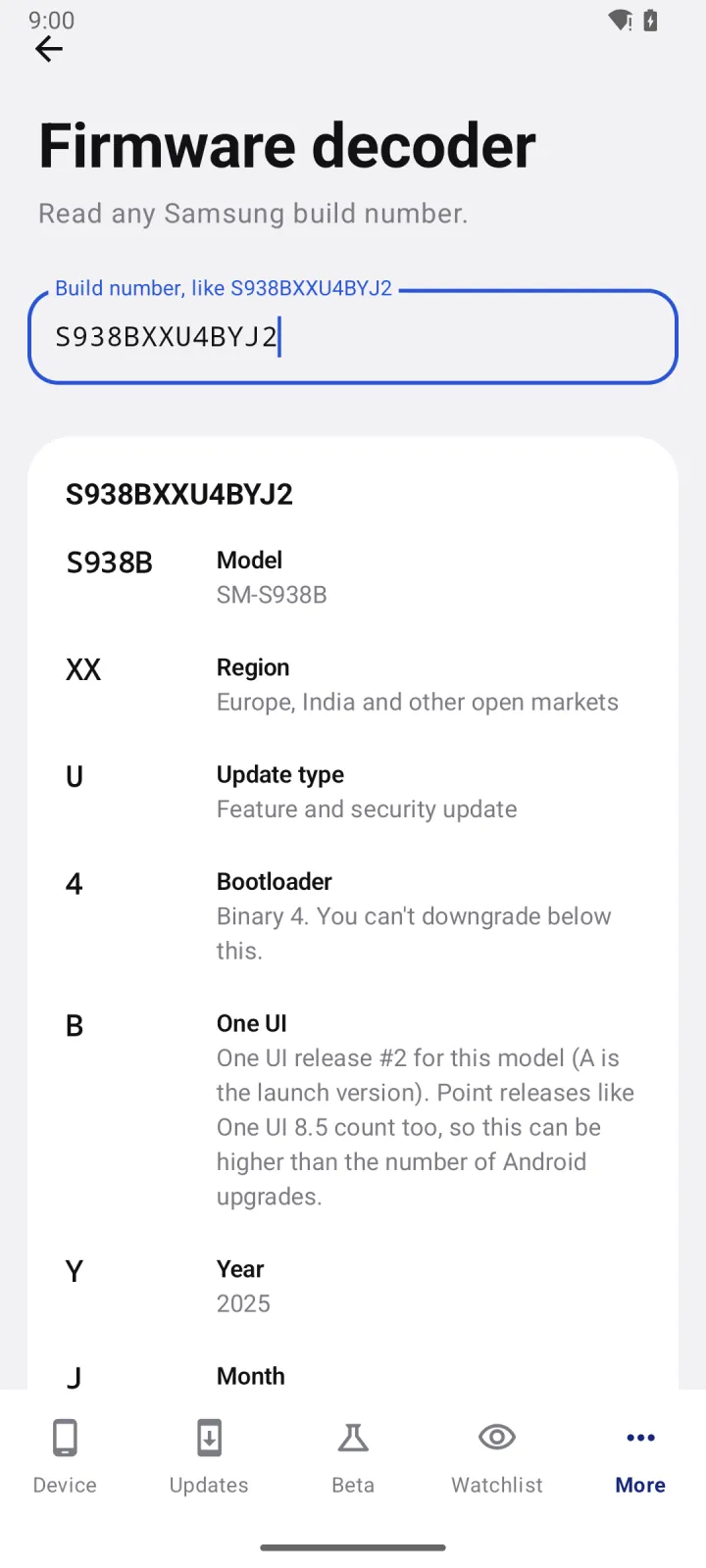
Samsung build numbers look random, but every character means something. Go to More > Firmware decoder, type a build number and the app explains it part by part.
Take S938BXXU4BYJ2. S938B is the model and XX covers Europe, India and other open markets. U means a feature and security update, 4 is the bootloader version and B is the second One UI release for this phone. Y is 2025, J is October and the last 2 means it's the second build that month.
You'll find your own build number in Settings > About phone > Software information > Build number.
The bootloader digit matters if you flash firmware with Odin. You can't go back to a build with a lower bootloader version, so check it before you download anything. My Odin guides cover this in more detail.
News and guides
Read samupdater.com inside the app
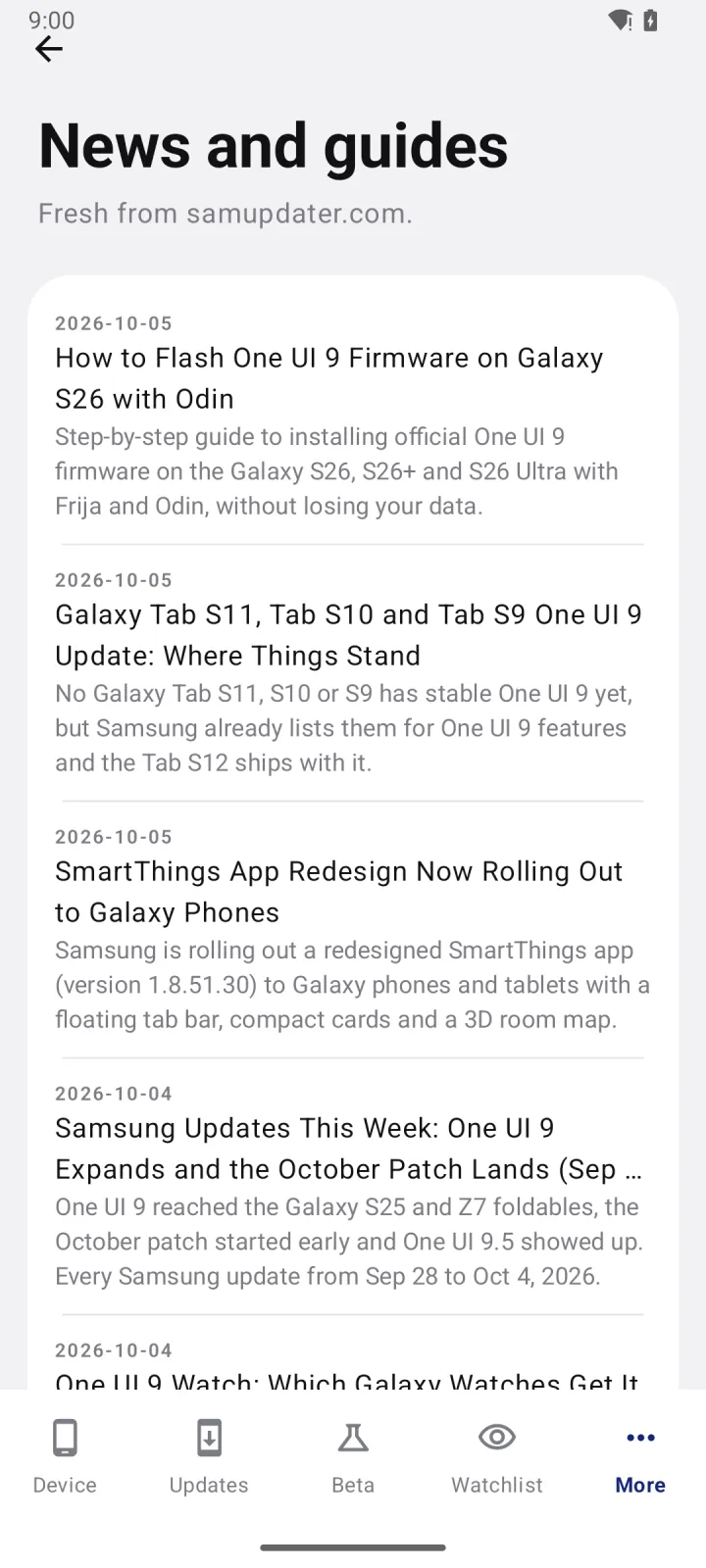
The News and guides screen pulls the latest posts from this site, so you can read about new updates without leaving the app.
That includes my Odin guides and the Frija guide, for when you'd rather download and flash the firmware yourself.
There's more
Home screen widget
The Firmware status widget puts your installed build next to the latest one. Long-press an empty spot on your home screen, tap Widgets and pick it from the Sam Updater list.
Light and dark mode
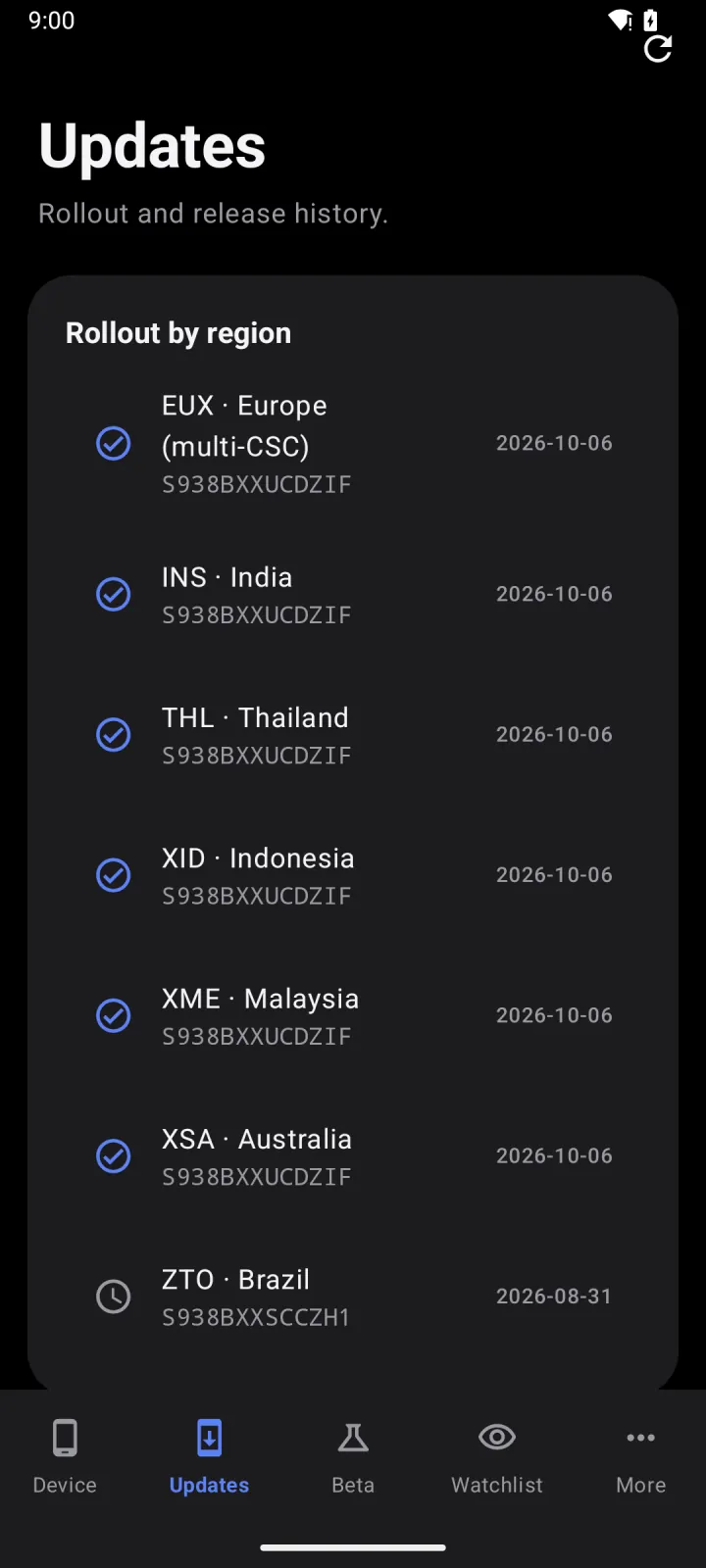
The app follows your phone's theme. Turn on dark mode in Settings > Display and the app switches with it.
Easy to read build numbers
Build numbers use a monospace font, so every character lines up. Spotting the difference between
S938BXXUCDZIFandS938BXXSCCZH1takes a second.No account, no ads
There's nothing to sign up for. No ads, no analytics and no tracking SDKs inside.
Easy on your battery
Checks run through Android's own scheduler about three times a day, and only when you're online. Nothing sits running in the background.
Works on any Android phone
You don't need a Galaxy to use it. On a Pixel or any other phone with Android 8.0 or newer, pick the Galaxy model you want to follow.
How to install the APK
The app comes as an APK file from GitHub, so you install it yourself. It takes about a minute.
- On your phone, tap Download APK. If Chrome asks whether you want to keep the file, tap Download anyway.
- Open the file from the download notification, or go to My Files > Downloads and tap SamUpdater-v1.0.0.apk.
- Android will say it can't install unknown apps from this source. Tap Settings, turn on Allow from this source and go back.
- Tap Install. If Google Play Protect offers to scan the app, let it.
- Open Sam Updater from your app drawer.
That's it. When a new version comes out, download the new APK and install it over the old one. Your devices and settings stay as they are.
Want to check the file first?
Compare the SHA-256 checksum of your download with the one below. If they match, the file arrived intact.
On Windows:
certutil -hashfile SamUpdater-v1.0.0.apk SHA256On macOS or Linux:
shasum -a 256 SamUpdater-v1.0.0.apkSHA-256 for version 1.0.0:
970a51e82c7a3c3ed7de1a24cb069dfde153595c3213f4e97f6c84c004d0e7ee
Every release is signed with the same key. If you have the Android SDK, run apksigner verify --print-certs SamUpdater-v1.0.0.apk and the certificate's SHA-256 digest should read:
e05a37de11fc7b7b92c909ba0e029576d7b6a0004b9fe4d19f94fbe5bab20e84
Android only installs an update over your current app when it's signed with that same key, so nobody else can slip a fake update onto your phone.
Set it up
Open the app once it's installed. Here's how I'd set it up.
- On a Galaxy, the app fills in your model number on its own. If it doesn't, or you're on another phone, tap Pick your device and choose your model.
- Enter your CSC, the three-letter region code like INS or EUX. You'll find it in Settings > About phone > Software information > Service provider software version.
- Check the Device tab. That's the newest stable build for your phone, with its security patch.
- Go to More > Alerts and settings, tap Allow notifications and pick the alerts you want.
- Add any other phones you want to follow on the Watchlist tab.
- Long-press your home screen, tap Widgets and add Firmware status if you want your build at a glance.
The app doesn't install firmware. It tells you what's out there. To update, go to Settings > Software update > Download and install on your phone.
Good to know
What you need
- Android 8.0 or newer
- An internet connection for checks
- Notification permission for alerts. Android 13 and newer will ask for it.
What it can access
- Internet, to read Samsung's servers and samupdater.com
- Network state, so it only checks when you're online
- Notifications, for your alerts
- Start at boot, so checks keep going after a restart
- Wake lock and foreground service, which Android's WorkManager adds so a check can finish
That's the full list. No contacts, location, photos, files, camera or microphone.
Where the data comes from
- Stable builds come from the same data as the Software Checker on this site, which reads Samsung's official release info.
- Test builds come from Samsung's update server at fota-cloud-dn.ospserver.net.
- Release notes come from Samsung's pages on doc.samsungmobile.com.
- The device list, beta info, news and guides come from samupdater.com.
There's no account, and your device list stays on your phone.
Questions you might have
Is Sam Updater free?
Yes, completely. No ads, no in-app purchases and nothing to sign up for.
Will it update my phone?
No. It tells you when a new build is out, and your phone installs it through Settings > Software update > Download and install. If you'd rather flash it yourself, follow one of my Odin guides.
Is it an official Samsung app?
No. I make it on my own, and it isn't made by, endorsed by or connected to Samsung. Samsung and Galaxy are trademarks of Samsung Electronics.
Does it work on phones that aren't Samsung?
Yes, on any phone with Android 8.0 or newer. It can't read the model off a phone that isn't a Galaxy, so you pick the Galaxy you want to follow.
How often does it check?
About every 8 hours, whenever your phone is online. You can also run a check any time from More > Alerts and settings > Check now.
What are test builds?
Builds Samsung is still testing. They're listed on Samsung's update server before an update goes out, so a newer test build often means an update is close. You can't download or install them.
Why does my phone still say it's up to date?
Samsung releases updates in stages, so a build can be out for your region before your phone gets the offer. Give it a few days. If you don't want to wait, you can download the firmware with Frija and flash it with Odin.
Can I check for updates without installing the app?
Yes. The Software Checker on this site shows the latest build and security patch for any Galaxy model and CSC, right in your browser. The app adds alerts, betas and test builds on top.
Where's the code?
It's on GitHub. You can read it, build the app yourself or open an issue if something isn't working right.
Ready to try it?
Grab the APK, set your model and CSC, and you're done. The app takes it from there.
Got a question or found a bug? Ask in the community forum or open an issue on GitHub. Tell me your Galaxy model number, like SM-S938B, and your CSC, and I'll take a look.