
Frija downloads Samsung firmware from Samsung’s Firmware Update Server using the model number and CSC you enter. It is useful when you need matching files for an Odin restore, a manual update or a Magisk AP patch.
Well, flashing the stock firmware file on your Samsung Galaxy handset can be helpful in several conditions to restore the device to its default factory state, resolve software conflicts, unbricking the device from the bootloop status, revert back to the stock firmware from the custom firmware, etc. Additionally, you can try flashing the stock firmware manually to easily upgrade your Samsung Galaxy device to the latest system software version.
What is a Frija Tool?
Frija is a software utility tool that allows Samsung Galaxy smartphone users to easily check and download the latest official stock firmware based on your specific model or variant. Even if you want to get an older firmware file for your Galaxy device model, you can try Frija which is a better alternative to the popular SamFirm tool.
Frija runs on Windows. Version 2.0.26142.10 targets .NET 8 and fixes the Samsung FUS connection problem caused by Samsung rotating its request keys. Download the ZIP from the developer’s GitHub release, extract it, and run the app from that folder.
Frija is community-developed software, not a Samsung product. The current source and release files are maintained on GitHub, so use that release page to verify changes instead of downloading a repacked copy from an unknown mirror.
What are the Benefits of Frija Tool?
Talking about the advantages of Frija Tool, you can check the key features below:
- Easy to use and simple user interface
- Dark theme
- Enable or disable the binary nature check
- Loads Samsung DLL libraries
- Offers a better search option for firmware
- Downloads matching firmware directly from Samsung’s Firmware Update Server (FUS).
- It allows Samsung Galaxy device users to easily enable or disable the CRC (Cyclical Redundancy Check) checksum verification to help them with firmware encryption, decryption, or MD5-related conflicts.
- The CRC and MD5 hash also confirm the firmware file integrity to avoid data corruption.
So, once you finish searching for the stock firmware file of your particular Galaxy device using the Frija tool, you should download the latest software version by following the instructions below.
Download Links:
You can check out the download links provided below for the Frija tool on your Windows computer.
| Name | Frija Tool |
| Version | v2.0.26142.10 (latest) |
| File Type | .zip |
| Size | Check GitHub release |
| Upload Location | Github |
| Uploader | @SlackingVeteran |
| Supports | Windows 10 or 11 (64-bit) |
Current version: 2.0.26142.10
Older Versions:
- Frija_v2.0.23362.1.zip
- Frija_v2.0.23357.1.zip
- Frija_v2.0.23262.4.zip
- Frija v1.4.1.zip
- Frija v1.4.0.zip
Requirements:
We’ve mentioned the requirements below for you that should be done properly.
- To run Frija v2.0.26142.10 on your Windows computer, you’ll also be required to install the .NET 8 Desktop Runtime.
- Once done, you should reboot your computer.
- Then start using this tool by following the steps below.
NOTE: In case, you’re using an older Frija version then you’ll need to install Microsoft Visual C++ 2008 Redistributable (x86) | Visual C++ 2010 Redistributable (x86) | .NET Framework on your Windows system respectively.
Steps to Use the Frija Tool to Download Samsung Stock Firmware
Before proceeding to download the stock firmware for your Samsung Galaxy device, you’ll need to check out the specific device model number, CSC code, and IMEI number. This is necessary for the problem-free download of Samsung firmware.
- Ensure you’ve installed the necessary .NET Framework or Visual C++ Redistributable program on your Windows system correctly.
- Next, you’ll need to download and install the Frija 2.0 program from the link above.
- Then extract the program zip file to a folder.
- Head over to Settings > About Phone.
- Write down the model number, CSC code, and IMEI number of your Samsung Galaxy device.
Please Note: You can also check the AP, CP, CSC code, and IMEI number of your Samsung Galaxy device using the dialer inside the Phone app > Dial *#1234# to see the CSC or SW details. Additionally, you can dial *#06# to see the IMEI number.
- Go to the extracted Frija 2.0 folder on the PC.
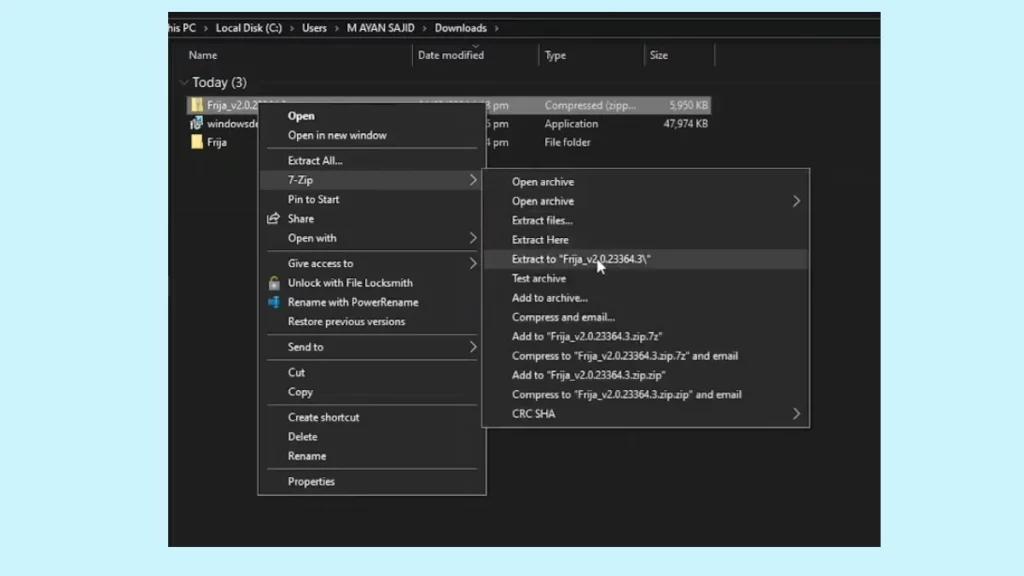
- Now, run the Frija.exe application on Windows.
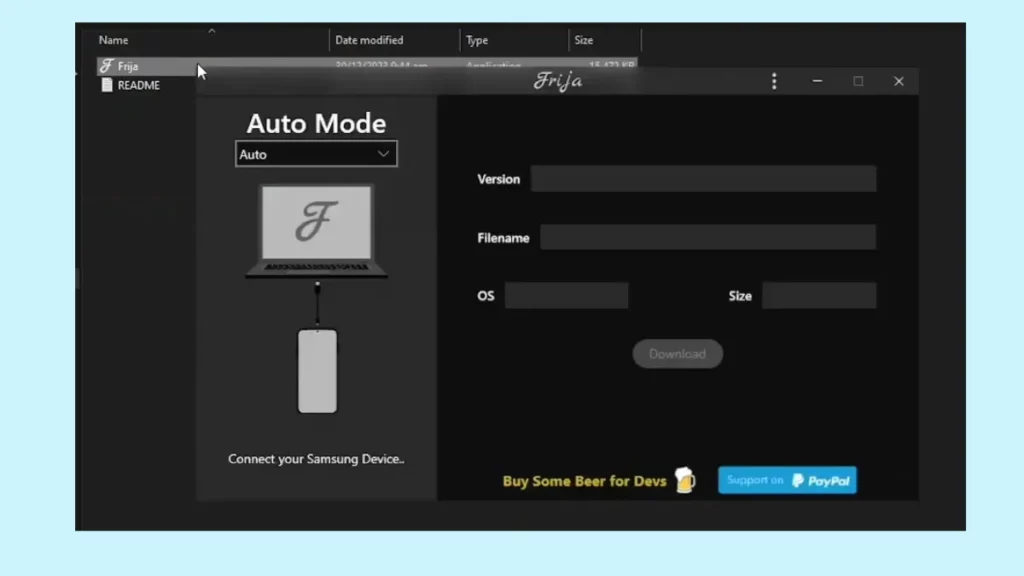
- Click on Manual Mode > Fill in the details like CSC and Model number.
- Next, you’ll need to select Auto > Hit Connect your Galaxy smartphone to your PC.
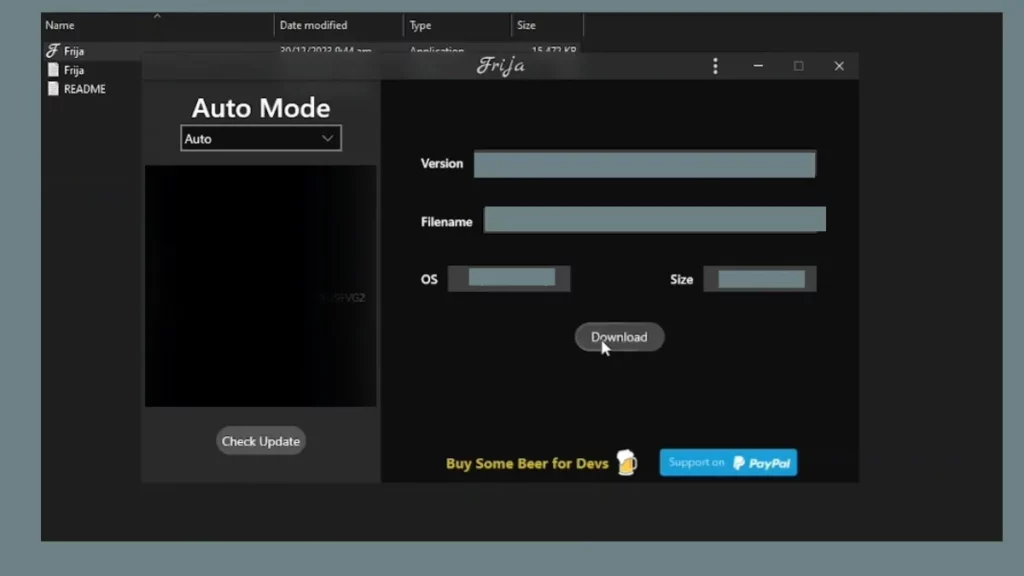
- Click on ‘Check Update’ to get the firmware info with the Android OS version.
- Click on the Download button to get the specific Samsung Galaxy Stock Firmware for your device model.
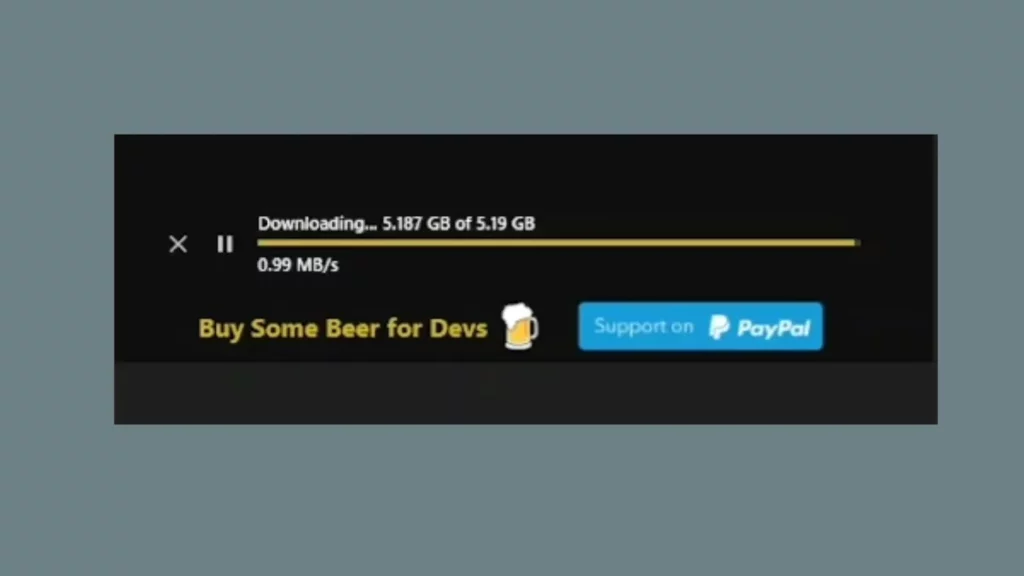
- Select the location where you want to save the firmware file.
- DO NOT CHANGE the firmware file name.
- Then click on OK to confirm the location selection.
- Wait for the firmware to get downloaded on the PC.
- Your active internet connection will play a major role.
- Finally, you’ll get a successful notification on the tool interface.
- Once done, head over to the saved location on your system.
- Extract the firmware zip file on another drive or directly to the desktop screen.
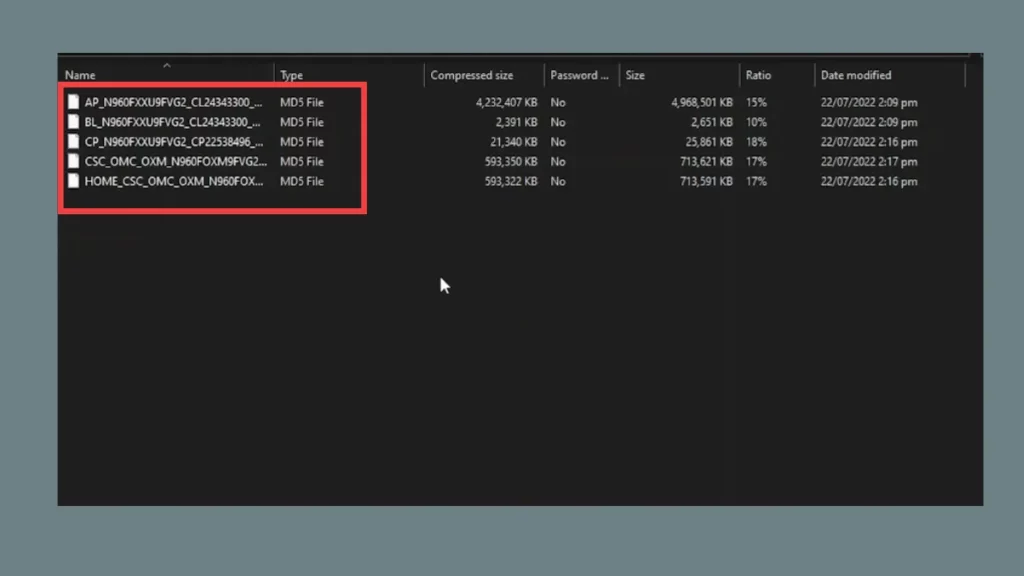
- Now, you will get the BL, AP, CP, CSC, and Home CSC binaries inside the firmware folder.
After following this method, now you can grab the ODIN3 tool for your Windows computer and manually flash the downloaded Samsung stock firmware file via Odin on your Galaxy handset.
In this way, you can easily use the Frija tool on your Windows system to manually download the official Samsung Stock Firmware file then you’ll be able to flash the firmware file on your Samsung Galaxy device via the Odin3 tool.
Was this guide helpful?
Your answer helps us keep it accurate.
Comments (0)
Comments are moderated, and published only if they are relevant to the topic and add value in a constructive way. If you disagree with something, please be polite and respectful.