
Samsung has released build E146BXXS5CXH1 for the Galaxy F14 5G in India. It brings the August 2024 security patch, and the OTA download is about 240MB.
To get this update, go to your phone’s settings, tap on ‘Software Update,’ and then select ‘Download and install.’ It’s a good idea to connect to a stable Wi-Fi network during this process. This helps the update go smoothly and saves your mobile data.
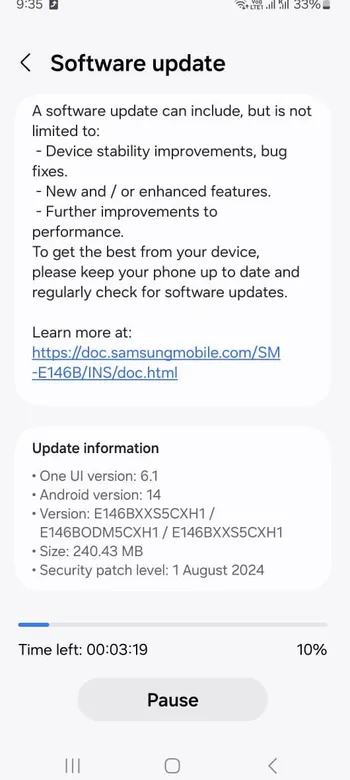
While the update is installing, your phone might restart a few times. Don’t worry, this is normal. The whole process should take about 5 to 10 minutes, so just be patient.
If the update isn’t showing up on your device, you can manually download it using the Frija Tool and flash it using the ODIN flash tool. However, this is only recommended if you’re familiar with flashing firmware, as it can be tricky and risky if you’re not sure what you’re doing.
Looking for the latest update?
This article covers the August 2024 release. Samsung has shipped newer firmware since then. To see the current build and security patch for your exact model and region, use our Samsung firmware checker.
Was this guide helpful?
Your answer helps us keep it accurate.
Comments (0)
Comments are moderated, and published only if they are relevant to the topic and add value in a constructive way. If you disagree with something, please be polite and respectful.