
Quick update: One UI 7 has already rolled out. For the current version, check the One UI 9 device list and the One UI 9 update tracker.
One UI 7 Compatibility Checker
One UI 7 brought Android 15 to eligible Galaxy phones, with a redesigned interface, new Galaxy AI tools and tighter privacy controls. Samsung began the stable rollout on April 7, 2025.
One UI 7 is no longer the newest Samsung interface. One UI 8 followed in 2025, and One UI 8.5 reached supported devices in 2026. I have updated this page so the old pre-release details are clearly separated from the confirmed rollout information.
The Galaxy S24 series was first in line for the stable One UI 7 rollout, followed by recent foldables, Galaxy S and selected Galaxy A and Tab models. The exact delivery date varied by country and carrier.
When was One UI 7 released?
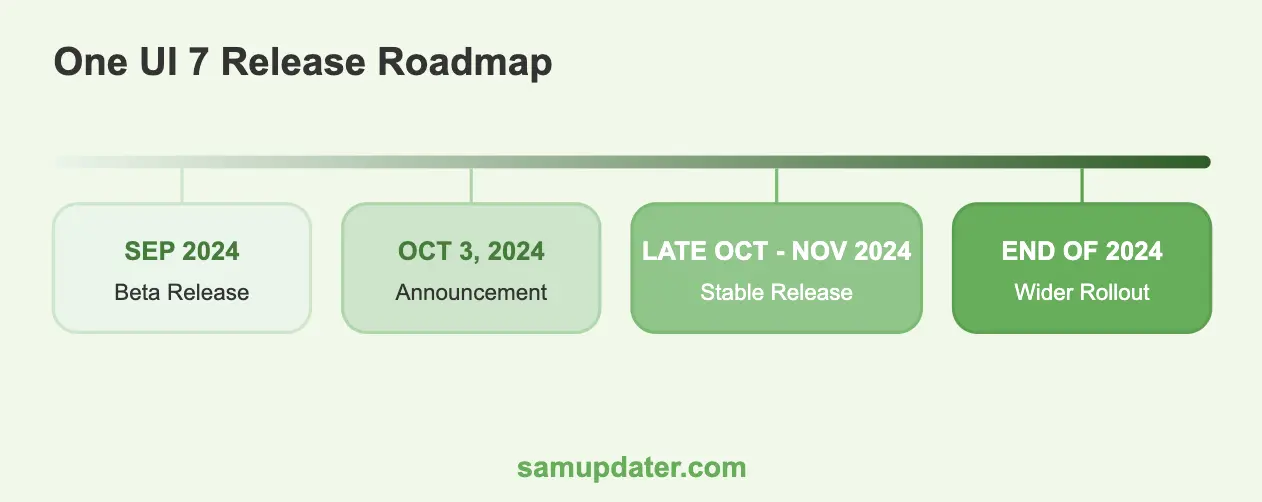
Samsung officially started the One UI 7 rollout on April 7, 2025. If the update is available for your model and CSC, install it from Settings > Software update. There is no universal One UI 7 ZIP that is safe for every Galaxy phone.
Galaxy devices that received One UI 7
Many current and upcoming Galaxy handsets are expected to receive the One UI 7 update once it becomes officially available. Since the update will be built on the upcoming Android 15, all Samsung Galaxy smartphones scheduled for Android 15 will also be receiving the One UI 7 update. Here are some of the Galaxy handsets eligible to receive the One UI 7 update –
- Galaxy Z Fold 6
- Galaxy Z Flip 6
- Galaxy S24 series
- Galaxy S23 series
- Galaxy S22 series
- Galaxy S21 series
- Galaxy Z Fold 5
- Galaxy Z Flip 5
- Galaxy Z Fold 4
- Galaxy Z Flip 3
- Galaxy S23 FE
- Galaxy S21 FE
- Galaxy A73
- Galaxy A72
- Galaxy A55
- Galaxy A54
- Galaxy A53
- Galaxy A35
- Galaxy A34
- Galaxy A33
- Galaxy A25
- Galaxy A24
- Galaxy A23
- Galaxy A15 (LTE+5G)
- Galaxy A14 (LTE+5G)
- Galaxy F55
- Galaxy F54
- Galaxy F34
- Galaxy F15
- Galaxy Tab S9 FE+
- Galaxy Tab S9 FE
- Galaxy Tab S9 Ultra (Wi-Fi/5G)
- Galaxy Tab S9+ (Wi-Fi/5G)
- Galaxy Tab S9 (Wi-Fi/5G)
- Galaxy Tab S8 Ultra (Wi-Fi/5G)
- Galaxy Tab S8+ (Wi-Fi/5G)
- Galaxy Tab S8 (Wi-Fi/5G)
Rumored features of One UI 7 update
With the official release date of One UI 7 fast approaching, the internet has been abuzz with rumors and leaks. Over the past few weeks, there have been a lot of reports giving us bits and pieces of what features the upcoming update could come with.
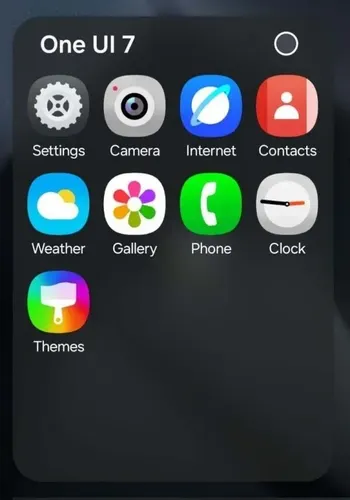
According to rumors, the Galaxy devices’ Contacts, Dialer, Settings, Browser, Gallery, Theme, and other stock apps could have new icons that are different from what is present on the Galaxy S24, Galaxy Z Flip 6, and Galaxy Z Fold 6. The Settings app icon and menu iconography have also been redrawn according to the new concept having more rounded edges.
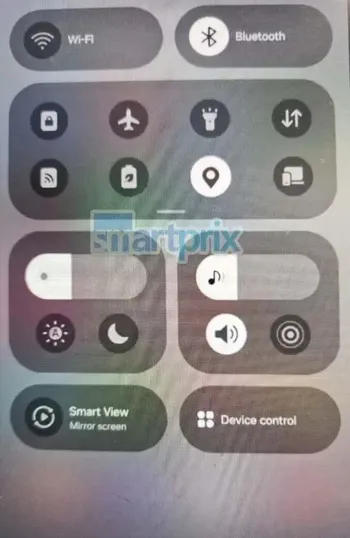
Additionally, Samsung could also have a new One UI feature, allowing notifications to get expanded into a sort of live activity, which will be very similar to Apple’s Dynamic Island handling certain functionalities. In the leaked report, the timer activity is minimized straight into the notification shade.
Given the growing influence of AI across the industry, it wouldn’t be surprising if the upcoming update doubles down on machine learning and generative artificial intelligence.
The Android 15 update is rumored to arrive with a viable milestone for widget appreciators as the upcoming software could come with support for Lock Screen widgets. It is likely that most Android 15 features could carry over to the upcoming One UI 7 update.
According to the rumors, the Android 15 update might bring battery health to Android, making it easy to check the health of your Galaxy device’s battery. Moreover, Battery Life Optimizations are also believed to be arriving for One UI 7. Galaxy AI could be used for intelligently shutting down any unnecessary tasks that might be running in the background and using system resources.
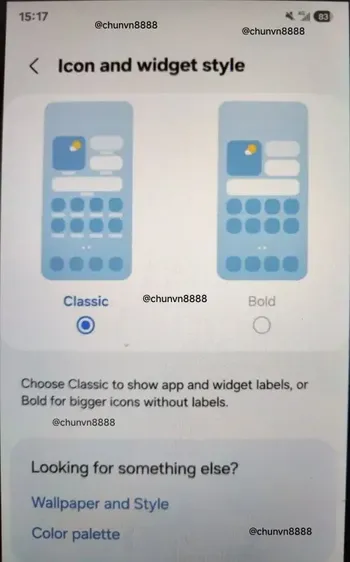
There’s a rumor going around that the upcoming One UI 7 might come with a brand-new camera interface. Some leaks about the One UI 7’s camera app have even surfaced, thanks to @chunvn888 on X (formerly known as Twitter)
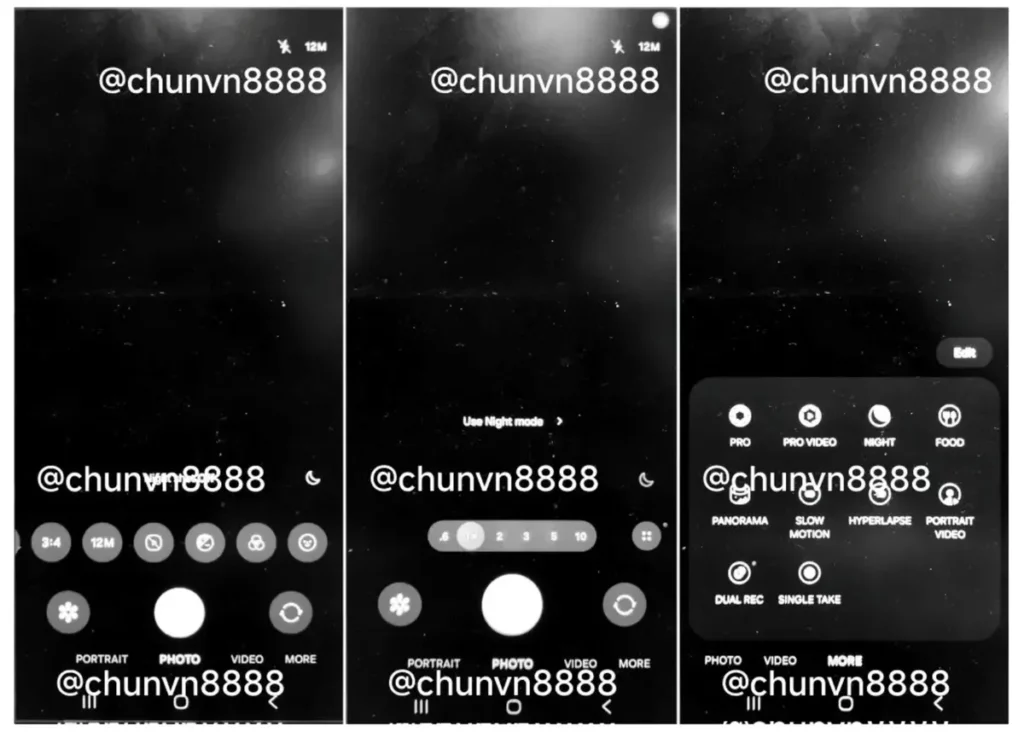
Further, another rumor is that Samsung might be bringing a vertical app drawer with the upcoming One UI 7 update. Interestingly, a moderator of the Samsung Community forum spilled the beans, stating that a vertically scrollable app drawer is being prepared for the upcoming iteration of One UI. However, there is also a theory that since the moderator represented the Good Lock Support team, there is a chance that this feature might be available as a Good Lock module.
If you have any questions or suggestions, feel free to mention them in the comments section.
Was this guide helpful?
Your answer helps us keep it accurate.
Comments (0)
Comments are moderated, and published only if they are relevant to the topic and add value in a constructive way. If you disagree with something, please be polite and respectful.