
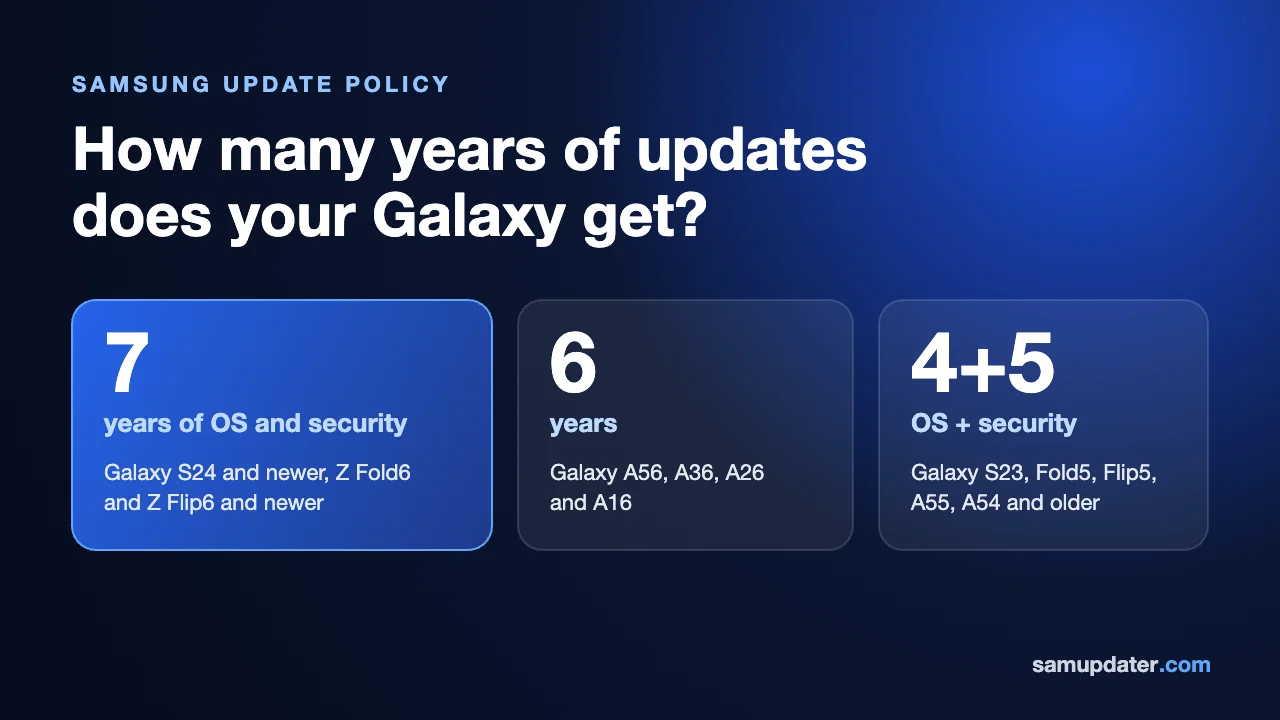
Samsung’s update policy depends on your exact Galaxy model. The Galaxy S25 series gets seven Android upgrades and seven years of security updates, while the Galaxy A56 and A36 get up to six of each. The Galaxy S23 series has a four-upgrade, five-year commitment.
I’ll help you separate that original promise from the support your phone has left. Find your model in the table, then use the launch-version examples below to count its Android upgrades. Security patches need a separate check against Samsung’s current list.
Samsung update policy by Galaxy model
These are Samsung’s original commitments for selected models. Each model name links to its official announcement. The numbers describe the full support period, rather than the updates remaining on a phone you buy today.
| Galaxy model | Android OS upgrades | Security support |
|---|---|---|
| Galaxy S26 series | Up to 7 | Up to 7 years |
| Galaxy S26 FE | Up to 7 | Up to 7 years |
| Galaxy S25 series | Up to 7 | Up to 7 years |
| Galaxy S25 FE | Up to 7 | Up to 7 years |
| Galaxy S24 series | Up to 7 | Up to 7 years |
| Galaxy S24 FE | Up to 7 | Up to 7 years |
| Galaxy S23 series | Up to 4 | Up to 5 years |
| Galaxy S23 FE | Up to 4 | Up to 5 years |
| Galaxy S22 / S22+ / S22 Ultra | Up to 4 | Up to 5 years |
| Galaxy S21 / S21+ / S21 Ultra / S21 FE | Up to 4 | Up to 5 years |
| Galaxy Z Fold6 / Z Flip6 | Up to 7 | Up to 7 years |
| Galaxy A57 5G / A37 5G | Up to 6 | Up to 6 years |
| Galaxy A56 5G / A36 5G / A26 5G | Up to 6 | Up to 6 years |
| Galaxy A55 5G / A35 5G | Up to 4 | Up to 5 years |
| Galaxy A54 5G / A34 5G | Up to 4 | Up to 5 years |
| Galaxy A53 5G / A33 5G | Up to 4 | Up to 5 years |
| Galaxy A17 5G / A17 LTE / A07 LTE | Up to 6 | Up to 6 years |
| Galaxy A16 LTE / A16 5G | Up to 6 | Up to 6 years |
Galaxy S21, S22 and the FE difference
Samsung’s expanded policy announced in 2022 covers the Galaxy S22, S22+ and S22 Ultra, along with the Galaxy S21, S21+, S21 Ultra and S21 FE. They qualify for up to four generations of OS upgrades and five years of security updates. The newer seven-generation policy does not apply to these models.
Check the FE generation separately. The Galaxy S23 FE has four OS upgrades and five years of security support, but the Galaxy S24 FE and Galaxy S25 FE each have seven of both. For the newer model, our Galaxy S26 FE policy guide goes into its individual commitment.
Galaxy A55, A54 and A53: count from the launch version
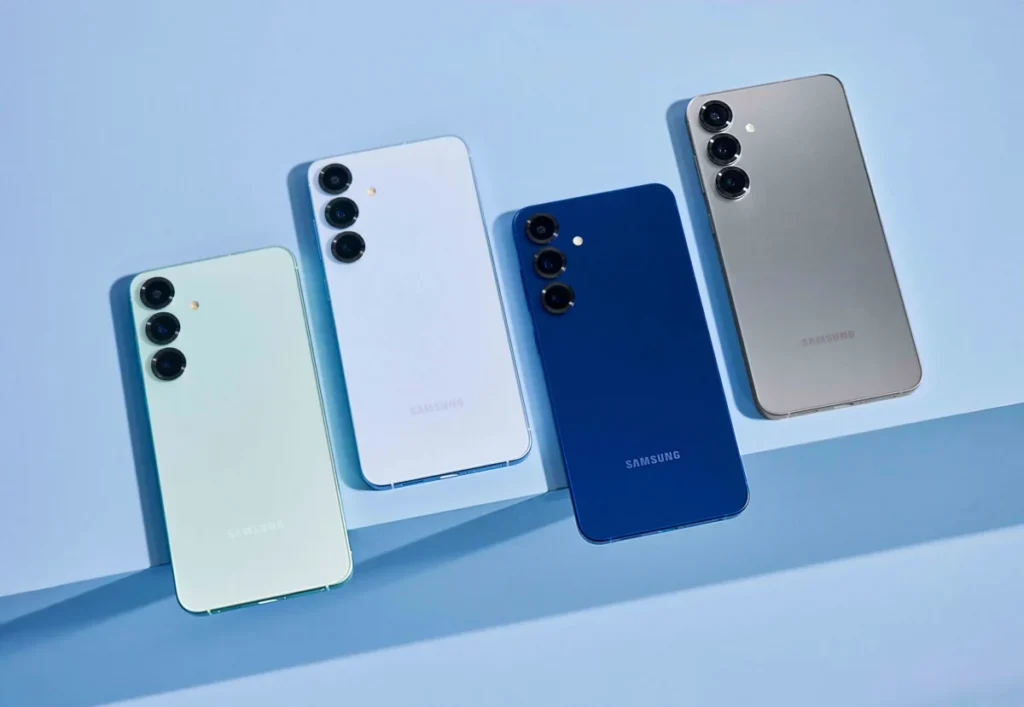
The Galaxy A55/A35, A54/A34 and A53/A33 families each have a four-generation OS upgrade commitment. Their launch versions differ, though, so four upgrades take them to different Android versions. Samsung’s launch specifications and support promises are linked in this comparison.
| Galaxy models | Android at launch | Fourth upgrade, by calculation |
|---|---|---|
| Galaxy A55 5G / A35 5G | Android 14 | Android 18 |
| Galaxy A54 5G / A34 5G | Android 13 | Android 17 |
| Galaxy A53 5G / A33 5G | Android 12 | Android 16 |
The last column is a calculation from the original Android version plus four upgrades. It isn’t a Samsung rollout calendar or an announcement that those versions are available in your country.
Take the Galaxy A54 as an example. Starting from Android 13, its four upgrades count as Android 14, 15, 16 and 17. An A54 running Android 16 has reached the third of those upgrades; Android 17 is the fourth under the original commitment. You can apply the same method to the other two rows.
What is the Galaxy A56 and A36 update policy?
The Galaxy A56 5G and A36 5G get up to six generations of OS upgrades and six years of security updates. The Galaxy A26 5G has the same commitment in Samsung’s shared announcement, so the lower model number does not shorten its promised support.
Samsung also gives the Galaxy A57 5G and A37 5G up to six OS upgrades and six years of security updates. Its Philippines announcement for the Galaxy A17 5G, A17 LTE and A07 LTE promises six of each as well. That is why I would check the full model name before using price or the A-series label to judge support.
Work out how many Android upgrades you have left
You’ll need the phone’s model, its original Android version and the version installed now. Samsung’s US guide to finding the model number and Gulf guide to checking the Android version show where to find the details in Settings.
- Open Settings > About phone and note the model number. Match the full model name, including FE or 5G where applicable, to the Samsung announcement.
- Open Settings > About phone > Software information and read the Android version.
- Find the original Android version and promised upgrade count in that model’s launch specifications. Count the major Android versions after the launch version, as in the A54 example above.
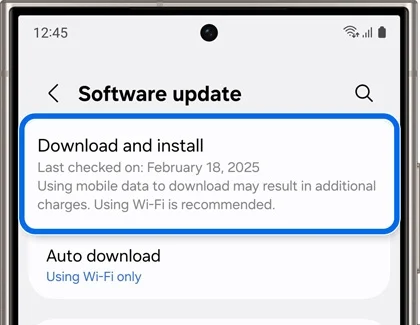
- For an available download, check Settings > Software update > Download and install. Samsung notes that availability can depend on your region and carrier.
To match a release to your phone’s region, use our guide to reading the Samsung CSC code. You can then enter that code and the model number in our Samsung firmware checker to look up the channel’s release information.
If you’re checking the Galaxy S23, our S23 One UI update coverage has the model’s rollout details. Keep the support count and the release status separate: an upgrade can fall within a phone’s commitment before it reaches your particular region.
Security patches after the last Android upgrade
Security updates address Android and Samsung-specific vulnerabilities. They are a separate part of the support promise, so finishing the Android upgrade count does not by itself mean that security support has ended.
Samsung’s security-update scope showed the following schedules when checked on November 12, 2026. Use the current list when checking your own phone, because Samsung revises it.
| Galaxy models | Listing on November 12, 2026 |
|---|---|
| Galaxy S23 / S23+ / S23 Ultra / S23 FE | Monthly |
| Galaxy S22 / S22+ / S22 Ultra | Quarterly |
| Galaxy S21 FE 5G | Quarterly |
| Galaxy S21 / S21+ / S21 Ultra | Absent from the regular-update lists |
Read the list’s group headings, too. The A54 5G and A55 5G entries appear under Enterprise Models on the monthly list. That is not a blanket monthly-patch promise for all retail versions. Samsung also says some carriers use quarterly updates even for listed monthly models.
Frequently asked questions
Does the support period start when I buy the phone?
No. For the Galaxy S25 series, Samsung explicitly counts its seven years of security support from the global launch date. A later purchase doesn’t restart that clock. Check your model’s announcement before estimating the time left, and treat a calculated end year as an estimate rather than an exact final-patch date.
Will my Galaxy get every new One UI feature?
An OS upgrade commitment does not promise every feature shown on a newer phone. Samsung says One UI features and their timing can vary by model, and upgrades depend on suitable hardware. Check the supported-device details for the particular feature you want.
If your Galaxy isn’t listed, leave its model number and country in the comments. I can help you find the Samsung announcement that applies to it.
Was this guide helpful?
Your answer helps us keep it accurate.
Comments (0)
Comments are moderated, and published only if they are relevant to the topic and add value in a constructive way. If you disagree with something, please be polite and respectful.