
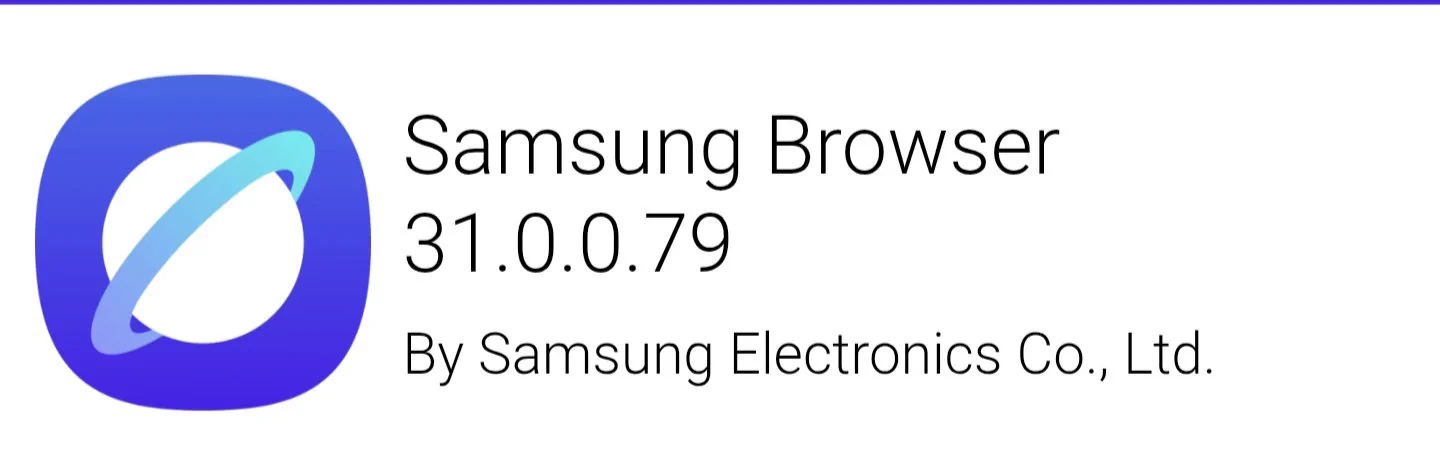
Samsung Browser 31.0.0.79 has appeared in an October 30 report from CID on X, alongside a screenshot showing rejected connections in an eMudhra certificate test. If you use Samsung Browser on your Galaxy, check its app updates. This report concerns the browser app, rather than a new One UI firmware release.
The shared version image identifies Samsung Electronics as the developer. A second image shows a test table with all 14 tested certificate chains rejected. Those screenshots make this a specific update report, but they don’t establish that the same version is available on every Galaxy yet.
What does the Samsung Browser certificate test show?
The test screenshot lists eMudhra intermediate certificates and records a failed connection for every listed chain. CID associates that result with Samsung Browser 31.0.0.79. I would read it as evidence about those tested connections, rather than a claim that every browser security issue has been fixed.
There is a useful distinction here. The screenshot shows a browser refusing the test connections. It does not show a problem with the Galaxy’s display, a failed One UI installation, or a need to reset the phone. The practical action is to check the browser’s own update listing.
Why might your Galaxy still show an older version?
The public Samsung Browser Galaxy Store page checked on October 31 still displayed version 30.0.5.27, dated October 23. That differs from the version image in the report. It means you should check what your own store offers before assuming the newer build has reached your device.
Don’t mistake a version shared online for an update already installed on your phone. Compare the full version number, including the final digits. If your store only offers the older version, the report alone doesn’t explain the difference or establish a delivery date.
How do you check Samsung Browser updates?
Samsung’s US app-update instructions cover both stores. In Galaxy Store, open Menu, then Updates, and look for the browser. In Google Play, tap your profile picture, select Manage apps & device, and open Updates available. Install the browser update if one is offered.
Samsung notes that menus can differ by software version and device. Read the app name and developer before updating so you don’t confuse Samsung Browser with a separate browser or a beta listing.
For the phone’s operating-system releases, use our One UI update tracker. Our Samsung security patch tracker covers firmware patches separately. Neither tracker replaces the browser’s app-store listing.
FAQ
Does this confirm a Samsung Browser update for every Galaxy?
No. The evidence is CID’s version image and certificate-test screenshot. Check the release offered to your own Galaxy; the public Galaxy Store page still showed an earlier version when checked for this article.
Do you need to reset your Samsung phone?
Nothing in this report calls for a reset. Start with the normal app-update check. If the versions don’t match what you expected, tell me your Galaxy model, country, and the browser version your store offers.
Was this guide helpful?
Your answer helps us keep it accurate.
Comments (0)
Comments are moderated, and published only if they are relevant to the topic and add value in a constructive way. If you disagree with something, please be polite and respectful.