
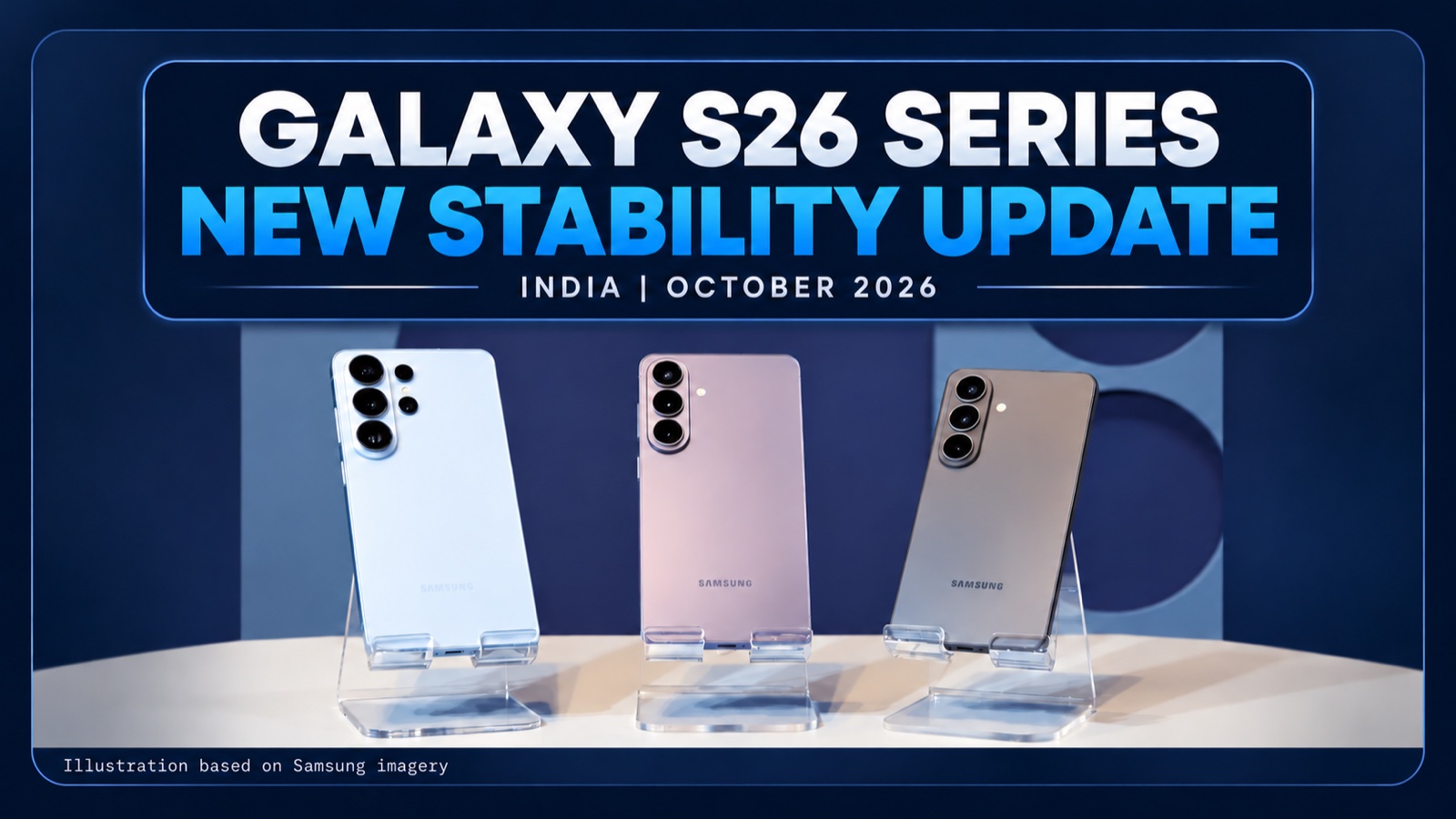
Samsung released another October update for the Galaxy S26, S26+ and S26 Ultra in India on October 29. The Galaxy S26 Ultra release notes describe improvements to stability, reliability and security, with the October 5, 2026 security patch.
This is a different build from the October security update that followed One UI 9 in September. I will help you identify the newer release for your model and explain what Samsung has, and hasn’t, said about its changes.
Which Galaxy S26 models have the new update in India?
Samsung lists an October 29 release for all three models on the India firmware channel. Our tracker recorded the Galaxy S26 build on October 29 at 11:17 p.m. IST and the S26 Ultra build on October 30 at 4:14 a.m. IST. These are detection times, not the times Samsung began sending updates to phones.
- Galaxy S26 (SM-S942B): S942BXXU5BZJA
- Galaxy S26+ (SM-S947B): S947BXXU5BZJA
- Galaxy S26 Ultra (SM-S948B): S948BXXU5BZJA
Each of these Samsung pages lists Android 17 and the October 5 security patch. The build numbers apply to the Indian release notes for these models. A carrier or a phone from another region may receive different software.
Our firmware checker can help you compare your model and region. Find your model under Settings > About phone, then use Software information to check the build currently installed.
What changed in the new Galaxy S26 update?
The release notes don’t name the specific stability issues addressed, identify a camera change, or provide a download size.
For S26 Ultra owners who saw reports of a setup screen freeze in South Korea, that distinction matters. Our earlier report on the setup freeze covers the original report. The Indian changelog does not say this build fixes that problem.
How is this different from the earlier October patch?
Samsung’s India release history for the S26 Ultra shows S948BXXS4BZIG dated September 30 with the October 5 patch. The new S948BXXU5BZJA build has the same patch date but a later release date and a stability description. A matching patch date does not mean the full build number is the same.
We covered the earlier October security rollout separately. That article explains why some owners saw a security update soon after One UI 9. This release is another update later in the month.
How do you check for the new build?
Go to Settings > Software update > Download and install. If an update appears, read the build and details shown on your phone before installing it. Connect to Wi-Fi and make sure your phone has enough charge.
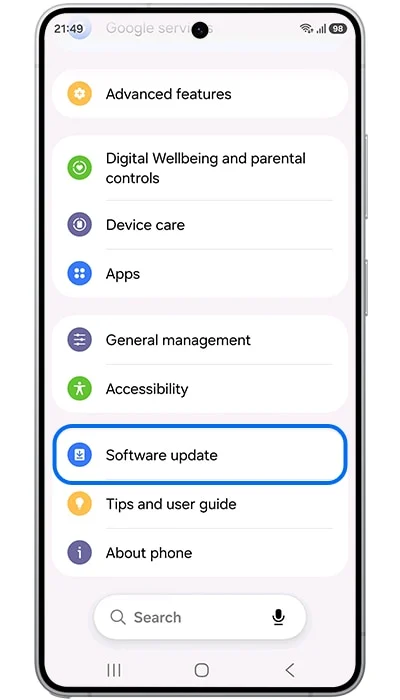
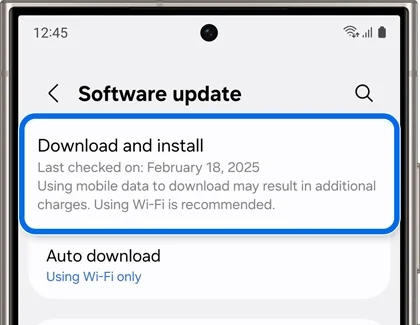
If nothing appears, compare the model and region first. A release listed for India doesn’t establish when a carrier model from another market will receive an update. Our update not showing guide covers those checks.
FAQ
Does the new build change the security patch date?
The Indian S26 Ultra release history lists October 5 for both the earlier security build and the October 29 stability build. Check the full build number as well as the patch date to distinguish them.
Does this update fix the S26 Ultra setup freeze?
Samsung’s India release notes do not identify that issue. They describe stability, reliability and security improvements without naming a particular fix.
Can I use the S26 Ultra build number for the regular S26?
No. Each model has its own build number. Match the phone’s model number to its release notes before comparing the version on your screen.
Was this guide helpful?
Your answer helps us keep it accurate.

Comments (0)
Comments are moderated, and published only if they are relevant to the topic and add value in a constructive way. If you disagree with something, please be polite and respectful.