
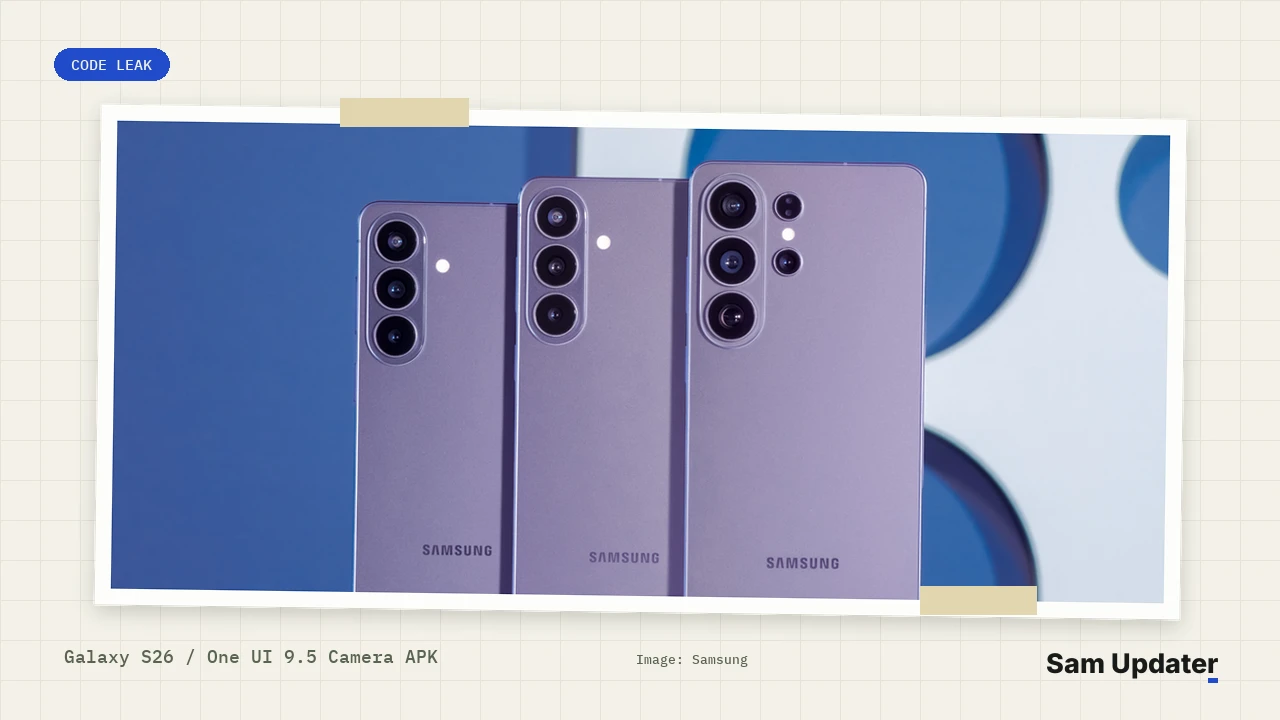
Work-in-progress One UI 9.5 beta strings point to a new Selfie Horizontal Leveling mode inside Samsung’s Camera app for the Galaxy S26 series. If you want horizon stabilization today, open Camera > Video and check Super steady on the rear lenses, because front-camera leveling stays limited to unreleased APK code discovered on November 19.
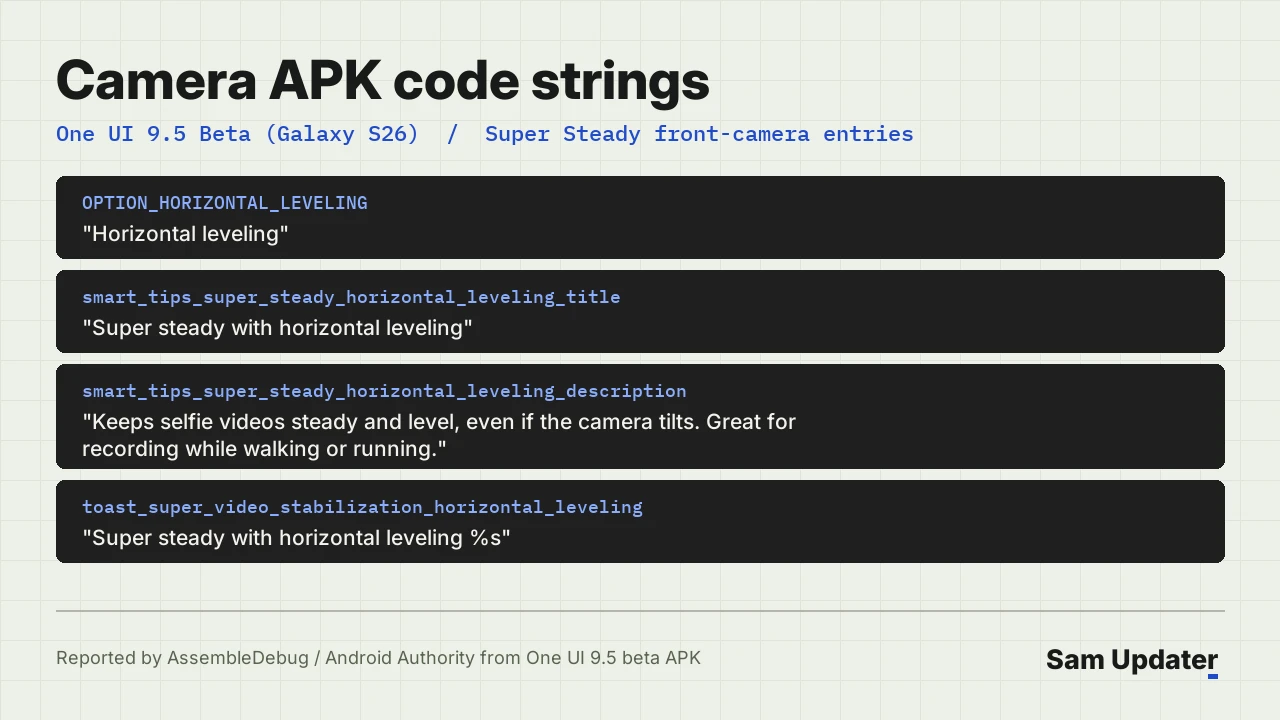
An APK teardown by AssembleDebug published in Android Authority’s report revealed four resource strings extracted from the first One UI 9.5 beta build. Samsung opened that Android 17 beta program for the Galaxy S26 lineup on November 18.
What does the leaked Horizontal Leveling code say?
Four Camera APK strings describe “Super steady with horizontal leveling” as a front-camera stabilization option designed to keep selfie videos steady and level when your phone tilts. Samsung specifically mentions recording while walking or running, pitching it as smoother handheld video capture for vloggers without needing an external gimbal.
Those exact code names from the teardown separate this upcoming selfie option cleanly from the existing rear-camera mode.
- OPTION_HORIZONTAL_LEVELING: “Horizontal leveling”
- smart_tips_super_steady_horizontal_leveling_title: “Super steady with horizontal leveling”
- smart_tips_super_steady_horizontal_leveling_description: “Keeps selfie videos steady and level, even if the camera tilts. Great for recording while walking or running.”
- toast_super_video_stabilization_horizontal_leveling: “Super steady with horizontal leveling %s”
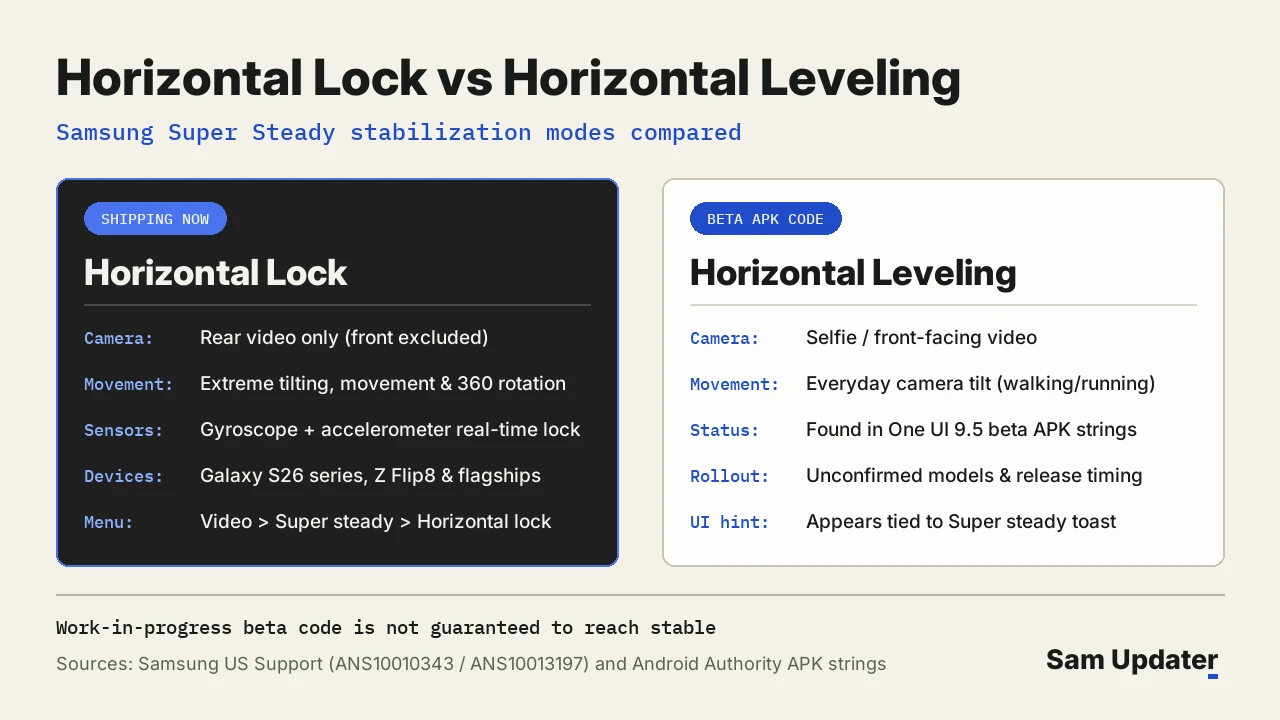
Comparing those lines against the existing rear-camera prompt clarifies why Samsung gave them distinct labels. The shipping Horizontal Lock tip mentions locking the horizon even through extreme tilting, movement, and full 360-degree rotation, whereas Horizontal Leveling targets everyday tilt while moving.
Horizontal Lock vs Horizontal Leveling
Checking Samsung US Support’s Galaxy S26 camera guide confirms why front-camera vloggers had to wait until now. Horizontal Lock explicitly excludes the front-facing camera, Pro Video mode, and Portrait Video mode on current software.
| Feature comparison | Horizontal Lock (Shipping) | Horizontal Leveling (Beta code) |
|---|---|---|
| Supported camera | Rear video only | Selfie / front-facing video |
| Motion handling | Extreme tilts and 360 rotation | Everyday tilt while walking or running |
| Hardware sensors | Gyroscope + accelerometer | Not detailed in APK strings |
| Current status | Live on Galaxy S26 and Z Flip8 | Unconfirmed code; not shipping |
Earlier updates already expanded rear-camera horizon stabilization to other flagships, including Samsung’s latest foldables covered on our One UI 9.5 eligible devices page.
Turn on rear Horizontal Lock on Galaxy S26 today
While front-camera leveling remains unfinished code, Samsung documents the exact path to lock your rear video horizon today using Super steady.
- Open the Camera app and tap Video mode below the viewfinder.
- Tap the Super steady icon (the person in motion symbol) in the top corner or inside Quick controls (four dots).
- Select the Horizontal lock icon, shown as a person inside a box, to pair gyroscope and accelerometer motion tracking.
- Press Record to keep rear video footage locked level while moving.
Note Samsung’s documented exclusions before shooting. Switching to the front camera, Pro Video, or Portrait Video disables Horizontal Lock immediately.
Which Galaxy devices support Horizontal Lock now?
Official Samsung US Galaxy Z Flip8 camera documentation confirms Horizontal Lock also ships alongside FlexCam on Samsung’s recent foldable, joining the Galaxy S26 series and compatible flagships. Those phones already pair optical image stabilization with real-time motion analysis on their rear lenses.
We also documented how Samsung rolled out its recent camera and software patches across our Galaxy S26 update coverage, alongside early One UI 9.5 system work in our Beta 2 test-build report.
What these Horizontal Leveling strings mean for stable One UI 9.5
APK strings inside a beta release point to active development, though Samsung never promises every code string will make final software. Samsung’s official One UI 9.5 beta announcement focuses strictly on Pro presets, single-screen controls, App Lock, and Samsung Health without mentioning selfie horizon leveling.
You can see every confirmed addition live in Beta 1 inside our full Galaxy S26 One UI 9.5 beta changelog. Until Samsung adds a toggle in future beta drops or the next flagship wave, front-facing stabilization relies on standard Video stabilization rather than horizon locking.
Frequently asked questions
Is Selfie Horizontal Leveling live in One UI 9.5 Beta 1?
Not in the visible menu for testers. The feature appeared only as XML strings inside the Camera APK rather than an enabled control on Beta 1 Update details.
Can Galaxy Z Flip8 users stabilize front-facing selfies with Horizontal Lock?
On Z Flip8, you can fold FlexCam halfway and shoot hands-free selfies with the 50 MP rear wide camera, where Horizontal Lock works normally. The inner 10 MP selfie lens uses standard Video stabilization instead.
Does Horizontal Lock work in 4K 60fps or Pro Video mode?
Samsung’s Galaxy S26 support guide states Horizontal Lock is unavailable in Pro Video mode and Portrait Video mode. Which phone and Camera version are you using for Super steady video? Share your model in the comments.
Was this guide helpful?
Your answer helps us keep it accurate.

Comments (0)
Comments are moderated, and published only if they are relevant to the topic and add value in a constructive way. If you disagree with something, please be polite and respectful.