
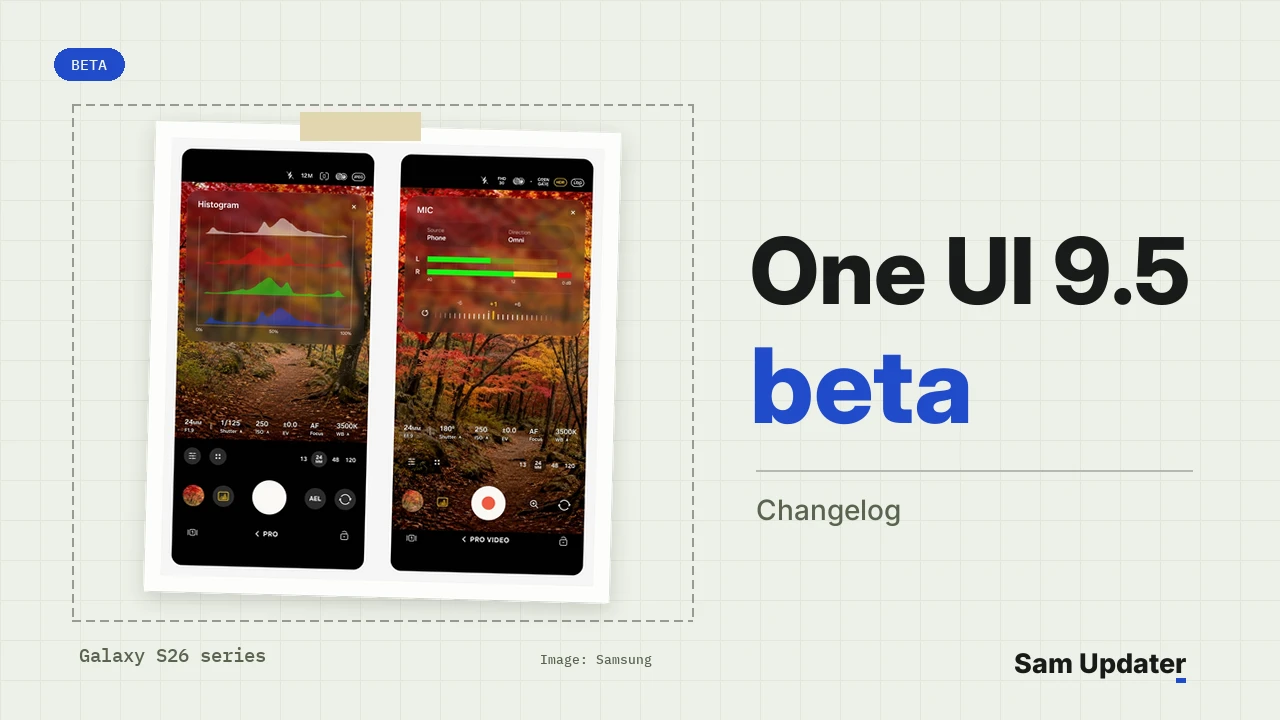
Samsung released the One UI 9.5 beta for the Galaxy S26, S26+ and S26 Ultra on November 18, and its Newsroom announcement names six markets: Germany, India, Korea, Poland, the UK and the US. The One UI 9.5 beta changelog is a long one. I went through all of it, so you can see every change before you sign up.
The Newsroom post covers only the headline features. The full list sits on the Update details screen of phones that got the beta, and beta tester Kailash posted that screen on X a few hours after the program opened. Everything in the cards below comes from Samsung’s own text on that screen.
Key points
- The One UI 9.5 beta is live in Germany, India, Korea, Poland, the UK and the US through Samsung Members.
- Only unlocked Galaxy S26, S26+ and S26 Ultra units can join, and the beta runs Android 17.
- The biggest additions are new Pro camera tools, App lock, live effect wallpapers and up to four DeX split windows.
- Google Pay won’t open on the beta, according to Samsung’s sign-up card.
- Audio brief and Moments leave Now brief once you upgrade.
Which countries get the One UI 9.5 beta?
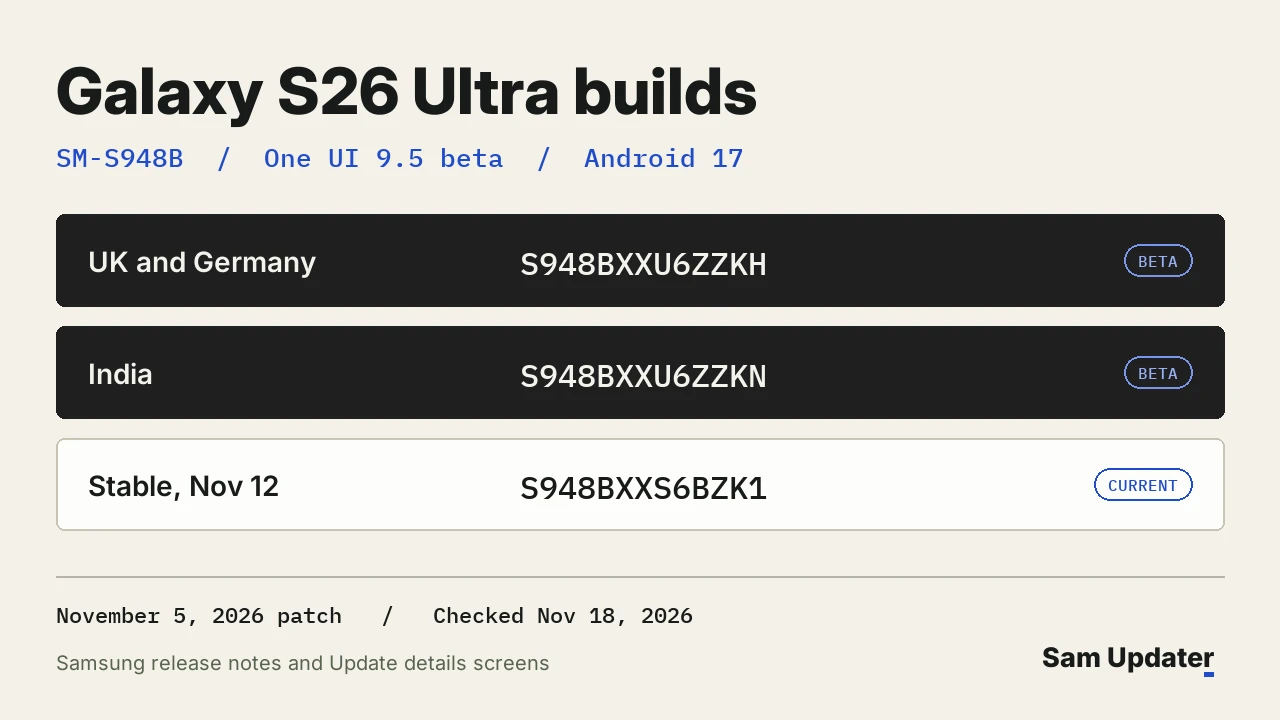
Six markets got the program on November 18: Germany, India, Korea, Poland, the UK and the US. You apply in the Samsung Members app, and the sign-up card says it’s for unlocked Galaxy S26, S26+ and S26 Ultra models only. Testers in the UK, Germany and India shared these first Galaxy S26 Ultra (SM-S948B) builds.
| Region | Beta build | Download size | Android |
|---|---|---|---|
| UK and Germany | S948BXXU6ZZKH | 3,694.36 MB | 17 |
| India | S948BXXU6ZZKN | 3,694.50 MB | 17 |
Both builds carry the November 5, 2026 security patch. The stable software they replace is S948BXXS6BZK1, which Samsung’s SM-S948B release notes list as released on November 12. For the earlier test builds and every region we’ve tracked, see our Galaxy S26 Ultra beta build page.
Every change in the One UI 9.5 beta changelog
Samsung groups the notes by app and feature. I kept its order and wrote each item in plain words, so you can scan for the part of the phone you use most.
Camera
2 changes
- Quick controls now fit on one screen, so you see every option without scrolling. The shutter area at the bottom also gets a cleaner layout.
- Pro and Pro video let you make custom buttons and presets, show lenses and zoom as focal length, fine-tune manual sliders and watch an improved histogram and audio meter.
Lock screen
3 changes
- Live effect wallpapers add depth. Parts of the image shift at different depths as you tilt the phone.
- You choose how long the clock with seconds stays up: 10 or 30 seconds, or 1, 2, 5 or 10 minutes. The option is in the settings at the upper-right corner.
- Now bar gets celebration animations for more sports, which you download in Now bar settings.
Digital Wellbeing
1 change
- Pause before app launch adds a 10-second wait before a chosen app or app category opens, so you get a moment to ask yourself if you really need it.
Privacy and security
4 changes
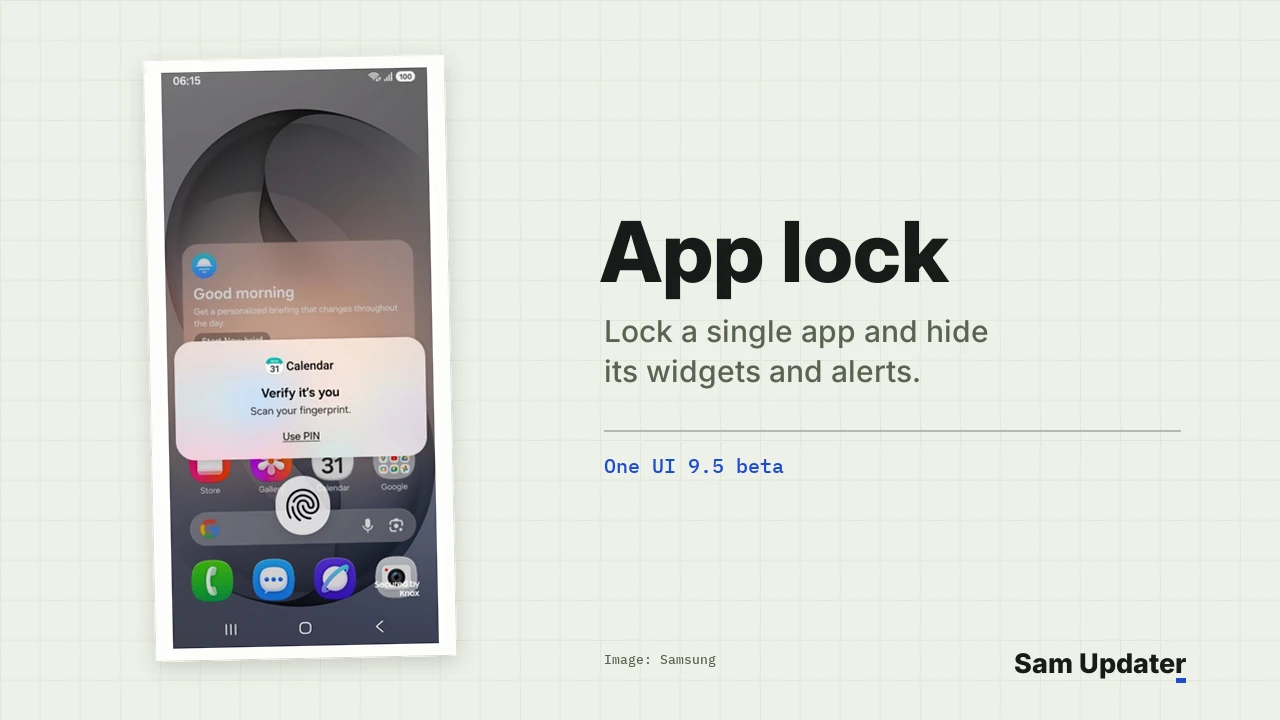
- App lock keeps single apps behind biometrics or your PIN, pattern or password. Their widgets and notification content stay hidden, even if someone has your unlocked phone.
- Privacy display turns on by itself for locked apps, Secret mode in Samsung Browser, private albums in Gallery and locked notes in Samsung Notes. It also covers notification panel and Recents previews for apps set to use it automatically. Ultra only
- Fingerprint and face recognition can work at the same time.
- The screens for registering your fingerprint and face are redesigned.
My Files
2 changes
- Document Reader opens PPTX and DOCX files without an Office app. It already handled PDF and TXT.
- Storage cleanup can now delete uncategorized and in-use files listed under Other.
Samsung DeX
2 changes
- A maximized window fills the screen, its controls move to the status bar and the app’s color shows behind the taskbar.
- Windows split automatically and snap to all four corners, with layouts for 2, 3 or 4 windows.
Samsung Health
4 changes
- Sleep coaching can start once you have 3 days of sleep data from the past two weeks.
- Mindful notes give you free writing or guided prompts, and they sync with Mood check-in.
- The Medications tracker is now global, with personal reminders and a daily intake log.
- You can drag cards into a new order in the Activity, Sleep, Vitals, Mindfulness and Nutrition tabs.
Accessibility
2 changes
- A floating button opens your accessibility shortcuts, with on and off indicators that show what’s active.
- You can change your hearing aids’ volume from the notification panel and opt out of notifications, or ringtones and alarms, reaching them.
More improvements
2 changes
- While editing the Quick panel, you can search by app or control name.
- You can download past versions of Over the Horizon, plus ringtones from past and present Samsung phones, and use them for calls or alarms.
Removed
1 change
- Audio brief and Moments disappear from Now brief after you upgrade to One UI 9.5.
Camera and privacy get the biggest upgrades
If you shoot in Pro mode, this beta is worth a look. Seeing lenses as focal lengths and saving your own presets should mean less tapping between shots. Samsung’s Newsroom adds that the Pro changes apply only to models with full Pro and Pro video modes, so Pro Lite and Pro Video Lite are left out.
App lock is the other big one. You lock a single app where it is, and its widgets and notification text stay hidden too. On the S26 Ultra, Privacy display can also switch on by itself whenever a locked app opens.
For Health, the Newsroom adds two limits. Mindful notes is unavailable on the Galaxy Watch, and the Medications tracker may vary by market. Samsung also says the tracker gives no medical advice.
What do you lose after installing the beta?
Two things go away. Samsung’s notes say Audio brief and Moments leave Now brief once you’re on One UI 9.5. The sign-up card also warns that the Google Pay app won’t run on the beta, so keep another way to pay if you use it every day.
How to join the One UI 9.5 beta
You’ll need an unlocked Galaxy S26, S26+ or S26 Ultra bought in one of the six markets. Here’s how to sign up.
- Back up your phone with Samsung Cloud or Smart Switch. The sign-up card asks for this because beta software can hit unexpected errors.
- Launch Samsung Members, and make sure you’re signed in to your Samsung account.
- Open the One UI 9.5 S26 Beta notice and tap Join.
- Go to Settings > Software update > Download and install.
The download is about 3.7 GB, so use Wi-Fi and keep your phone charged. If you’re unsure about your model or its region, our One UI 9.5 eligible devices page lists every model in line, and our One UI 9.5 Clock app breakdown covers another app that changed in this release.
Frequently asked questions
Is the One UI 9.5 beta based on Android 17?
Yes. Samsung’s beta sign-up card describes it as new Galaxy UX and Android 17 for the Galaxy S26 series, and testers’ update screens list Android 17 for both the ZZKH and ZZKN builds.
Can carrier-locked Galaxy S26 phones join?
Samsung’s sign-up card limits the beta to unlocked Galaxy S26, S26+ and S26 Ultra units. Carrier-locked units can’t sign up in this first wave.
Does the Galaxy S25 get the One UI 9.5 beta?
Samsung’s November 18 announcement covers only the Galaxy S26 series. My One UI 9 device list shows which older models are already confirmed for One UI 9.
Which build should I see after joining?
The table above covers the S26 Ultra. On the Galaxy S26 (SM-S942B) and S26+ (SM-S947B), the build number starts with S942B or S947B instead. Which build showed up on your phone? Tell me your model and region in the comments.
Was this guide helpful?
Your answer helps us keep it accurate.

Comments (0)
Comments are moderated, and published only if they are relevant to the topic and add value in a constructive way. If you disagree with something, please be polite and respectful.