
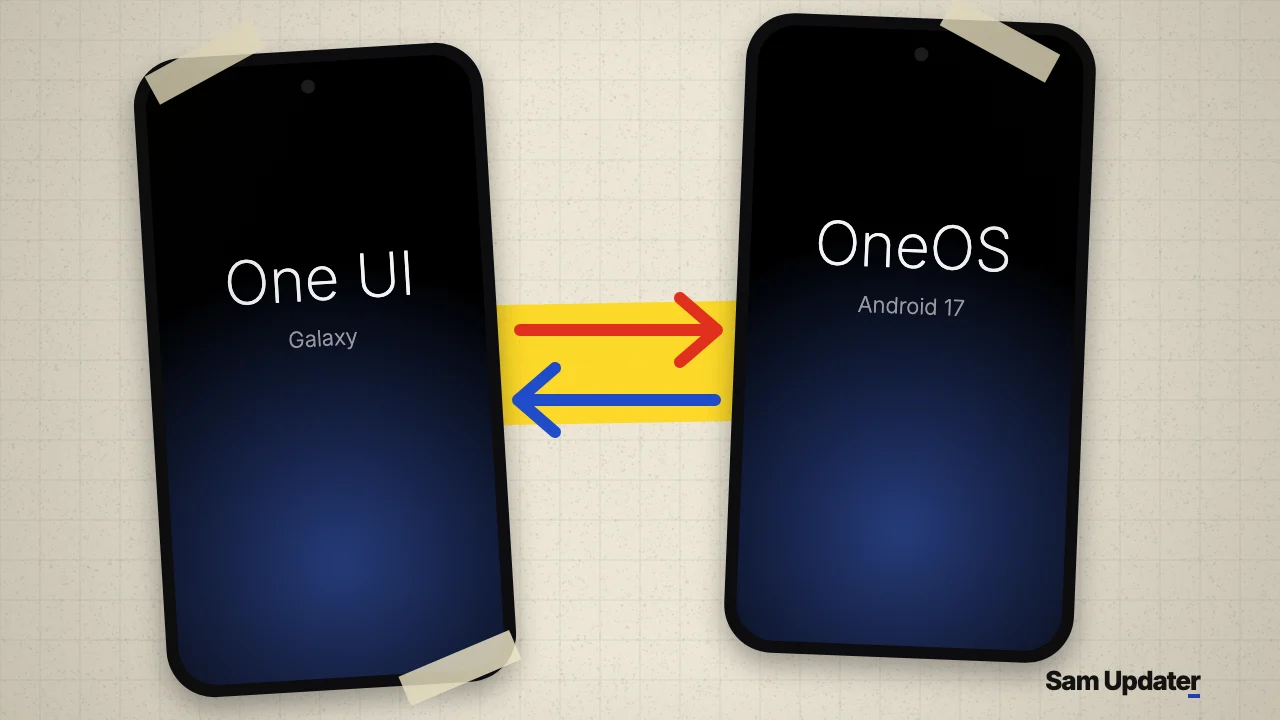
OneOS 0.4.58 went live on GitHub on November 5, 2026. OneOS is an experimental app that runs a second Android system, such as a Pixel build, ColorOS, HyperOS or Nothing OS, next to One UI on a rooted Samsung Galaxy. You switch from the app and come back the same way, and nothing gets flashed.
This release brings internet to the hotspot inside the other system and gets the Exynos Galaxy S26 past its boot logo. It also needs root, One UI 9 and a phone you can afford to reset, so read the risk section before you touch anything.
How OneOS runs another Android next to One UI
One UI stays installed the whole time. According to the OneOS README, the other system lives in a folder on the phone and starts on One UI’s kernel as a container, with its own zygote and system_server. That’s why nothing gets flashed.
Coming back is simple. Tap Back to One UI inside the other system, and it usually doesn’t even restart. You can also hold Volume Up and Volume Down for 3 seconds.
The project comes from developer Fahad Ali Javed, under the Apache 2.0 license, so anyone can read the code. It started from OneLineage by WeWaffles and builds its system images with MysticGSI. The GitHub repo only appeared on October 24, and it has already picked up more than 240 stars. The developer’s OneOS thread on X from November 4 had passed 15,700 views when we checked on November 6.
Which Galaxy phones and systems OneOS lists
The developer’s thread lists five systems across more than 20 Galaxy phones. These are the headline models from that post.
| Galaxy phone | Systems listed |
|---|---|
| Galaxy Z Fold8 Ultra | Pixel 11 Fold, ColorOS, HyperOS, Nothing OS |
| Galaxy S26 Ultra | Pixel 11 Pro, ColorOS, HyperOS, Nothing OS, Infinity-X |
| Galaxy S25 Ultra, S25 | Pixel 9 Pro XL, ColorOS, HyperOS, Nothing OS, Infinity-X |
| Galaxy S24 Ultra | ColorOS, Infinity-X, Nothing OS |
| Galaxy A56 | ColorOS, Infinity-X, Pixel 9 Pro XL |
A phone on this list hasn’t necessarily been tested with every system. The README separates what has actually started from untested profiles, and the app asks you to confirm before it switches on an untested one.
What’s new in OneOS 0.4.58
The 0.4.58 release notes are long, so here’s what matters most.
- Devices connected to the hotspot in the other system now get internet. They used to connect, but nothing loaded.
- An SMS that went out no longer shows “not sent”.
- ColorOS and Pixel no longer stop at the boot logo on the Exynos Galaxy S26. This one is marked untested.
- The Galaxy S24 with Exynos, A16 4G and A17 no longer restart about 100 seconds into a session.
- Turning on Do Not Disturb no longer crashes ColorOS.
Already on OneOS 0.4.51 or newer? The update shows up as a banner on the launch screen. You’ll need to set your system up again afterward so the new files download.
Tester reports show the rough edges
The project keeps a public compatibility table built from tester reports, and it’s the most honest part of the repo. Most rows hold only one or two reports, and the table was last updated on November 1, so it’s older than this release.
Under OneOS 0.4.36, SMS failed in the Nothing OS reports for the Galaxy S24 Ultra, S25 Ultra and Z Fold6. Under 0.4.35, ColorOS failed to start in both reports from a Galaxy S25. Wi-Fi and mobile data did much better on the phones that got through.
So think of OneOS as a test bench right now, not a daily driver. Everything in this post comes from the project’s own pages, and the developer calls every system experimental.
Read this before you install OneOS
The README’s warning is blunt. During development, a guest system reached One UI’s data and deleted app data and photos. Another took over the phone’s lock-screen hardware slot, and One UI couldn’t unlock until a factory reset. The developer says both are guarded against now, but untested phones can still fail in new ways.
Root itself is the bigger wall for most people. Samsung’s Knox documentation says the warranty bit changes when unofficial software is installed, it can’t be reverted, and Knox services stop working. And on many newer Galaxy phones you may not get that far, since OEM unlocking has gone missing on several One UI 8 and later builds. Our Galaxy S24 Ultra rooting guide shows what the process involves.
If you still want to try it, this is what OneOS asks for.
- A rooted Galaxy on One UI 9 with Android 17. KernelSU is the tested root method.
- A full backup of your accounts and data. Our Galaxy backup guide covers the options.
- No screen lock. Set Settings > Lock screen > Screen lock type to None or Swipe.
- At least 30 percent battery, and a phone under 42 degrees C.
- About 30GB of free storage, according to the developer’s thread, and Wi-Fi for the 3.3 to 5.9GB system download.
Setup takes about 15 minutes, and One UI keeps working while it runs. If the phone sticks on the logo after a switch, hold Power and Volume Down to restart into One UI.
OneOS FAQ
Does OneOS work without root?
No. Root is required, and the developer tested it with KernelSU. Magisk and APatch are detected but marked untested in the README.
Is OneOS made by Samsung?
No. It’s an independent open-source project, and the README says nothing in it is supported by Samsung, Google or OPPO.
How do you remove OneOS from a Galaxy?
Open the app and go to Advanced > Remove OneOS data. That deletes the system you set up, along with the apps and data inside it.
Was this guide helpful?
Your answer helps us keep it accurate.
Comments (0)
Comments are moderated, and published only if they are relevant to the topic and add value in a constructive way. If you disagree with something, please be polite and respectful.