
Samsung’s One UI 9.5 Beta Update details screen warns that Audio brief and Moments leave Now brief once a Galaxy S26 upgrades. Before joining the beta through Samsung Members, open Settings > Galaxy AI > Now brief to check your active cards, because the changelog states neither tool stays available after upgrading.
This notice sits at the very bottom of the official One UI 9.5 Beta Update details screen under “Other changes”. Beta tester Kailash shared screenshots of that screen on X on November 18, giving testers their first look at what leaves alongside new Pro camera tools and App Lock.
What changed in Samsung’s Update details notice?
Under the final “Audio brief and Moments no longer available” heading, Samsung states: “Audio brief and Moments will no longer be available in Now brief after you upgrade to One UI 9.5.” Both tools disappear right after the Android 17 beta finishes installing, even though Samsung’s public announcement skipped over the removals.
Previously, Samsung US Support’s Now brief guide explained Audio brief as a dedicated switch inside Settings > Galaxy AI > Now brief. Turning it on let owners tap a button inside the daily briefing card to listen to a spoken audio readout of their summary instead of reading text.
Every beta note across the update screen is listed in our complete Galaxy S26 One UI 9.5 beta changelog. Note that the notice pairs Audio brief and Moments together without detailing an alternative audio reader.
What stays in Now brief after installing One UI 9.5?
Now brief itself remains built into One UI 9.5 as a visual briefing card on your Lock screen Now bar, Home screen widget, and Edge panel. Only the spoken Audio brief toggle and Moments drop out, while Samsung’s documented schedule, health, weather, travel, and connected-home cards continue operating.
| Now brief feature | One UI 7 to One UI 9 | One UI 9.5 Beta (Galaxy S26) |
|---|---|---|
| Audio brief (spoken summary) | Optional toggle in Now brief | Removed after upgrade |
| Moments | Supported inside Now brief | Removed after upgrade |
| Schedule, weather & travel cards | Shown by routine and interest | Included in update |
| Now bar, widget & Edge access | Supported on Lock/Home screen | Included in update |
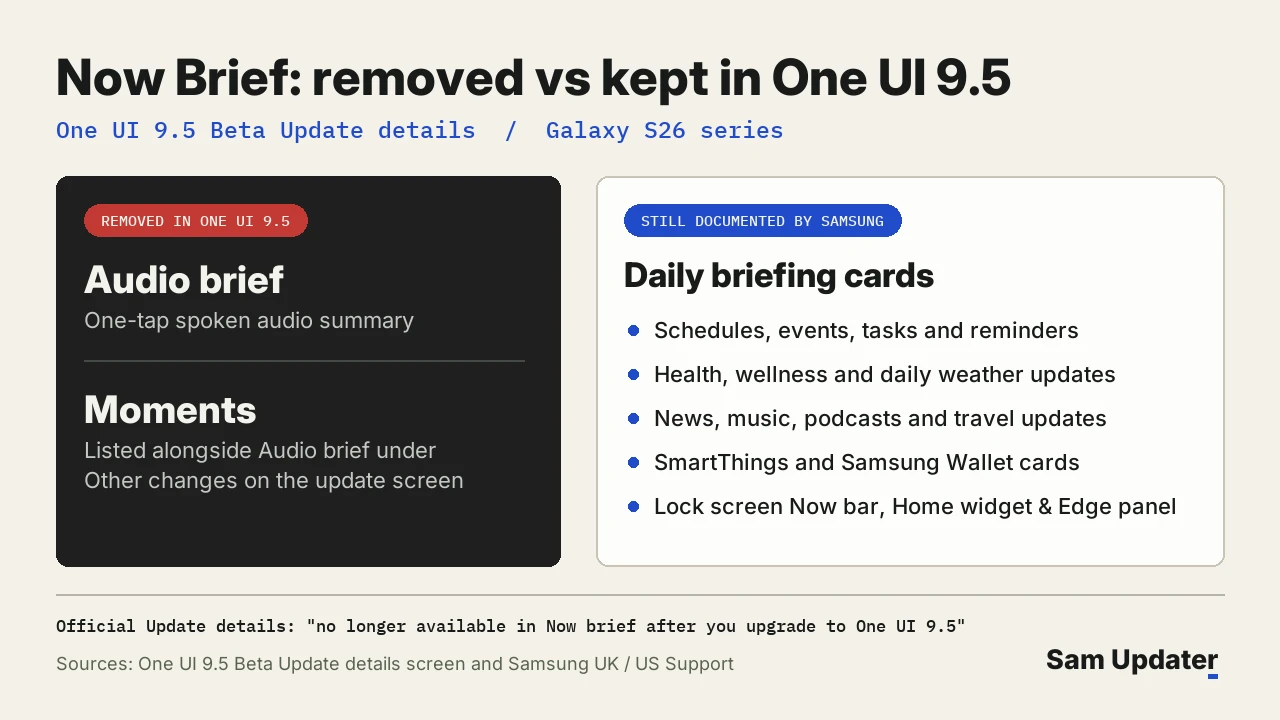
According to Samsung UK’s Now brief guide (updated April 14, 2026), visual cards cover schedules and reminders, health and wellness, weather, news, music and podcasts, travel, SmartThings, and Samsung Wallet.
Check and manage Now brief cards on your Galaxy S26
Trim your card list to sources you actually read, or hide Now brief on the lock screen. Follow our Now brief settings walkthrough if you want Lock screen media controls to stay visible.
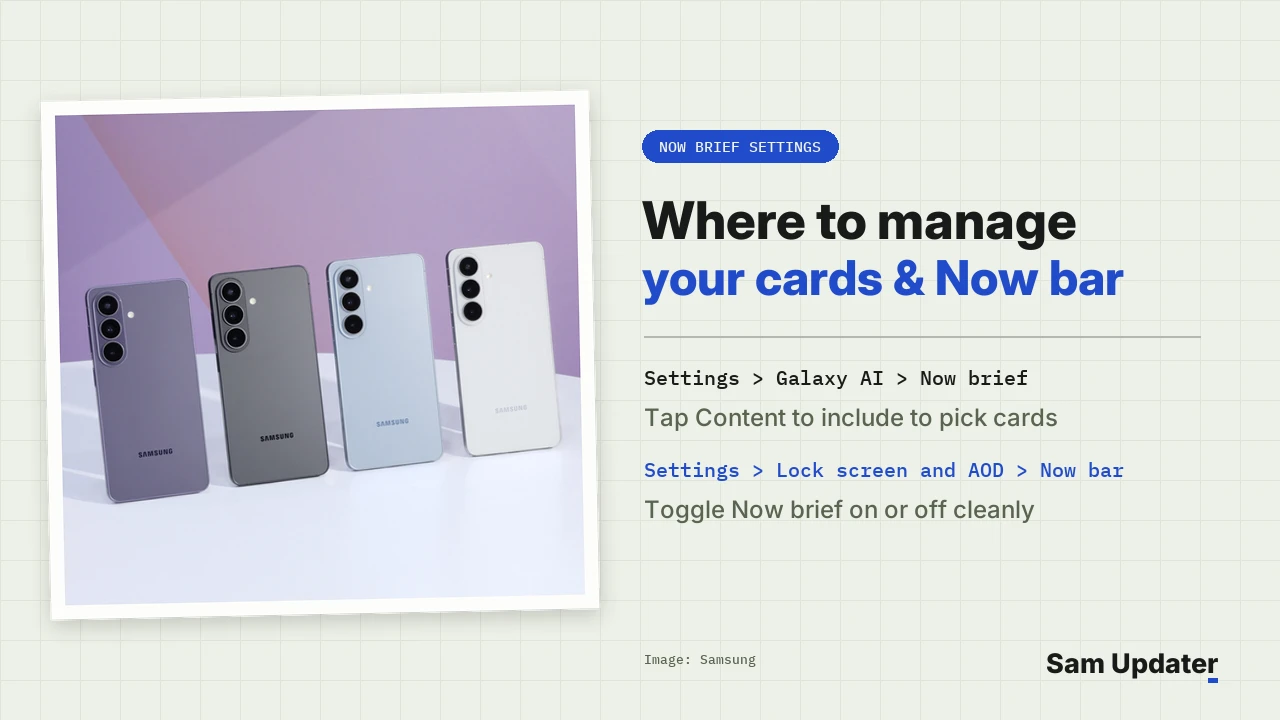
- Open Settings > Galaxy AI > Now brief > Content to include to switch individual card sources on or off.
- Go to Settings > Lock screen and AOD > Now bar and toggle Now brief for lock screen access.
- Swipe from the right Edge panel or open Widgets > Now brief on your Home screen if you prefer cards away from the lock screen.
- Check the lock screen expansion toggle inside Now brief settings to read full summaries from the Lock screen Now bar.
Samsung UK documents two default schedule triggers too. When sleep tracking data is off or missing, Now brief surfaces around 6:00 a.m. in the morning and 9:00 p.m. at night. You just need an active Samsung Account signed in.
Future of Audio brief and Moments after Beta 1
Neither the One UI 9.5 beta program announcement nor the Beta 1 changelog line explains the removal. Samsung has not said whether either tool will return before stable One UI 9.5 ships.
Beta 1 adds new controls elsewhere in One UI 9.5 while trimming those two options. We track newer system tools on our One UI 9.5 hub and in our Samsung Memory preview. Separate beta sign-up notes also warn that Google Pay stops working on test software.
Frequently asked questions
Can I restore Audio brief after upgrading to One UI 9.5 Beta?
Once upgraded, Audio brief and Moments are removed from the software package. Only remaining on One UI 9 or rolling back via Samsung’s supported recovery methods restores older One UI 9 features.
Will Audio brief leave older Galaxy S25 phones too?
Check the release notes for your specific model when One UI 9.5 arrives later. Right now, Samsung still documents Audio brief on One UI 7 through One UI 9 phones, while beta testing itself runs only on unlocked Galaxy S26 series units.
Which Galaxy models support Now brief right now?
Galaxy owners need Android 15 with One UI 7.0 or higher on supported phones and tablets to run Now brief with Galaxy AI, according to Samsung US, though availability depends on region and Samsung Account sign-in. Did you rely on Audio brief on your Galaxy? Share your model and region in the comments.
Was this guide helpful?
Your answer helps us keep it accurate.

Comments (0)
Comments are moderated, and published only if they are relevant to the topic and add value in a constructive way. If you disagree with something, please be polite and respectful.