
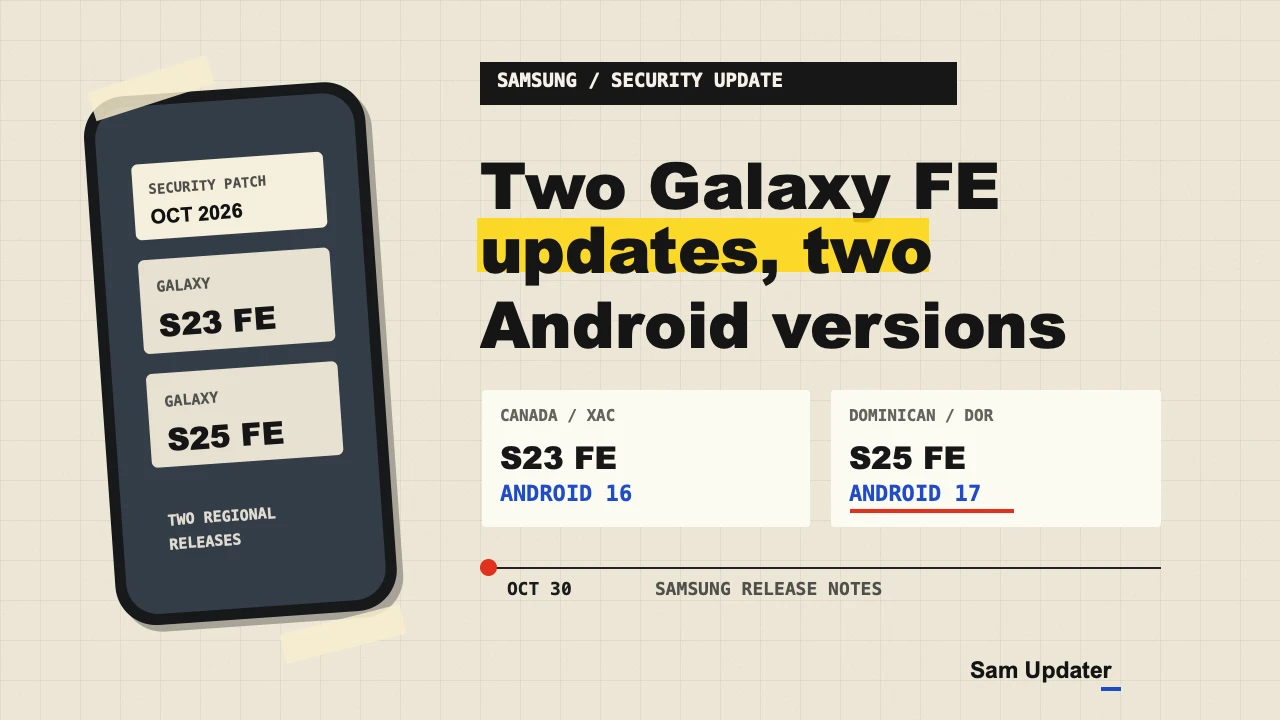
Samsung’s October 2026 security update is listed for the Galaxy S23 FE in Canada and the Galaxy S25 FE in the Dominican Republic. The regional release notes for both phones are dated October 30, but the two builds run different Android versions.
If you have the Canadian Galaxy S23 FE, this is an Android 16 security update. The Dominican Republic Galaxy S25 FE build is based on Android 17, following its earlier One UI 9 release.
Galaxy S23 FE update in Canada
Samsung’s Canadian release history lists build S711WVLS8FZJ5 for the Galaxy S23 FE SM-S711W. It carries the October 5, 2026 security patch and is dated October 30.
This build is for the XAC channel tracked in our Samsung firmware checker. Samsung identifies it as Android 16 and describes the change as improved security. It does not list a One UI 9 upgrade in the notes for this build.
The previous XAC entry, S711WVLS8FZI5, was released on October 6 with the September 5 security patch. The October entry therefore gives Canadian owners a newer patch to compare against their installed version.
Galaxy S25 FE update in the Dominican Republic
For the Galaxy S25 FE SM-S731B, Samsung’s DOR release history lists S731BXXS9CZJ2. This build is also dated October 30 and carries the October 5 security patch, but its Android version is 17.
The release history lists One UI 9 on the earlier DOR build S731BXXU9CZIF, dated October 21. The new October 30 entry is described as a security update, so I would read it as a follow-up to that earlier Android 17 release rather than a new One UI upgrade announcement.
Our firmware feed first detected the Canadian S23 FE entry at 16:25 UTC and the Dominican S25 FE entry at 16:38 UTC on October 30. A record for a regional channel helps identify the build, but the update offered to your phone can still depend on its carrier and configuration.
What does the October patch address?
Samsung’s October security bulletin describes fixes from Google and Samsung. The bulletin notes that some Samsung fixes may already have been included in an earlier maintenance release. The two regional release notes do not list individual fixes for these particular phones.
That is why the patch date is more useful here than a guess about a specific bug fix. Neither release note provides a download size or a list of new features for its security build.
Check the model, build and update
Open Settings > About phone to find your model number, then choose Software information to see the installed build and security patch level. The CSC guide explains where to find the service provider software version if you want to compare your channel.
To look for an update, open Settings > Software update > Download and install. Samsung’s US update guide notes that menu names can vary by model and carrier. Read the offered version before installing, and use Wi-Fi if your carrier requires it.
If your phone shows a different build, compare its model and regional code with the appropriate record. Our One UI 9 tracker is useful for checking Android 17 releases separately from monthly security patches.
If you need help comparing the update, share your model, active CSC, current build and carrier in the comments. Please leave out your IMEI and serial number.
Was this guide helpful?
Your answer helps us keep it accurate.
Comments (0)
Comments are moderated, and published only if they are relevant to the topic and add value in a constructive way. If you disagree with something, please be polite and respectful.