
To join the One UI 9 beta, open Samsung Members on the Galaxy phone you want to enroll and look for the One UI Beta Program card. Register there first, then go to Settings > Software update > Download and install.
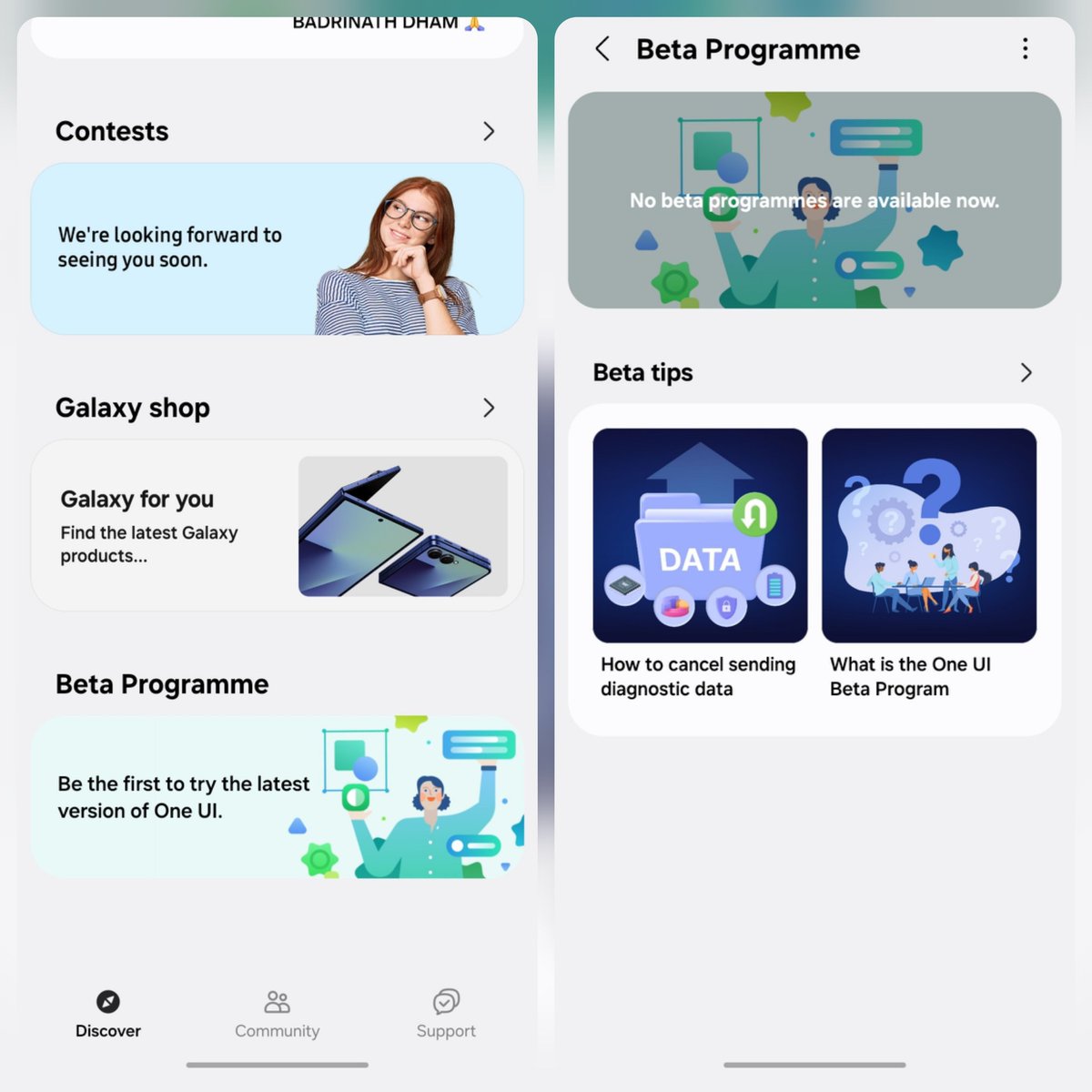
The card only appears for eligible models and markets while registration is open. Samsung explains this enrollment route in its One UI 9 beta announcement.
In this guide, I will show you who can join, how to register and install the beta, what to do when the card doesn’t show up, and how to leave the beta and go back to stable.
Check for the stable update first
Before you do anything with a beta, check if your phone already has the final version. Samsung started the official One UI 9 rollout on September 16, 2026, beginning with the Galaxy S26, S26+ and S26 Ultra. One UI 9 had already shipped on the Galaxy Z Fold8 Ultra, Z Fold8 and Z Flip8.
Since then, stable One UI 9 has reached the Galaxy S25 series (including the S25 Edge and S25 FE), the Z Fold7, Z Flip7, the Galaxy S24 series, the Z Fold6 and the Z Flip6. The Galaxy S23, Z Fold5 and Z Flip5 started getting it in South Korea on October 14 and went global on October 19.
Open Settings > Software update and tap Download and install. If One UI 9 is waiting there, take it and skip the beta. Use the stable release instead of enrolling in a beta.
Who can join the One UI 9 beta?
Samsung opened the beta in two waves. Here’s what the official announcements say.
| Wave | Phones | Countries |
|---|---|---|
| May 2026 | Galaxy S26, S26+, S26 Ultra | Germany, India, Korea, Poland, UK, US |
| September 2026 | Galaxy S25, S25+, S25 Ultra, S25 FE, Z Fold7, Z Flip7 | India, Korea, UK, US |
You can read the details in Samsung’s S26 beta announcement and the beta expansion post.
The Galaxy A16 5G had a reported Beta 3 release in India. Stable releases have since appeared for selected A16 variants. Check the exact model and the update currently offered before trying an old beta enrollment.
Being on this list doesn’t mean you’ll see the card today. Samsung rolls the beta out by model and market, so it can show up a few days later for you than for someone else.
What you need before you join
I wouldn’t install any beta without a fresh backup. Betas have bugs, and going back to stable wipes your phone. Here’s what to sort out first.
- Back up your phone with Smart Switch on a computer. Samsung recommends this for beta users, and it’s the backup you’ll need if you roll back later. Our guide on how to back up your Galaxy phone covers it step by step.
- Charge the phone to at least 50% and connect to Wi-Fi. Beta builds are big downloads.
- Update the Samsung Members app from the Galaxy Store or the Play Store.
- Sign in to your Samsung account on the phone.
You may like: Frija 2.0 Download and Samsung Firmware Guide
How to join the One UI 9 beta
Do this on the phone you want to enroll. You can’t sign up one phone from another.
- Open the Samsung Members app.
- Find the One UI Beta Program card on the home screen and tap it.
- Read the notice, accept the terms and finish the sign-up. Wait until the app says you’re enrolled.
- Go to Settings > Software update > Download and install.
- Check that the update says One UI 9 Beta for your model, then tap Download.
- Tap Install now and keep the phone plugged in. It will restart a couple of times.
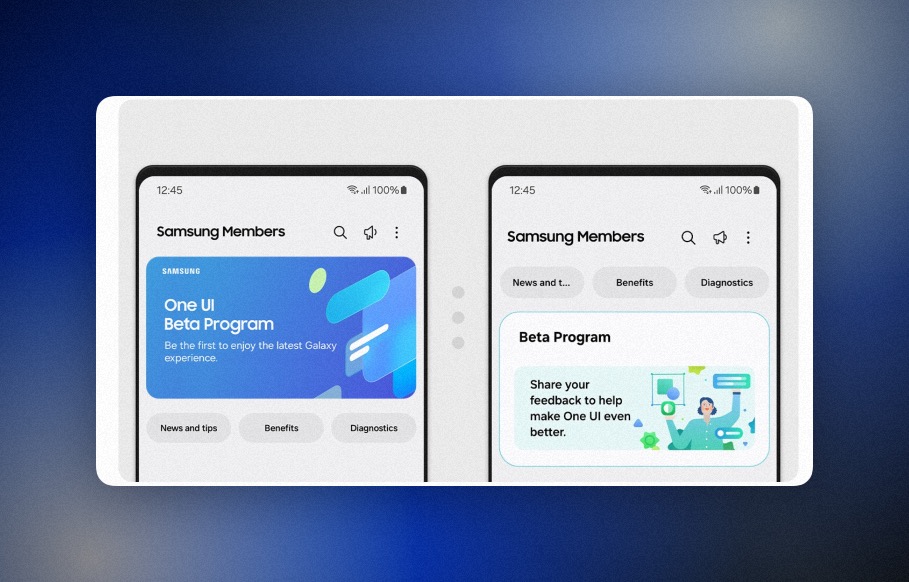
Sometimes you enroll and the download doesn’t show up right away. That’s normal. The enrollment and the beta build don’t always land at the same time, so check Software update again after a few hours.
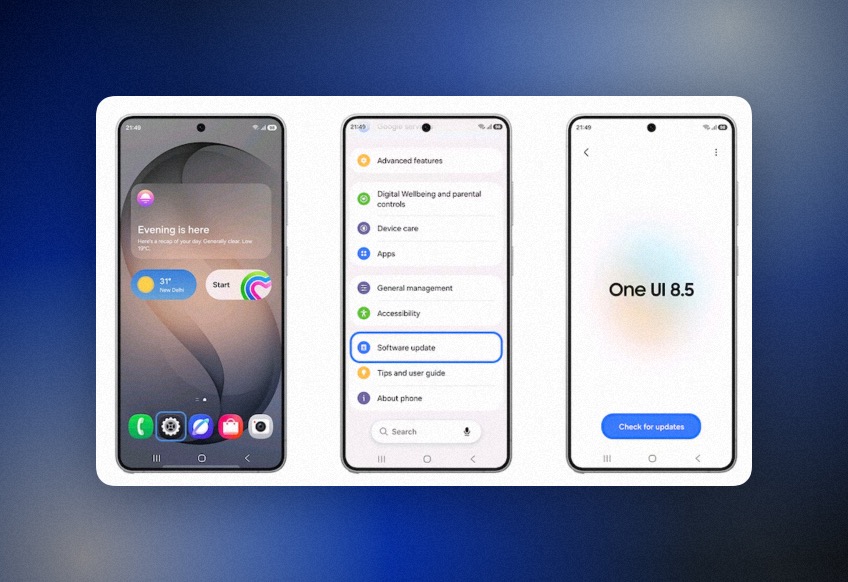
You don’t need Odin for this. You don’t need a ZIP from a forum, and you don’t need to change your CSC. The official way is just Samsung Members and Software update.
Don’t see the beta card in Samsung Members?
This is the most common problem. Go through these checks in order.
- Check your exact model in Settings > About phone. A carrier or regional variant might not be part of the program.
- Make sure the beta is open in your country for that model. Check the table above.
- Update Samsung Members and sign in with your Samsung account.
- Look on both the Members home screen and the Notices tab. The card can show up in either place.
- Give it a few days. Samsung says devices and timing vary by market.
If none of that works, registration may already be full or closed for your model. There’s no website or trick that forces the card to show up.
Not sure your phone gets One UI 9 at all? Check my One UI 9 device list. To see the latest official build for your model and region, use the One UI 9 update tracker.
How to leave the beta and go back to stable
Leaving the program and removing the beta software are two different things.
To stop getting beta updates, follow these steps.
- Open Samsung Members.
- Go to Settings > Beta program settings.
- Tap Withdraw from beta program.
Your phone stays on the beta build after you withdraw. It will move to stable when Samsung pushes the final One UI 9 update to your model.
If you want stable right now, you have to downgrade with Smart Switch on a computer. That does a factory reset, so anything you added while on the beta is gone unless you backed it up.
One more thing. If you run into bugs, report them in Samsung Members under the beta feedback section. Samsung goes through those reports before each new beta build, so they actually matter.
FAQ
Is the One UI 9 beta free?
Yes. Joining costs nothing. You only pay for the mobile data if you download the beta without Wi-Fi.
Can I join the One UI 9 beta from any country?
No. The Galaxy S26 beta opened in Germany, India, Korea, Poland, the UK and the US. The second wave for the S25 series, Z Fold7 and Z Flip7 opened in India, Korea, the UK and the US.
Will joining the beta delete my data?
Installing the beta keeps your data. Going back from the beta to stable with Smart Switch does a factory reset, so back up first.
Is the One UI 9 beta still worth it?
For most phones, no. Stable One UI 9 is already out for the Galaxy S26, S25 and S24 series and the recent foldables. Only join if your phone is in the program and the stable update hasn’t reached you yet.
Do I need Odin to install the One UI 9 beta?
No. The official beta comes over the air through Settings > Software update once you enroll in Samsung Members.
Was this guide helpful?
Your answer helps us keep it accurate.
Samsung galaxy s24fe