
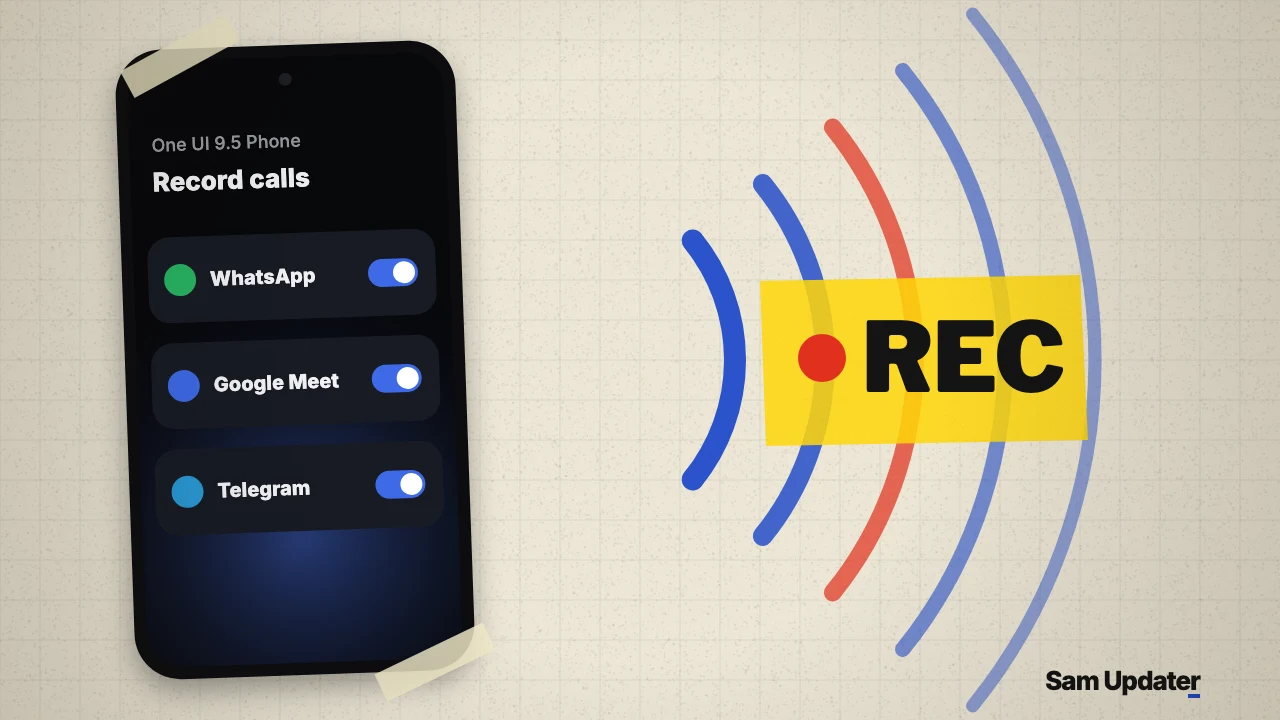
One UI 9.5 call recording could finally work with third-party internet calling apps instead of stopping at regular cellular calls. On November 10, 2026, SamMobile shared screenshots from an early One UI 9.5 test build showing a new Record calls in other apps menu inside the Samsung Phone app, with switches for WhatsApp, Telegram and Google Meet.
Open your Samsung Phone app, tap the three-dot menu and go to Settings > Record calls if you want to check whether your country supports cellular recording today. The third-party app menu only appears on early One UI 9.5 test builds for now.
Where the new One UI 9.5 call recording menu sits
On the early Android 17-based One UI 9.5 firmware tested in the report, Samsung placed the new option inside the stock Phone app under Settings > Call recordings and transcripts > Record calls in other apps. Opening that screen brings up an Available apps list with individual on-off switches for each supported app.
| Setting or detail | Current One UI 9 Phone app | Leaked One UI 9.5 test build |
|---|---|---|
| Menu path | Phone > Settings > Record calls | Phone > Settings > Call recordings and transcripts > Record calls in other apps |
| Supported call types | Cellular voice calls in supported regions | Cellular calls plus third-party VoIP apps |
| Apps shown in leak | None | WhatsApp, Google Meet and Telegram (per-app toggles) |
Why only those three apps? SamMobile noted that WhatsApp, Google Meet and Telegram were the only compatible calling apps installed on its test phone at the time, which suggests the Phone app populates that list dynamically based on what you have installed.
The discovery lines up with the wave of updated One UI 9.5 system packages surfacing this week. In our One UI 9.5 app leaks breakdown, the leaked package list included Call and Call settings version 18.5.00.142 alongside Call Services 18.5.00.140, and we also covered the redesigned alarm cards in our One UI 9.5 Clock app preview.
How this builds on Samsung’s current call tools
Samsung has steadily expanded what its stock dialer knows about third-party apps. One UI 9 started showing WhatsApp and Google Meet call entries in the Phone app’s call history, while Samsung’s US call settings guide documents Record calls alongside Transcript assist, Auto transcribe recorded calls and Summarize transcripts on supported Galaxy phones running One UI 7.0 or higher.
Bringing VoIP apps into One UI 9.5 call recording closes the biggest everyday gap for people who rarely place traditional carrier calls anymore. Instead of installing questionable screen-capture or accessibility recorder apps from third-party stores, you can choose which messaging app is allowed to record.
Regional laws and beta caveats
Don’t count on every country getting this switch when One UI 9.5 launches. Samsung already hides cellular call recording in several European and other markets with strict wiretapping rules, and SamMobile notes that some regions may play a spoken alert telling the other person that their voice is being recorded.
Because One UI 9.5 call recording for third-party apps comes from an internal pre-beta build, Samsung can still revise the wording, supported apps or regional locks before public testing begins. Follow our Galaxy S26 Ultra One UI 9.5 beta build report and our One UI 9.5 supported devices and release hub as beta enrollment gets closer.
FAQ
Do participants hear a warning when One UI 9.5 call recording starts in another app?
In regions that require consent prompts, the phone may play an audio alert when recording begins, though the leaked disclaimer warns that people who join an ongoing recorded call later will not hear that notification. You remain responsible for letting everyone on the call know it is being recorded.
Will every Galaxy phone get third-party app call recording in One UI 9.5?
Availability will likely depend on your country’s call-recording laws and CSC channel, just like Samsung’s existing cellular call recorder. Tell me your Galaxy model and country in the comments if you already have regular call recording in your Phone app today.
Was this guide helpful?
Your answer helps us keep it accurate.

Comments (0)
Comments are moderated, and published only if they are relevant to the topic and add value in a constructive way. If you disagree with something, please be polite and respectful.