
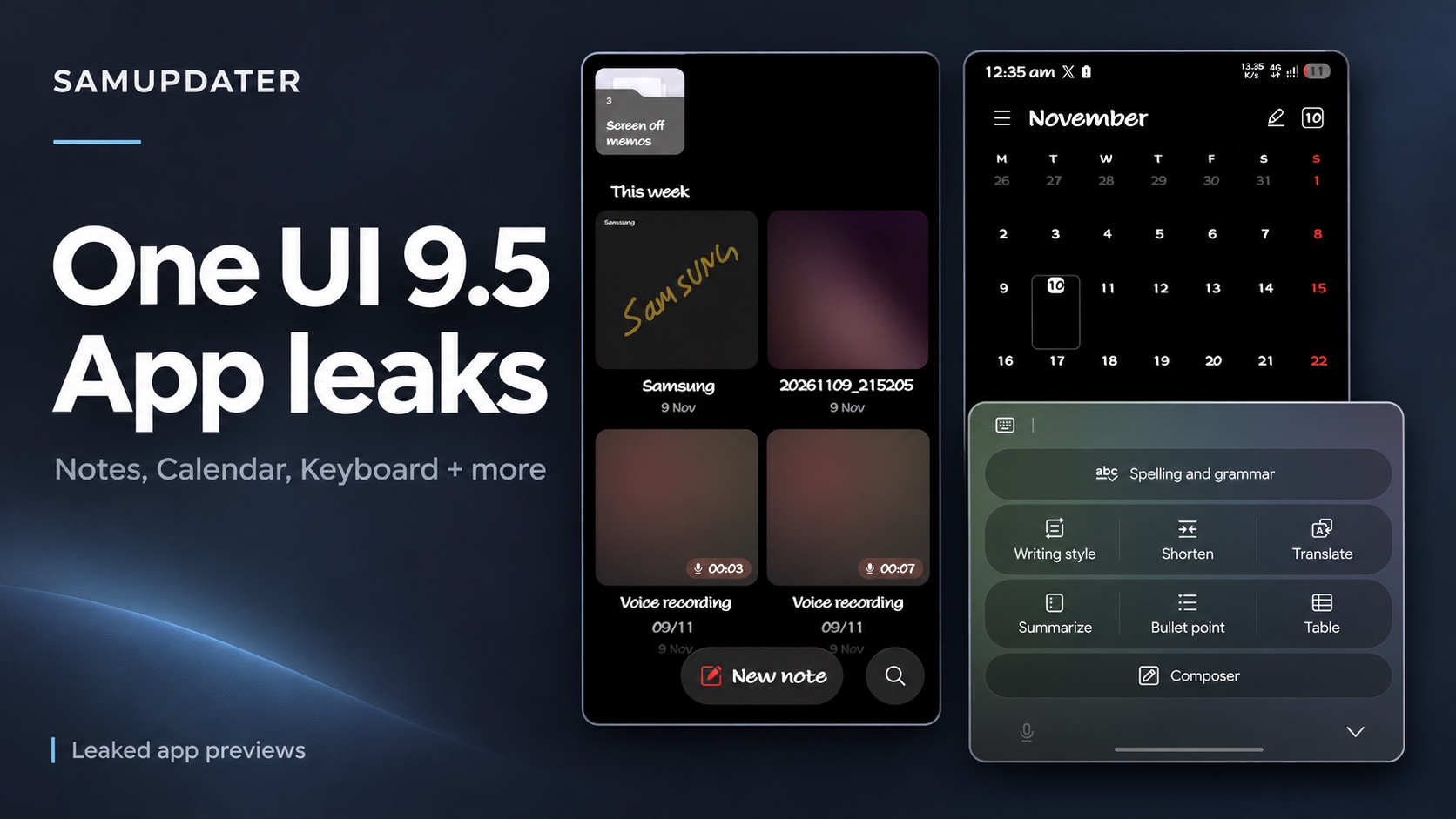
One UI 9.5 app leaks shared on November 9 give us a closer look at Samsung Notes, Keyboard, Calendar, Clock, Health and Bixby. Kailash’s latest Notes post shows a separate search button beside New note, while The Cipher Project’s Keyboard preview adds Shorten and Translate to the writing menu.
I compared the source screenshots below to see what you can actually spot in each app. These are leaked previews, so the layouts may change before Samsung releases them.
- Notes and Calendar put search beside the main action at the bottom.
- Keyboard shows Shorten and Translate together with its other writing tools.
- Clock and Health use rounded navigation bars, while Bixby shows a new home screen layout.
Samsung Notes puts search next to New note
The two Notes posts are worth looking at together. In the earlier screenshot, shared with version 4.4.48.15, search sits above the note cards beside the PDF import and menu controls. A circular compose button floats near the bottom.
The later post names version 4.4.49.62. Its screenshot has a wider New note button and a separate round search button at the bottom right. Both pictures contain the same Samsung note and voice recording cards, which makes the change easier to follow.
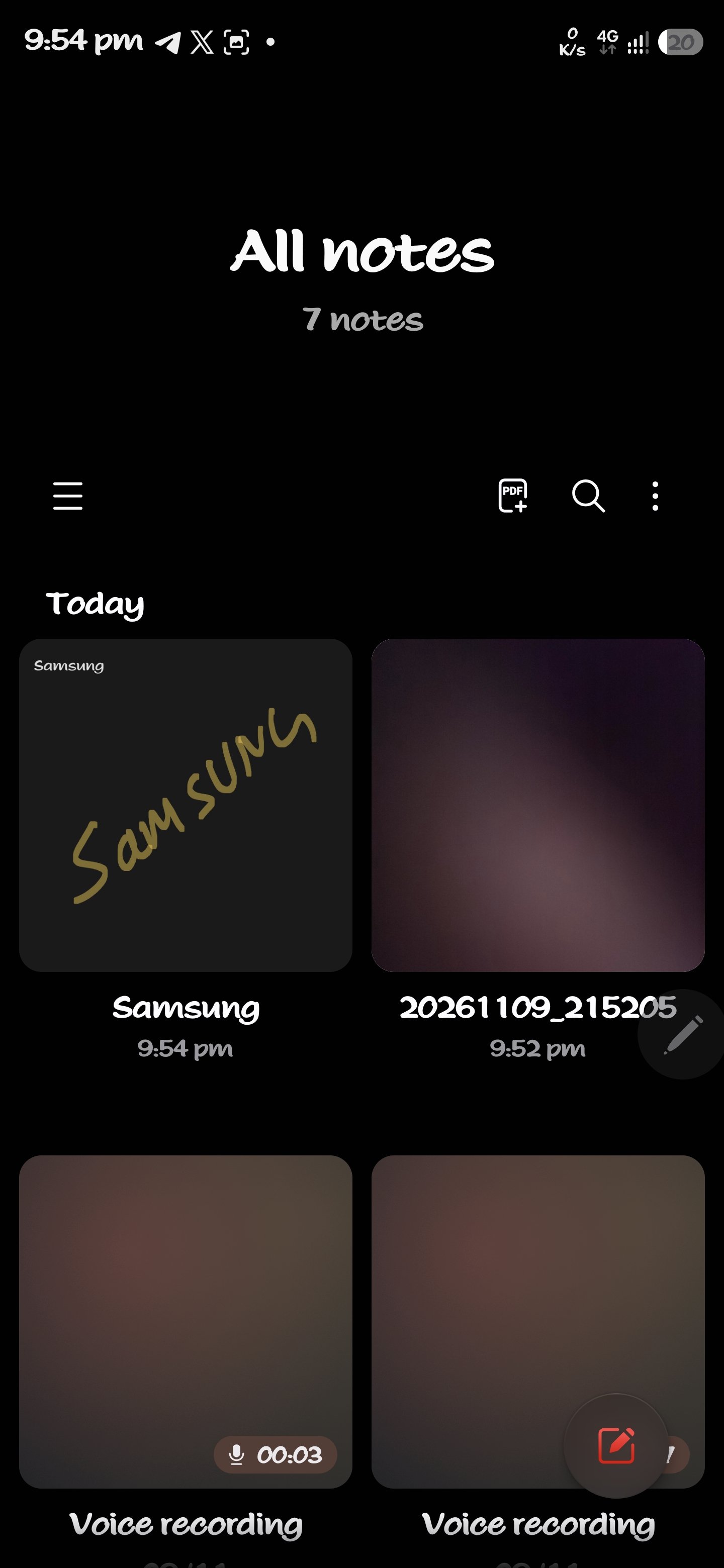
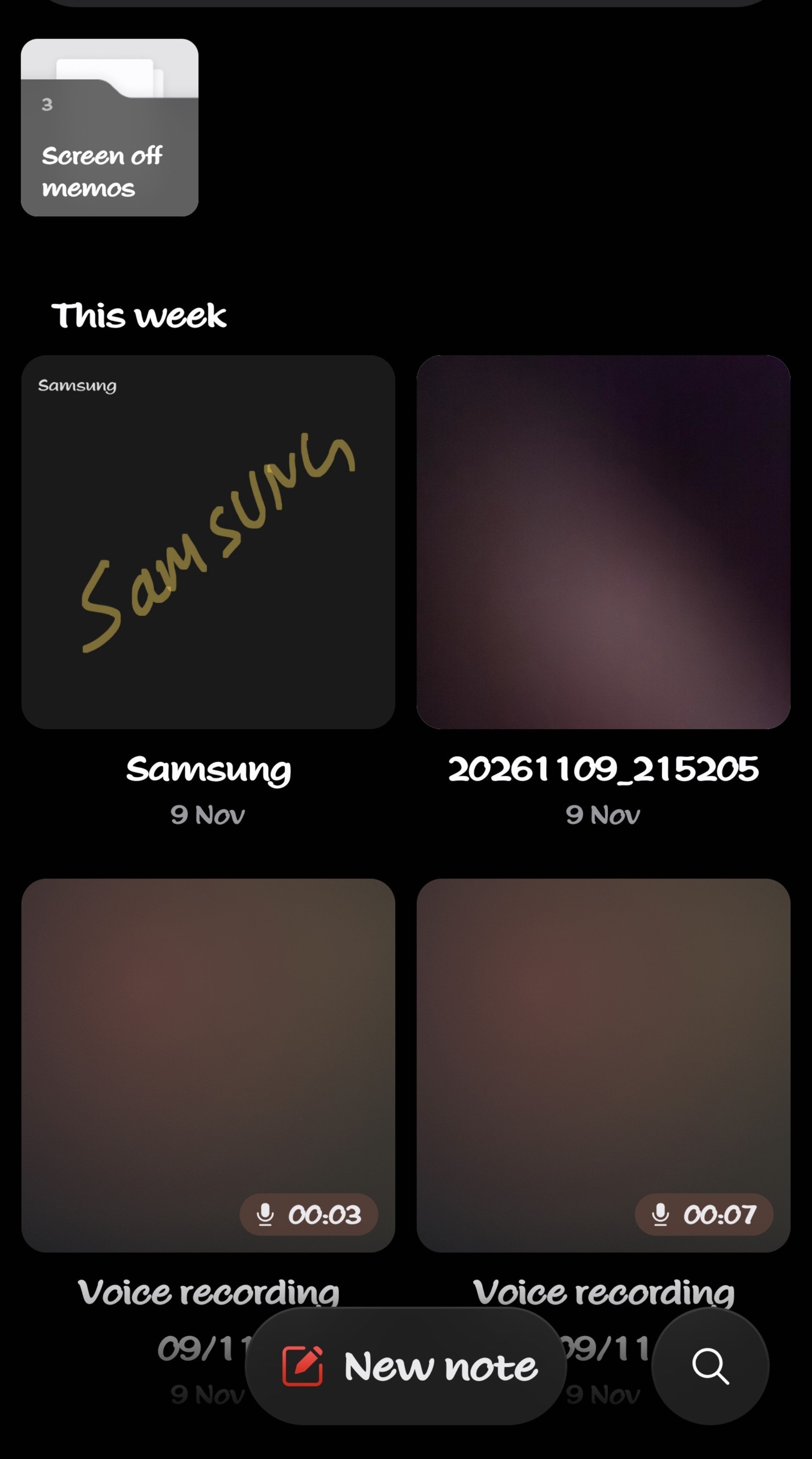
If you often search through saved notes, that lower button is the detail to look for. The later layout puts search and note creation together instead of leaving search above the note grid.
Samsung Keyboard shows Shorten and Translate
The Cipher Project’s November 9 Keyboard post shows Shorten and Translate beside Writing style. Spelling and grammar sits above that row, with Summarize, Bullet point, Table and Composer below it.
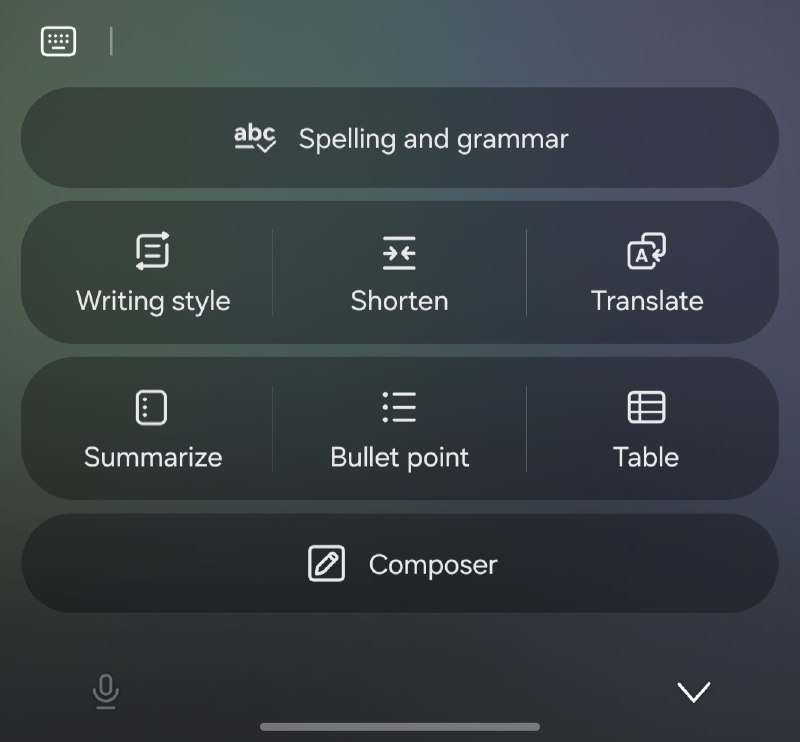
Shorten suggests a quicker way to trim a long message, but the screenshot doesn’t show a before-and-after result. Translate is also a menu label here, rather than proof that Samsung has introduced translation for the first time.
Samsung’s US Writing assist guide already documents Chat translation. What this leak gives us is a look at how Samsung is arranging those writing controls.
Calendar and Clock bring controls closer to your thumb
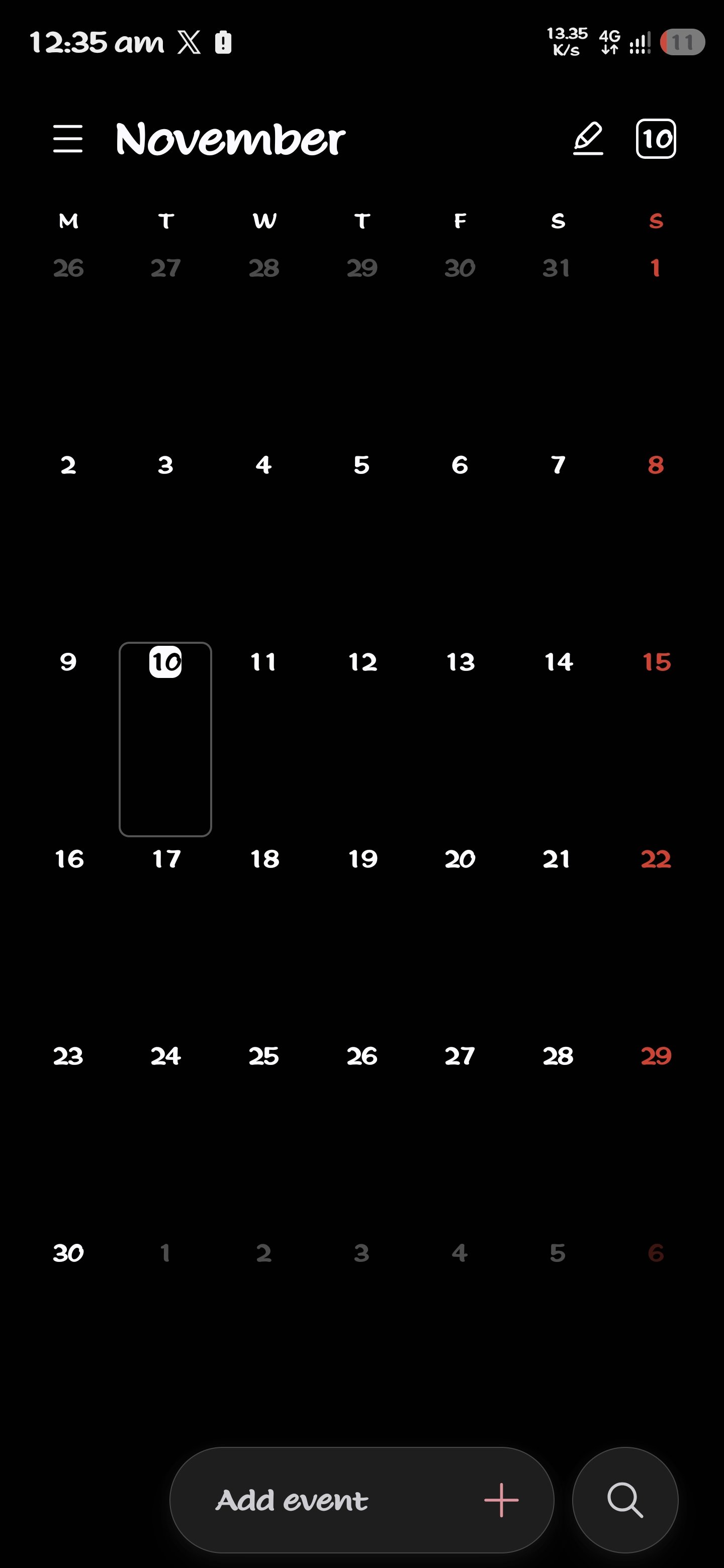
In Kailash’s Calendar post, which lists version 12.8.05.21, the month view has an Add event bar and a round search button along the bottom. You can see the same pairing of a main action and search that appears in the later Notes screenshot.
The Clock screenshots, posted with version 12.6.50.31, show a floating bar for Alarm, World clock, Stopwatch and Timer. The selected tab sits inside a rounded highlight. On the Stopwatch screen, the dial and the Lap and Start buttons remain separate from that bar.
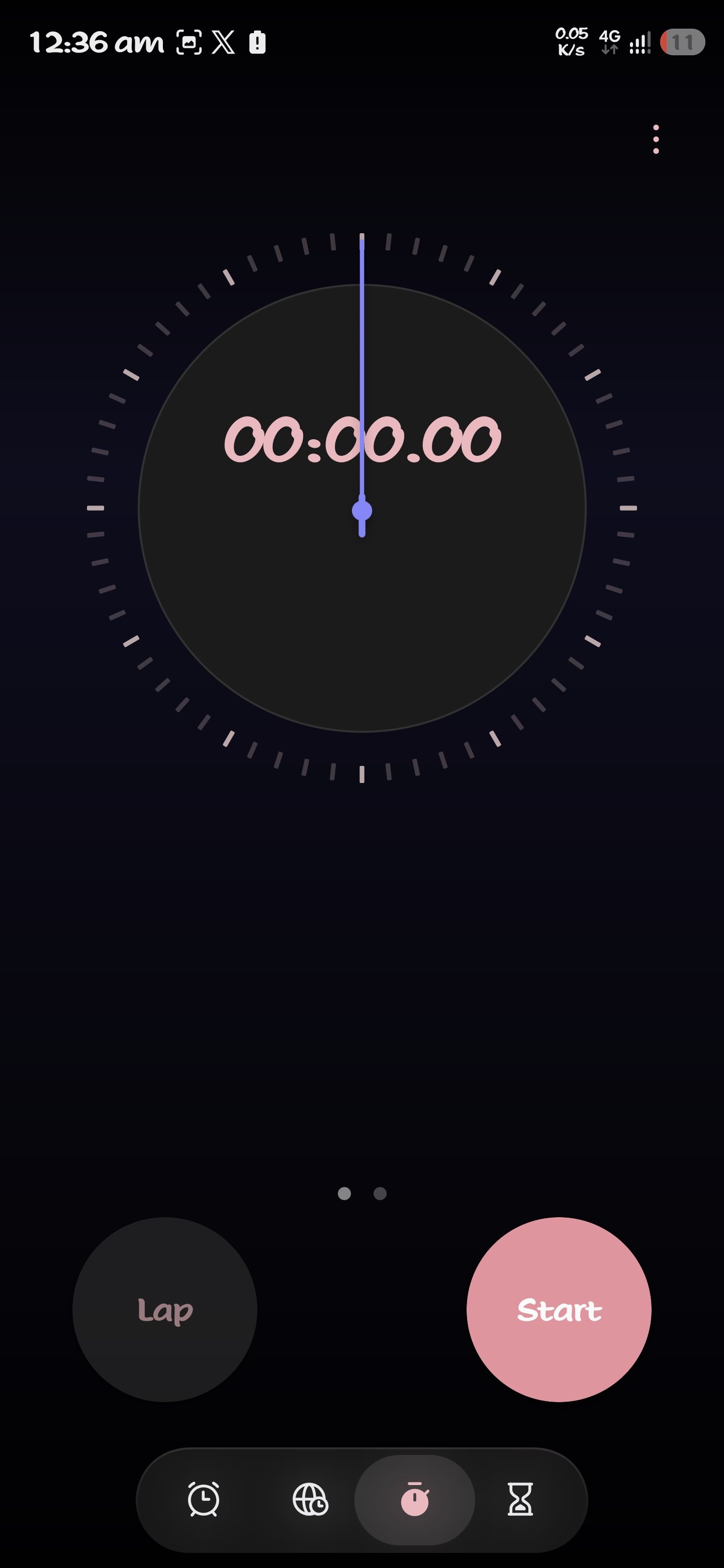
We covered the earlier alarm-card comparison in our One UI 9.5 Clock preview. The newer pictures let you see how the bottom bar fits around the Stopwatch controls too.
Samsung Health uses cards, Bixby shows suggestions
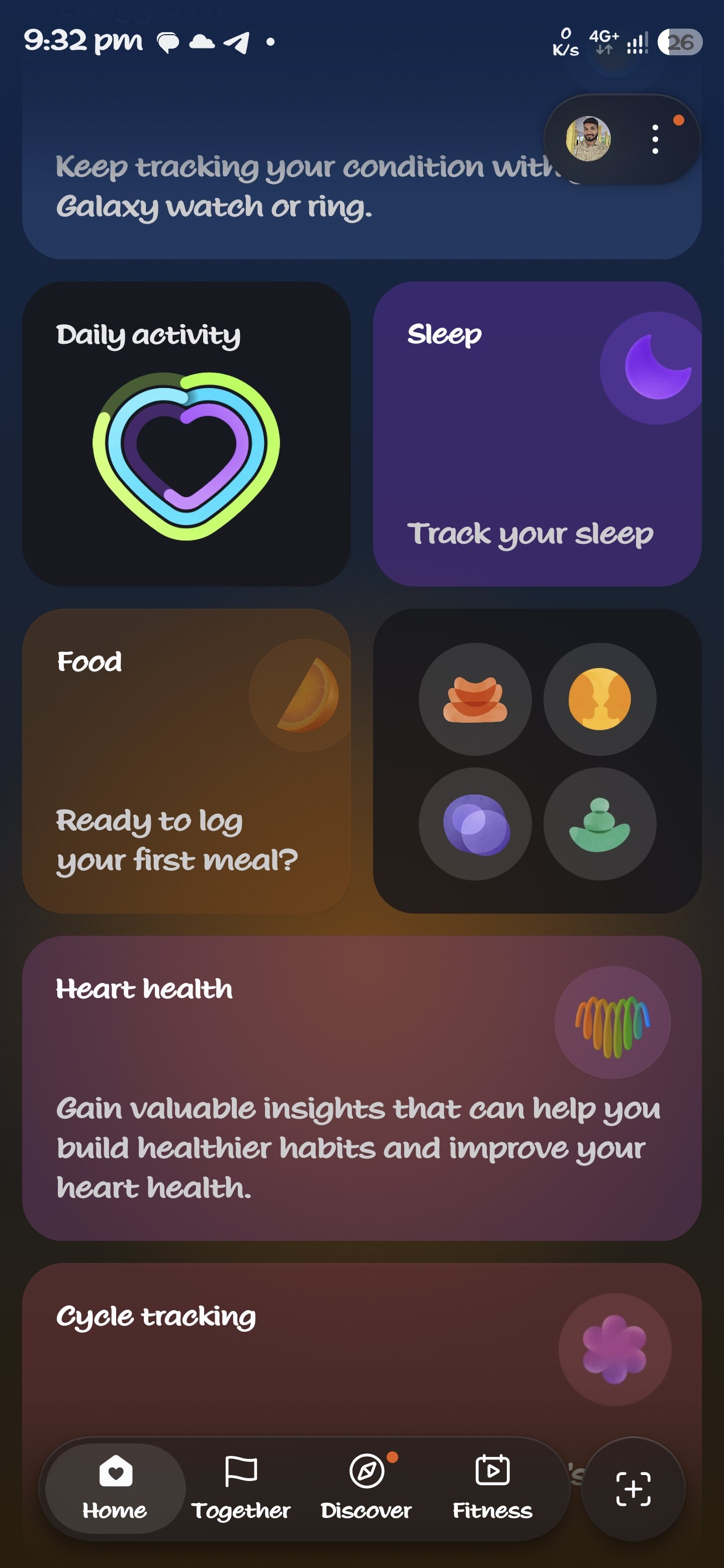
The Samsung Health screenshots, shared with version 7.2.0.041, show large colored cards for areas such as daily activity, sleep and food. Home, Together, Discover and Fitness sit in a rounded bar at the bottom, with a separate button to its right.
That is a useful look at the dashboard layout. A card appearing in a preview doesn’t tell us which Galaxy phones, watches or regions will support its features.
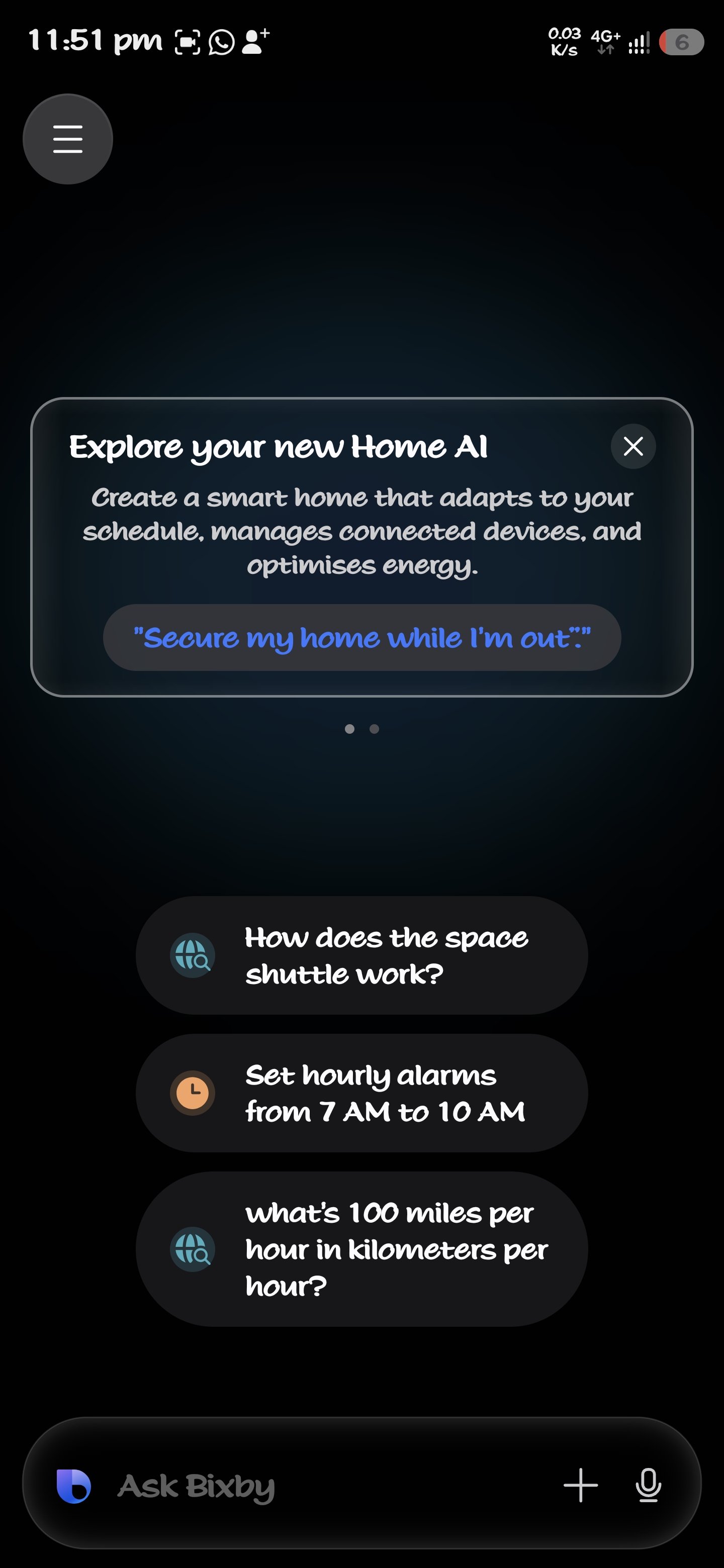
Bixby version 5.0.10.80 appears in a post with a screen recording and a still image. The still shows a Home AI introduction, suggested requests and an Ask Bixby bar with plus and microphone buttons. One suggestion asks Bixby to set hourly alarms.
For the separate app that organizes saved content, see our first look at Samsung Memory.
More app versions named in the leaks
There are more packages in Kailash’s November 9 list and his November 10 follow-up. I’ve kept their version numbers below for reference. The list alone doesn’t show what changed inside each app.
| App named in the post | Reported version |
|---|---|
| Call and Call settings | 18.5.00.142 |
| Call Services | 18.5.00.140 |
| Camera Assistant | 5.5.00.5 |
| Samsung Cloud | 5.7.10.21 |
| Samsung Find | 2.0.02.12 |
| Samsung Members | 5.8.30.2 |
| Samsung Keyboard | 5.9.50.10 |
| Calculator | 12.6.10.8 |
| Reminder | 12.8.05.21 |
| Samsung Music | 16.2.46.0 |
| Always On Display | 8.9.67.3 |
| Device care | 13.8.95.3 |
| SmartThings | 1.8.55.3 |
| Samsung account | 15.8.00.24 |
These are the versions reported by the source, not a compatibility list. Our One UI 9.5 hub covers the separate question of the system update and expected device support.
FAQ
Is the handwritten font part of the One UI 9.5 redesign?
You shouldn’t read the font in these screenshots as a confirmed One UI 9.5 change. Galaxy devices already let you choose different fonts, as Samsung’s US support page explains. For this comparison, the useful details are the button positions, menu labels and navigation bars.
Do these leaked apps confirm a One UI 9.5 release date?
No. The source posts share app files and previews; they don’t announce a Samsung rollout date or a supported-device list. If you have a question about a change on your own Galaxy, tell me the model, One UI version and app version so we can compare the right screens.
Screenshot credits: Kailash (@Kailash0729) for the Notes, Calendar, Clock, Samsung Health and Bixby screenshots; okk (The Cipher Project) for the Samsung Keyboard screenshot. App leaks: The Cipher Project, via Kailash. Featured image: SamUpdater cover illustration based on the credited screenshots.
Was this guide helpful?
Your answer helps us keep it accurate.
Comments (0)
Comments are moderated, and published only if they are relevant to the topic and add value in a constructive way. If you disagree with something, please be polite and respectful.