
The Galaxy A55 One UI 9 update has left South Korea. Our firmware feed picked up the first builds outside Korea on October 26, 2026, and they now cover Europe, India, Southeast Asia, the Middle East and Africa. All of them run Android 17 and carry the October 5, 2026 security patch.
Samsung rolls these out in stages, so your A55 may not show the update today. Here is which build matches which phone, and how to check yours.
Key points: Europe gets build A556BXXUIEZJ1. Most other regions get A556EXXUIEZJ1. Both are One UI 9 on Android 17 with the October 2026 security patch. Samsung hasn’t announced a US date for the A55 yet.
Which Galaxy A55 One UI 9 builds are rolling out?
There are two builds for the Galaxy A55 outside Korea. The model number on your phone decides which one you get: SM-A556B for Europe, SM-A556E for most of the rest of the world. You can see yours in Settings > About phone.
| Model | One UI 9 build | Where we saw it |
|---|---|---|
| SM-A556B | A556BXXUIEZJ1 | Europe (EUX), Serbia |
| SM-A556E | A556EXXUIEZJ1 | India, Thailand, Pakistan, Indonesia, Malaysia, Vietnam, Philippines, Singapore, Saudi Arabia, UAE, Egypt, Nigeria, South Africa and about ten other countries |
The first non-Korean build showed up at 15:12 UTC on October 26, in Bangladesh. The European build followed at 22:05 UTC the same day. Our feed lists the update notes only as productivity and multitasking, so there is no full Samsung changelog for these builds yet.
Is the Galaxy A55 One UI 9 update out in Europe?
Yes, in the sense that the European build exists and our feed has logged it. Whether your phone sees it depends on your country and carrier. Samsung usually starts with unbranded phones and adds carrier versions a few days later.
An insider quoted by Gagadget expected Europe to follow Korea within about a week, and that is how it played out. Samsung itself hasn’t confirmed a schedule.
What changed since the South Korea release?
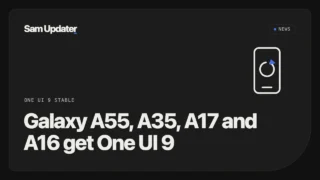
The Korean builds (A556SKSUBEZJ1 and related) went out on October 21, and I covered them in our Galaxy A55, A35, A17 and A16 stable update post. What’s new now is the reach. These are the international builds, so they are the ones most readers will see.
The feature list is the same One UI 9 package: My FanCam, Now Nudge, a customizable Quick Panel and a refreshed Samsung Health. Regional builds can still differ on small things, so check the notes on your own phone before you install.
How do you check for the update on your Galaxy A55?
- Connect to Wi-Fi and plug in your phone. The download is large and you need at least 50 percent battery.
- Open Settings > Software update > Download and install.
- If it says your software is up to date, wait a day and check again. Staged rollouts reach phones over several days.
- When the update appears, tap Download, then Install now.
If the update won’t install, our couldn’t install update guide covers the usual fixes. To see your region code first, use our CSC code guide, and the One UI 9 update tracker lists builds for every model we follow.
FAQ
Which build is the Galaxy A55 One UI 9 update in Europe?
Our feed lists A556BXXUIEZJ1 for the European open market (EUX), detected on October 26, 2026. It carries the October 5, 2026 security patch.
Why don’t I see the update on my Galaxy A55?
Samsung releases updates in waves by country and carrier. Check Settings > Software update > Download and install again over the next few days.
Is the Galaxy A55 One UI 9 update out in the US?
We haven’t seen a US build for the Galaxy A55 yet, and Samsung hasn’t announced a date.
Was this guide helpful?
Your answer helps us keep it accurate.
Comments (0)
Comments are moderated, and published only if they are relevant to the topic and add value in a constructive way. If you disagree with something, please be polite and respectful.