
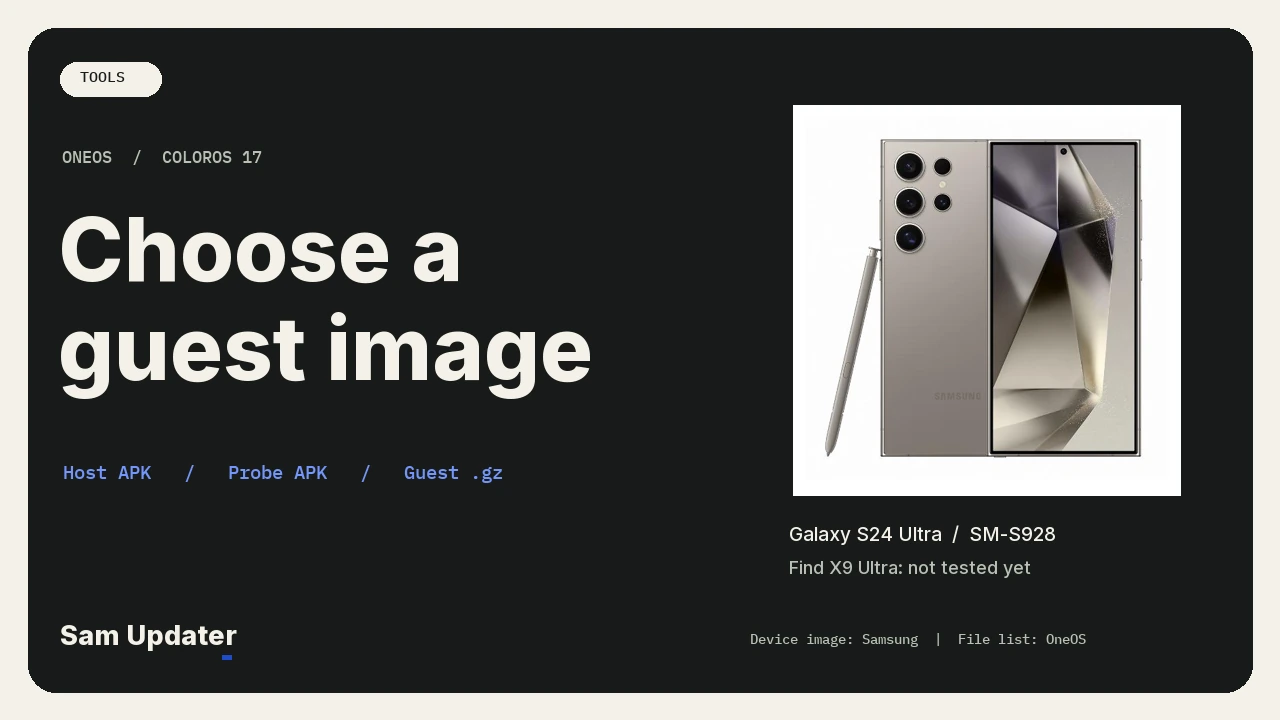
Choose a OneOS system image by matching your Galaxy model number and chipset to the phone list under the guest you want. For example, the maintainer lists the Galaxy S25 Ultra under the Find X9 Ultra image, while the Galaxy Z Fold7 has a separate Find N6 entry marked “not tested yet.”
Which OneOS download belongs on your phone?
The OneOS release has an Android app for the host phone and a separate diagnostic app called Probe. The other Android system you want to run is a third download. Look for that file in the image guide after you’ve identified your Galaxy. It ends in .img.gz.
On the OneOS 0.5.34 release page, the host app is OneOS-0.5.34.apk (57,272,344 bytes).
The smaller OneOS-Probe-0.5.34.apk is 38,200,326 bytes. If you downloaded both and still see a request for an image, you have the two apps. Neither contains the ColorOS file in the table below.
Probe is useful when your phone isn’t covered. According to the project README, it reads the rooted phone’s configuration and lets you share a report with the developer. Running the probe doesn’t add a new guest to your model’s list. For the host requirements and how to return to One UI, see our OneOS overview.
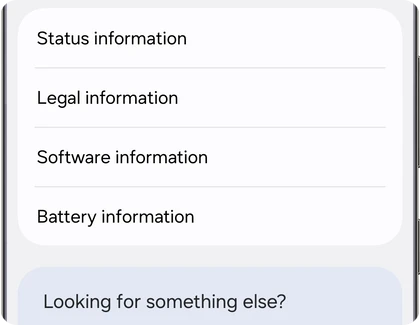
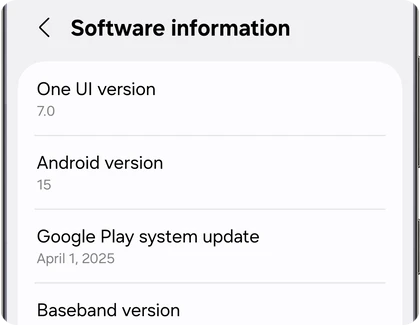
The project requirements for these ColorOS guests specify a rooted host on One UI 9. On the Galaxy, open About phone, then Software information to read the installed software version.
Match the Galaxy model before choosing a guest
- Open Settings > About phone and copy the model number. Keep the letters after the digits so you can identify the exact variant later. A shop listing that just says Galaxy S24 doesn’t give you that detail.
- Open the image guide and find the model prefix. If your model shows up more than once, read the heading above each match. That’s the system the row applies to.
- Check the chip beside your model. The Galaxy S24, for example, has separate SM-S921 entries for SM8650 and s5e9945 under the Find X9 Ultra file. Record both the model and chip when asking about a match.
- Read to the end of the row. Keep any test note with the filename when you save it. If you can’t match your phone, leave the file on the server until you have a documented combination.
ColorOS files for the S25 Ultra and Galaxy Z Fold models
I picked these rows because two phones can share a chip and still need different downloads. The SM-S938 and SM-F966 both list SM8750. One points to the Find X9 Ultra guest, the other to the foldable Find N6 guest. The OPPO names describe the guest software. Your Galaxy model supplies the hardware match.
| Galaxy / model prefix | Chipset | ColorOS 17 guest | Compressed filename | Maintainer note |
|---|---|---|---|---|
| S25 Ultra / SM-S938 | SM8750 | Find X9 Ultra IN | OneOS_ColorOS17_FindX9Ultra_IN_1105.img.gz | Listed without a test note |
| S24 Ultra / SM-S928 | SM8650 | Find X9 Ultra IN | OneOS_ColorOS17_FindX9Ultra_IN_1105.img.gz | not tested yet |
| Z Fold (F8U) / SM-F976 | SM8850 | Find N6 global | OneOS_ColorOS17_FindN6_Global.img.gz | Listed without a test note |
| Z Fold7 / SM-F966 | SM8750 | Find N6 global | OneOS_ColorOS17_FindN6_Global.img.gz | not tested yet |
| Z Fold8 / SM-F971 | SM8850 | Find N6 global | OneOS_ColorOS17_FindN6_Global.img.gz | not tested yet |
| Z Fold6 / SM-F956 | SM8650 | Find N6 global | OneOS_ColorOS17_FindN6_Global.img.gz | not tested yet |
| Z Fold5 / SM-F946 | SM8550 | Find N6 global | OneOS_ColorOS17_FindN6_Global.img.gz | not tested yet |
The sizes are the maintainer’s figures for the compressed downloads. An entry listed without a test warning carries no promise that every feature works. There’s a good example in the same list. The SM-S938 entry for the Pixel 9 Pro XL guest specifically says “not tested yet,” even though the same phone’s Find X9 Ultra row has no such note.
Verify the compressed download before opening it
SHA-256 gives you a way to compare the file you saved with the exact file the project lists. Here are the two published values from the pinned image guide. Match the entire value, including the last few characters. The first few digits alone won’t identify the file.
| Compressed file | Published size | SHA-256 |
|---|---|---|
| OneOS_ColorOS17_FindX9Ultra_IN_1105.img.gz | 7.10 GB | 43eeb00bcb7105c406d5fe299259fb8e84568c6631e6c8d763bb3ff23b1d0d20 |
| OneOS_ColorOS17_FindN6_Global.img.gz | 7.21 GB | b3061160ab3fdb37cd491e94c05e41238898320c1a5efb016debabc20991f3ee |
On a Mac, open Terminal in the folder containing your download. For the S25 Ultra ColorOS example, enter shasum -a 256 OneOS_ColorOS17_FindX9Ultra_IN_1105.img.gz. On Linux, use sha256sum OneOS_ColorOS17_FindX9Ultra_IN_1105.img.gz. Give the command time to read the entire file.
For the folding phone, substitute the complete Find N6 filename from the table.
Use the compressed file as downloaded. Comparing a decompressed image with a digest for the gzip file gives you a different result even when the download is good. If you get a mismatch on the compressed file, verify the name and revision before downloading another seven gigabytes. OneOS also checks the file before using it.
A matching digest tells you the download matches the published bytes. The separate decision is whether you want to try this guest on your rooted phone. The maintainer’s precautions call for a backup and a phone you can afford to reset. Our guides to Magisk on the S24 Ultra and TWRP on the S24 Ultra cover separate changes to the host. Neither step belongs in a checksum check.
If you’re weighing the host changes, our guide to Samsung’s bootloader restrictions explains the Knox consequence. If you’re stuck on the image choice itself, share your Galaxy model, chipset and the guest filename you’re considering.
Frequently asked questions
Can I use the Pixel guest on a Galaxy A34 that already runs LineageOS?
No. A working LineageOS guest gives you no test result for the Pixel guest on that Galaxy A34. An A34 owner raised this question after trying LineageOS. Look for SM-A346 under the particular Pixel image you want before you spend time downloading it.
Does “not tested yet” tell me the guest failed to boot?
No. That’s the maintainer’s label for a pairing without a confirmed test in that list. A failed boot would be a separate result. If you need a known working setup, look for a report naming your exact Galaxy variant, guest and app version before proceeding.
Can removing OneOS restore a tripped Knox Warranty Bit?
No. Samsung Knox documents a one-time hardware bit. Removing a guest or returning to One UI doesn’t reverse it. Samsung says restoring affected Knox cloud functionality requires replacing the phone’s printed board assembly. This applies to a bit that’s already tripped, regardless of which guest file you downloaded.
Was this guide helpful?
Your answer helps us keep it accurate.
Comments (0)
Comments are moderated, and published only if they are relevant to the topic and add value in a constructive way. If you disagree with something, please be polite and respectful.