
Samsung Browser has two hidden AI shortcuts in One UI 9.5 that appear when you select a product name or a file size. If you have the first Galaxy S26 beta, there’s no switch you can turn on to get those suggestions today.
On November 24, Asif Iqbal Shaik at SamMobile showed what happens when the selection is just “6GB”. The browser offers a conversion. Tap that suggestion and a panel slides up with the same quantity in bits, bytes, KB, MB, TB and other units.
What does Ask Anything already do?
You can already ask about the webpage you’re reading on a supported Galaxy. On Samsung’s US browser page, the Ask anything field sits below three other choices. You can get a summary, translate the page or have the browser read the highlights aloud.
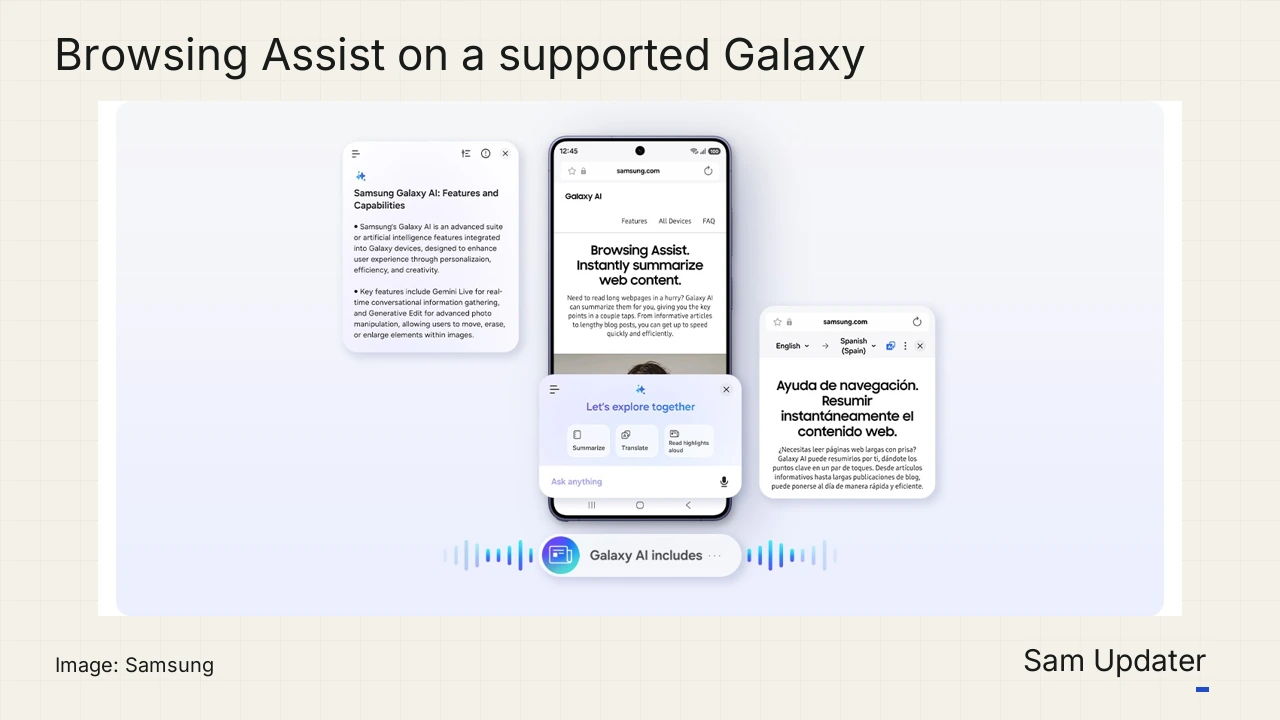
Say you’re reading a long product review. Today you can open the assistant and type a question about the review.
In the example Shaik describes, highlighting the product name brings up a bubble right beside your selection. That’s an invitation to ask about that item.
The suggestion depends on what you highlight
| While reading a page | Public Samsung Browser | Hidden in One UI 9.5 Beta 1 |
|---|---|---|
| Ask about a product | Open the assistant and enter your question. | Select the product name to bring up a question bubble. |
| Compare a file size | Samsung lists page summaries, translation and questions. Its feature guide lists no selection-based converter. | Select a value such as 6GB, then open the suggested conversion to see other units. |
| Try it on your phone | Browsing Assist is available on supported devices. | Hidden in the first Galaxy S26 beta. |
Think of a product page that lists two storage options in different units. The converter could let you compare both figures in megabytes while you still have the page in front of you. Shaik says other measurements work too, but the example he shows is a data size.
Two browser versions for the same Galaxy S26 Ultra
We checked the public Samsung Browser listing on Galaxy Store on November 24. It listed version 31.0.0.81, dated November 17.
For a closer look, we asked which browser the store would offer an Indian Galaxy S26 Ultra (SM-S948B). We kept the phone and market the same and changed only the One UI version.
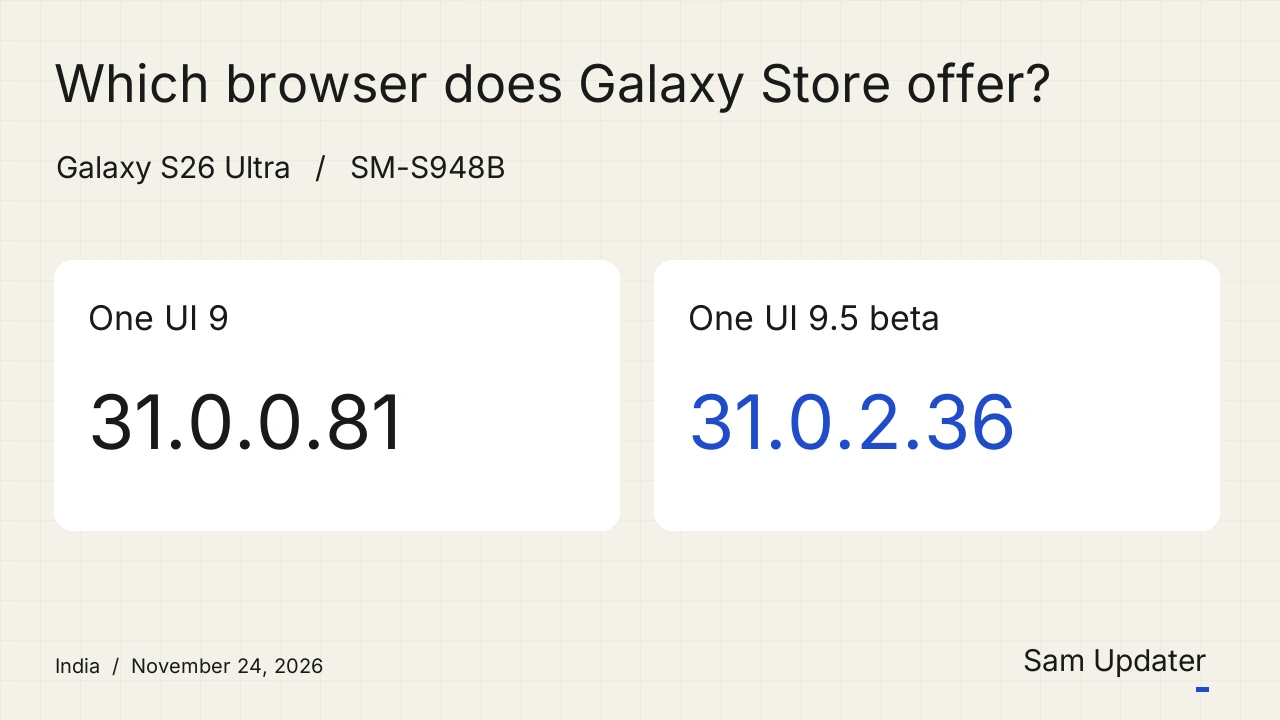
With One UI 9, we got the version on the public listing. With One UI 9.5, the store offered 31.0.2.36. That gives you a browser number to compare if your S26 Ultra is in the Indian beta.
Shaik didn’t give a browser version for his screenshots. Our store check identifies the package offered to that Galaxy model, but it can’t tell you which package he used.
What should Galaxy S26 beta testers expect next?
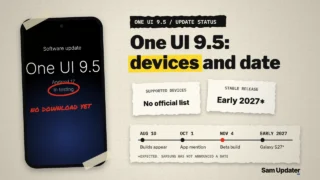
Samsung hasn’t announced a beta build or a stable release date for the suggestions. Its November 18 beta announcement names the Galaxy S26 series and six launch markets, including India and the US. It describes changes such as App Lock without mentioning either browser shortcut.
If you’re deciding whether to enroll, our Galaxy S26 beta changelog lists what came with the first download.
For the individual app packages, see our Galaxy S26+ firmware breakdown. We track later builds in our One UI 9.5 tracker and share firmware alerts in our Android app and Telegram channel.
If you spot a suggestion after a later update, which words brought it up? Tell us your Galaxy model and browser version so we can compare notes.
Was this article helpful?
Your answer helps us keep it accurate.

Comments (0)
Comments are moderated, and published only if they are relevant to the topic and add value in a constructive way. If you disagree with something, please be polite and respectful.