Samsung Nice Shot: Delete Screenshots and Adjust Crops
Add a screenshot Delete button, change crop snapping, and review recording interruptions with Nice Shot. Includes accurately credited Samsung reference controls.

Reviewer
Add a screenshot Delete button, change crop snapping, and review recording interruptions with Nice Shot. Includes accurately credited Samsung reference controls.
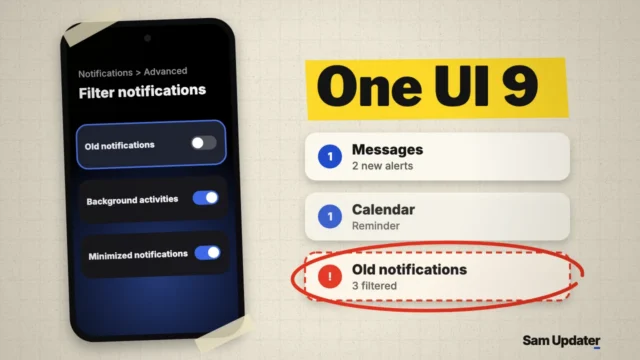
If you notice old notifications disappearing in One UI 9 after a few days, turn off the Old notifications switch under Filter notifications in Advanced settings.
Assign a Samsung edge swipe to an app, fit the handle to your hand, and exclude apps where gestures interfere. Includes manufacturer reference screens.
Enable the Network Speed indicator in QuickStar, check the One UI requirement, and compare status-bar visibility controls using Samsung support references.
Stop automatic Samsung Home screen shortcuts, check your app layout, and keep only the icons you choose. Follow the matching Samsung screenshots.
Assign Galaxy Side button shortcuts, choose a specific Camera action, and set Long press to show the power menu. Includes Samsung support screenshots.
Choose how apps continue onto your Galaxy Z Fold cover screen, recognize the different menu layouts, and compare app-specific refresh behavior.
Set up Auto Hotspot for your Galaxy devices and understand the current Group sharing, member invitation, and Family device sharing controls.
Get Samsung's official Windows USB driver, inspect the download signature, reinstall through Smart Switch, and verify the Galaxy connection.
Hide and unhide Galaxy app icons, open a hidden app through Search, and distinguish icon visibility from disabling or private storage.