
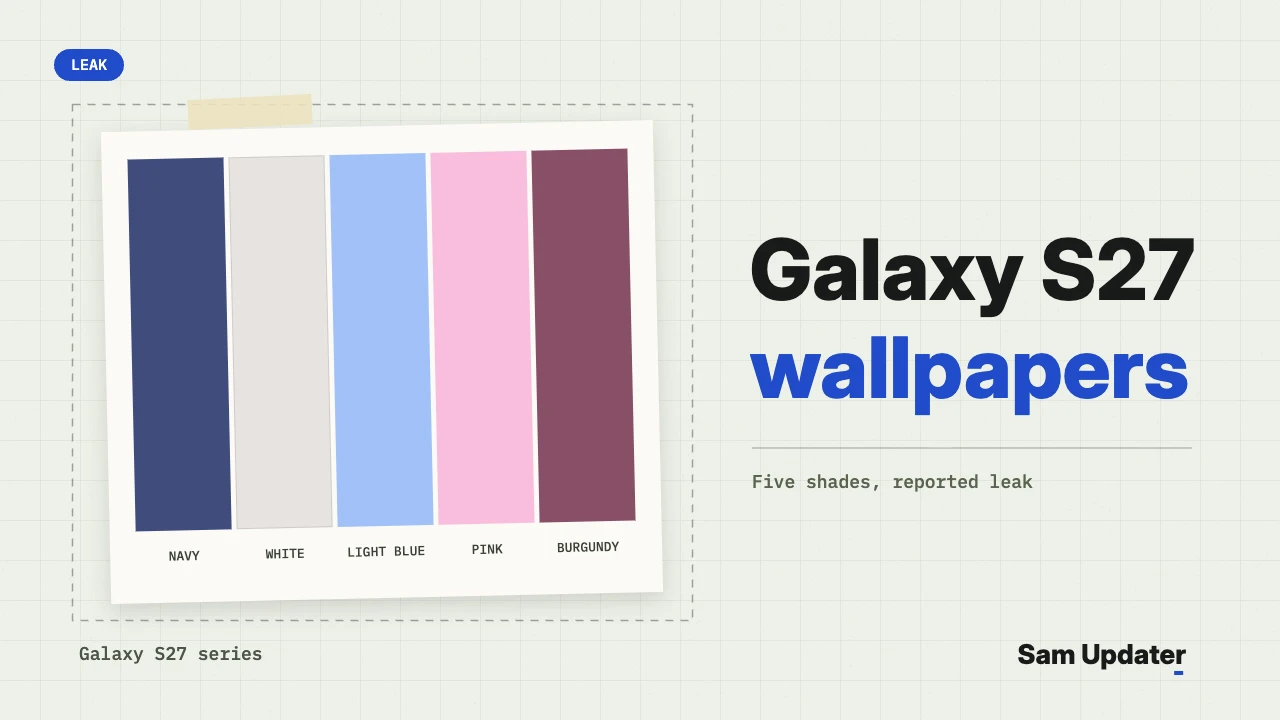
Samsung’s Galaxy S27 wallpapers leaked on November 12, 2026, well ahead of the phones’ expected early 2027 launch. There are five static wallpapers, all the same folded-ribbon design, in navy, white, light blue, pink and burgundy. Each file is 2340 x 2340 pixels.
SammyGuru got them first and hosts the full-resolution files. I’ll show you where to download them, how to set a square wallpaper on your Galaxy without losing the best part of it, and what the five shades may hint about Galaxy S27 colors.
| Detail | What we know |
|---|---|
| Wallpapers | 5 static images, one folded-ribbon design |
| Colors | Navy, white, light blue, pink and burgundy |
| Resolution | 2340 x 2340 pixels |
| Live wallpapers | Not leaked so far |
| Download | Free SammyGuru account, single files or one 2.4 MB ZIP |
What the Galaxy S27 wallpapers look like
All five Galaxy S27 wallpapers use one piece of artwork: a single ribbon, folded and twisted into a loop. Only the color changes. Two are blue, two lean red, and one is white.
It’s a plain design, and I think that helps. One shape with lots of open space leaves room for the clock, your widgets and a full row of app icons.
Download the Galaxy S27 wallpapers
The full-resolution Galaxy S27 wallpapers are on SammyGuru’s Galaxy S27 wallpaper page, the site that published them first. You need a free SammyGuru account to download. After you sign in, save each wallpaper on its own or grab all five in a single 2.4 MB ZIP file.
Google Drive Download (Dircet Link) | Credit: ytechb
The page credits the artwork to Samsung and shares it for personal use. Set them on your phone all you like, but don’t repost the files as your own.
Set a square wallpaper without a bad crop
Here’s the catch. These files are perfect squares, and your phone’s screen is tall and narrow.
Take the Galaxy S26. Samsung lists its main display at 2340 x 1080 pixels. The wallpaper is exactly as tall as that screen, so nothing gets squeezed, but only about 46% of its width fits. The rest sits off the left and right edges.
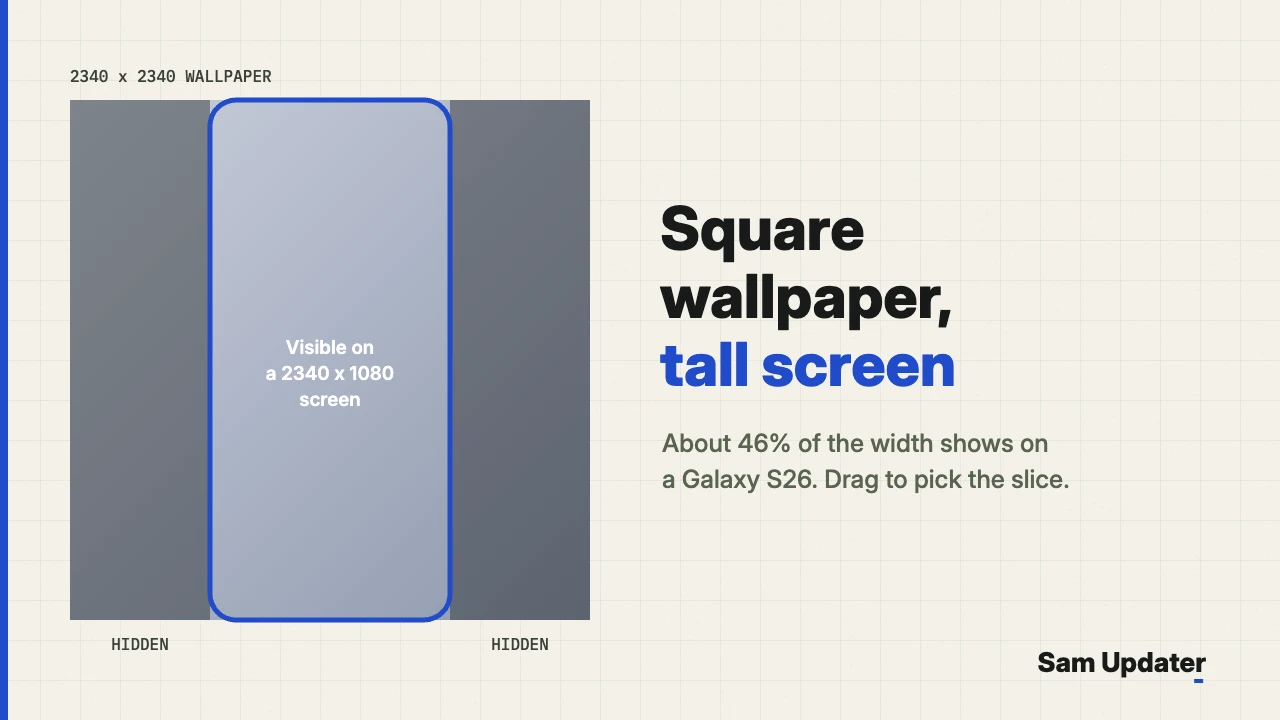
So the position you pick matters. One UI lets you drag the image before you save it, which means you can center the twist of the ribbon instead of a flat patch of color.
Once the file is on your phone, follow these steps:
- Touch and hold an empty spot on your Home screen, then tap Wallpaper and style.
- Tap Change wallpapers, then tap Gallery.
- Pick the Galaxy S27 wallpaper you downloaded and tap Done.
- Choose Lock screen, Home screen or both, then tap Next.
- Drag the image left or right until the ribbon sits where you want it. Pinch to zoom if you’d like a tighter crop.
- Tap Done in the top right corner.
These steps match Samsung’s own wallpaper instructions for Galaxy phones. A few labels can differ between One UI versions.
Like changing up the lock screen? We also covered the One UI 9.5 LockStar transition effects that leaked this week.
What the five shades say about Galaxy S27 colors
SammyGuru points out that Samsung usually makes a version of its launch wallpaper for each phone color. If that habit holds, the Galaxy S27 lineup could come in navy, white, light blue, pink and burgundy.
SammyGuru’s Josh Skinner takes a guess at the split. He expects the red and burgundy shades on the Galaxy S27 Pro and S27 Ultra, the blues on the base and Plus models, and the white for a white or silver version. That’s his prediction, not part of the leak, and Samsung hasn’t confirmed a single color.
The other early clues have been about hardware. Our report on the Galaxy S27 BIS listing as SM-S952B/DS went up last week. Before that, we looked at a reader photo of possible Galaxy S27 Ultra cases with a wide camera cutout.
When will the Galaxy S27 launch?
Samsung hasn’t announced a date. We expects the Galaxy S27 series to be unveiled in January or February 2027.
The live wallpapers are still missing, too. If Samsung’s animated versions turn up before launch, I’ll add them to this post with a dated update.
Was this guide helpful?
Your answer helps us keep it accurate.
Comments (0)
Comments are moderated, and published only if they are relevant to the topic and add value in a constructive way. If you disagree with something, please be polite and respectful.