
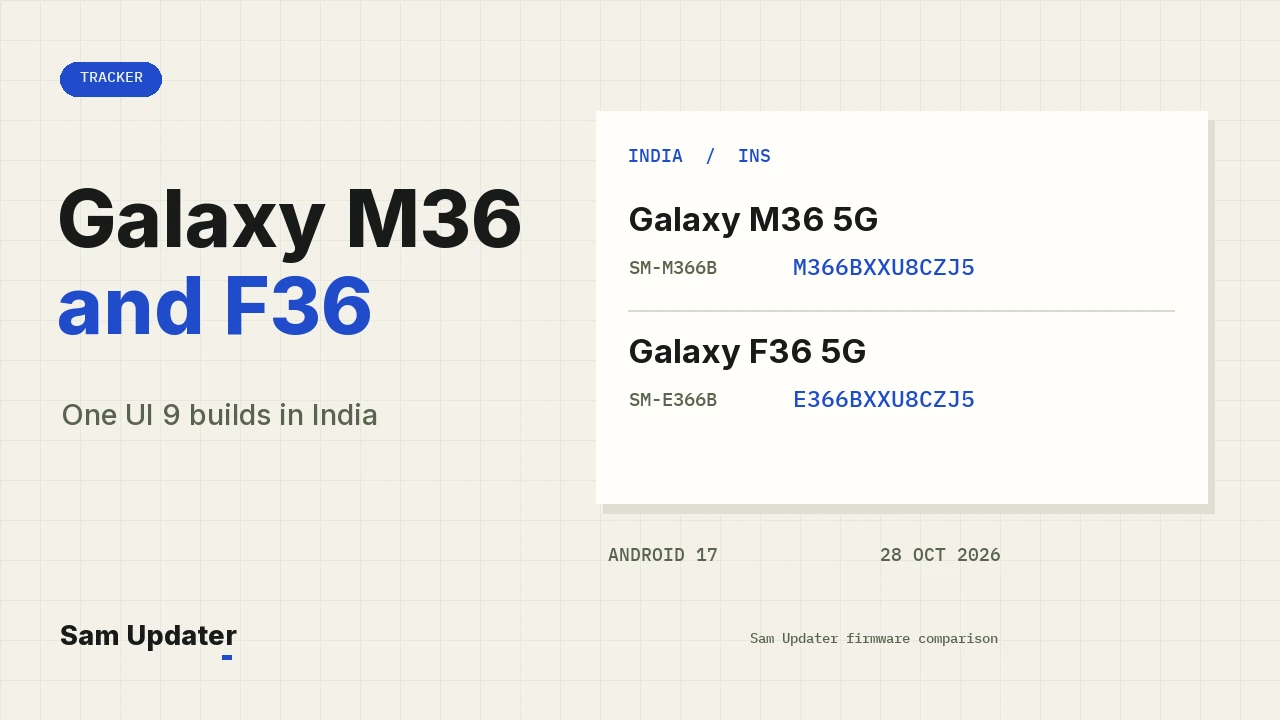
Check the Galaxy M36 and F36 One UI 9 build in India by matching the model number in Settings to Samsung’s INS release notes. The M36 upgrade is M366BXXU8CZJ5 and the F36 upgrade is E366BXXU8CZJ5, so the last four characters alone won’t tell you which phone you’re looking at.
Find the model and installed build on your Galaxy
- Open Settings > About phone. Look for SM-M366B on the Galaxy M36 5G or SM-E366B on the Galaxy F36 5G.
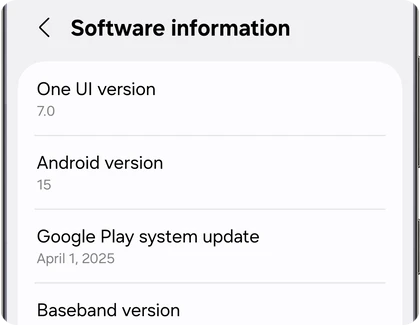
- Open Software information. Read the Build number and Android version on the same screen. If the build includes an Android platform identifier at the beginning, compare the Samsung firmware string at the end.
- Check Service provider software version for your region. This comparison covers the Indian INS records. If your phone uses a different code, select that region in our Firmware Checker.
Samsung’s software version instructions show where to find the installed version. Looking up the model in a release list answers a different question from checking the phone itself. You can read the changelog on a computer even if the handset hasn’t received that build.
Which India builds moved these phones to Android 17?
Samsung lists October 28, 2026 as the One UI 9 release date for both INS variants. Each had a September 9 security release on Android 16. Read across the row for your phone to see the previous build, the Android 17 upgrade and the patch that came with it.
| Samsung India record | Region | Previous Android 16 build | One UI 9 / Android 17 build | Security patch level |
|---|---|---|---|---|
| Galaxy M36 5G (SM-M366B) | INS | M366BXXS8BZH3 | M366BXXU8CZJ5 | October 5, 2026 |
| Galaxy F36 5G (SM-E366B) | INS | E366BXXS8BZH3 | E366BXXU8CZJ5 | October 5, 2026 |
The September releases carried the August 5 patch. Our feed first recorded the M36 upgrade on November 4 at 18:30:32 UTC and the F36 upgrade at 18:31:30 UTC. If you saw an earlier October date on Samsung’s page, both dates make sense.
One comes from Samsung’s release history and the other records when our checker saw the entry.
Compare today’s tracker with the October release
Live data from Samsung's official release notes. Last checked Nov 28, 2026, 02:39 UTC.
| Device | Carrier / region | Released | Build |
|---|---|---|---|
| Galaxy M36 5G | India | Oct 28, 2026 | M366BXXU8CZJ5 |
| Galaxy F36 5G | India | Oct 28, 2026 | E366BXXU8CZJ5 |
This table covers the models and firmware channels monitored by our tracker. A missing record does not confirm that an update is unavailable elsewhere.
The live table tracks the One UI 9 release for the two India models. For a newer security build on the same Android version, select your exact model and INS in our Firmware Checker.
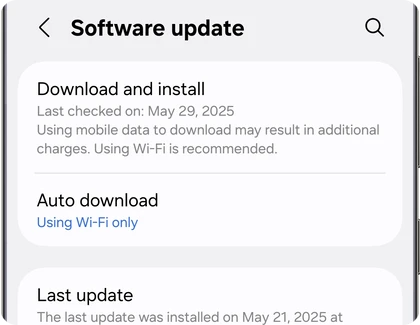
To check what Samsung is offering your handset, open Settings > Software update > Download and install. For model alerts, follow your device in our Android app.
Read the right entry on Samsung’s release page
On the M36 India page or the F36 India page, choose English if you see a language selector. Find the full build string from your phone. Each entry has its own Android version, release date and security patch level. Read down from that build number until the next build begins.
This matters if you’re comparing two screenshots someone sent you. A screenshot of the first page of the changelog shows what Samsung released for that model. A screenshot of Software information shows what’s installed. I would use the second one to answer whether your handset has upgraded and the first one to check what that particular build changed.
For example, Samsung includes resizable brightness and volume controls in the October quick panel notes. The September entry describes a security improvement. If you’re looking for a new control on a phone still showing the September build, you can stop searching through quick panel settings and check Software update instead.
Where the M35 and other Galaxy models fit
If About phone says Galaxy M35, use our separate M35 India report. The M35 has its own firmware history. For a date covering a different Galaxy family, see our India rollout calendar or use our One UI 9 tracker to find that model’s coverage.
If a build looks out of place, share the model, CSC and Samsung build string. Those three details let us compare the right release histories without asking you for a screenshot of the entire About phone screen.
Frequently asked questions
Can I use an F36 package on the M36 if both end in CZJ5?
No. The Galaxy M36 changelog identifies SM-M366B and the Galaxy F36 changelog identifies SM-E366B. Both families have an October build ending in CZJ5, but the letters at the beginning identify different firmware. Use the complete string from the matching model’s entry when comparing a download.
Was October 5 the day One UI 9 became available in India?
No. October 5, 2026 is the security patch level printed in both upgrade records. Samsung gives October 28 as the release date for those builds. If you want the date for a particular handset’s download, neither field records when that handset actually received the offer.
My F36 still shows E366BXXS8BZH3. Is it running Android 17?
No. Samsung’s F36 India release history places E366BXXS8BZH3 on Android 16. Its September entry describes a security change. If you see that string on your phone, compare the Android version in Software information with the entry for BZH3, even if the newer changelog appears first online.
Was this guide helpful?
Your answer helps us keep it accurate.
Comments (0)
Comments are moderated, and published only if they are relevant to the topic and add value in a constructive way. If you disagree with something, please be polite and respectful.