
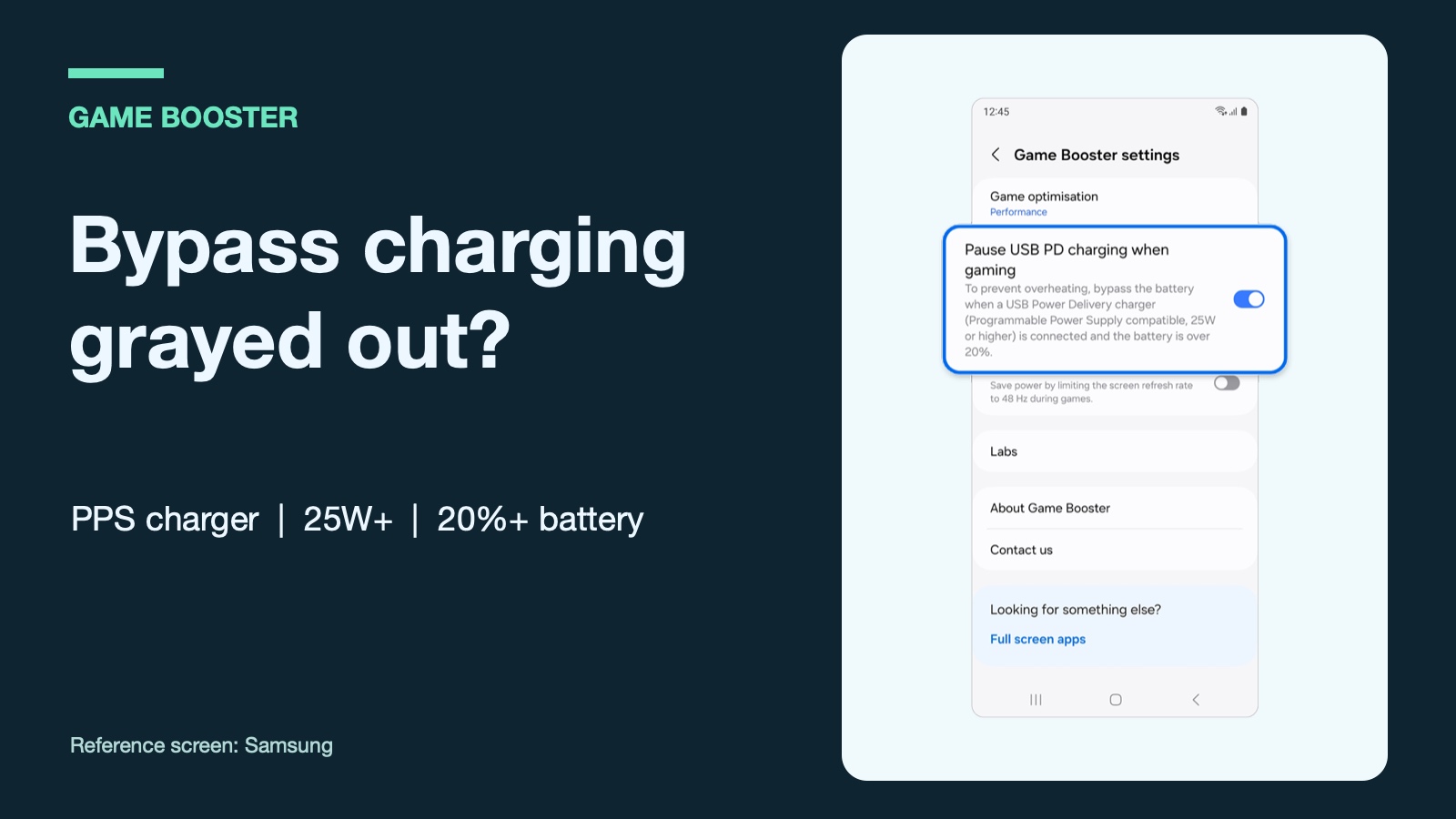
Samsung bypass charging is usually grayed out because one of its conditions isn’t met: no 25W PPS charger is connected, no game is running, or the battery is under 20%. Plug in a 25W Samsung-compatible PD charger first, open a game, then go back to Game Booster and the switch should become available if your model supports it.
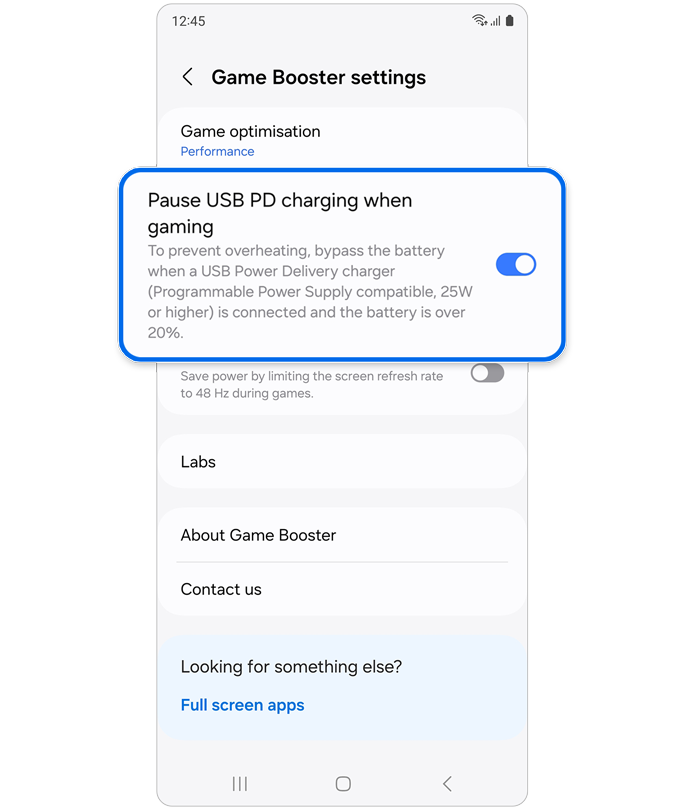
Samsung calls the feature Pause USB PD charging when gaming. While it’s on, the phone runs off the charger instead of the battery, so the battery isn’t being charged while you play.
Why does Samsung gray out bypass charging?
A gray switch means the phone can’t use the feature right now. Samsung’s Ireland support page lists three conditions: a 25W or higher charger that supports PPS, a game that’s running, and at least 20% battery. If any one is missing, the phone falls back to normal charging.
Samsung’s Gulf support page adds two more. The phone must not be overheating, and the game has to be in the foreground. It won’t kick in on a blank screen or when another app is on top.
Here’s how each symptom usually lines up with a cause:
| What you see | Most likely cause | What to try |
|---|---|---|
| The option is missing | No PD charger has ever been connected, or the model lacks support | Connect a 25W PD charger once, then check again |
| The option is gray | Charger, game or battery condition isn’t met | Use a 25W PPS charger, launch a game, keep battery above 20% |
| It’s on but the battery still charges | Battery under 20%, phone too warm, or the game left the screen | Let it cool, charge past 20%, keep the game in front |
Check that your charger qualifies
Start with the charger, since it’s the most common reason. Samsung says the feature needs a 25W or higher charger with PPS, and it notes that the 25W charger isn’t included in the box. A charger without PPS doesn’t meet that bar, even if it charges quickly.
- Check the charger’s label or spec sheet for 25W or higher and PPS support.
- Use a USB-C to USB-C cable that’s rated for that power.
- Plug the charger in before you open the game, as Samsung recommends.
There’s a catch, too. Samsung says the option only appears after you’ve connected a PD charger to the phone for the first time. So if you’ve never used one with this phone, the entry may not show up at all until you do.
Turn it on from Game Booster
Once the charger is in, the switch lives inside Game Booster. Samsung’s path is Gaming Hub, then More, then Game Booster. The Ireland page notes that the More menu can sit in a different spot depending on your software version.
- Connect the 25W PPS charger to the phone.
- Open Gaming Hub.
- Tap More, then Game Booster.
- Turn on Pause USB PD charging when gaming.
- Start your game and keep it on screen.
On One UI 6.0 and later, Samsung says the menu can show whether your phone supports the feature without the charger connected. That’s a quick way to rule out model support before you go buy anything.
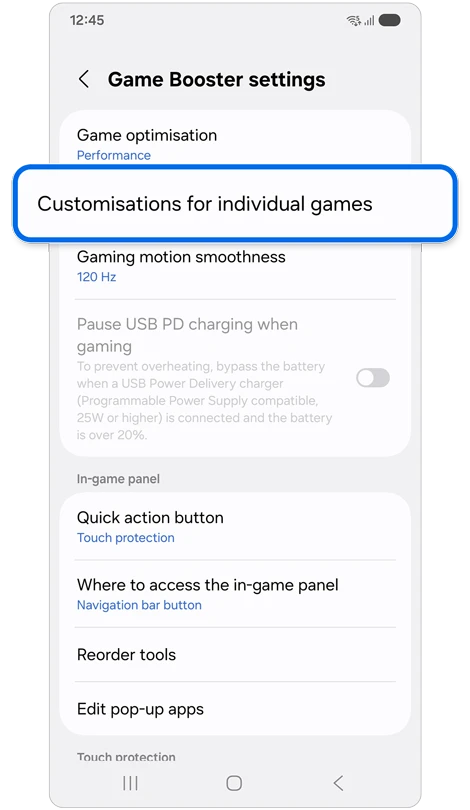
If you’d rather set different behavior for each title, we explain the per-game controls in our Game Booster profiles guide.
Is my Galaxy model supported?
Not every Galaxy has it. Samsung’s Ireland page says support varies by model, and the Gulf page names the Galaxy S24, S25 and S26 series, the Galaxy Z Fold and Z Flip, and the Galaxy A series. If your phone falls outside those families, the gray switch may simply mean it isn’t supported.
It also helps to be on current software, which the Gulf page recommends. Open Settings > About phone > Software information to see your One UI version, then go to Settings > Software update > Download and install and take any pending update before you check Game Booster again.
When it switches on but the battery still charges
This one catches people out. The feature can be enabled and still let the battery charge for a while, and that’s by design.
- With a non-PD charger, charging also carries on as usual.
- With the screen off, or with the game moved to the background or another screen, the pause stops working.
- If the phone is overheating, Samsung’s Gulf page says the feature won’t activate.
If heat is the issue, let the phone cool down before you start the game again. It’s also worth knowing how this fits with the 80% and 85% battery limits, which we cover in our Samsung battery protection guide.
Want to see whether bypass charging is actually helping your battery over time? Our guide to checking Samsung battery health with Samsung Members and ADB shows where to read the numbers.
Frequently asked questions
Will a 65W laptop charger work for bypass charging?
Only if it supports PPS. Samsung’s requirement is a 25W or higher charger with PPS, so total wattage alone isn’t the test. A laptop charger that lists USB PD but not PPS doesn’t meet that requirement, so the switch can stay gray. Check the label or the maker’s spec sheet for PPS before you rely on one.
What happens if my battery drops below 20% while gaming?
The phone starts charging the battery again. Samsung says that below 20%, the battery continues to charge according to standard operating procedures. Once the level climbs back above that point, with the charger and game conditions still met, the phone can return to running directly from the charger instead of the battery.
Why is the option missing even though my phone is supported?
The phone hasn’t seen a PD charger yet. According to Samsung, the Pause USB PD charging option appears after you connect a PD charger for the first time. Plug in a 25W PPS charger once, then reopen Game Booster. On One UI 6.0 and later, the menu can also show whether your model supports it.
Was this guide helpful?
Your answer helps us keep it accurate.
Comments (0)
Comments are moderated, and published only if they are relevant to the topic and add value in a constructive way. If you disagree with something, please be polite and respectful.