
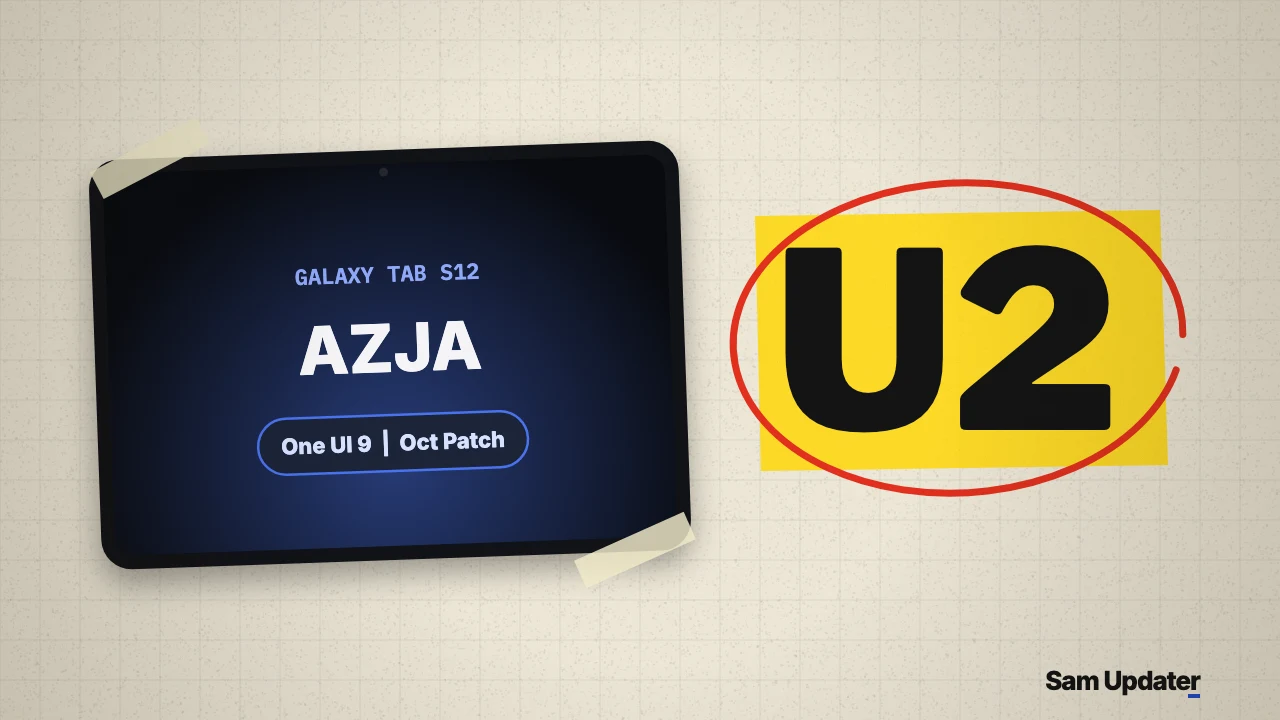
The first Galaxy Tab S12 update has gone live in South Korea for both the Galaxy Tab S12+ and Galaxy Tab S12 Ultra. On November 10, 2026, Samsung pushed firmware builds ending in AZJA across all four Korean Wi-Fi and 5G variants, bringing the October 2026 security patch on Android 17 and One UI 9 while raising the bootloader binary to version 2.
If you bought a Korean Tab S12+ or Tab S12 Ultra, open Settings > About tablet > Software information and check that your model reads SM-X840, SM-X846N, SM-X940 or SM-X946N. Those four variants are the ones receiving this initial rollout today.
Every Korean model in this Galaxy Tab S12 update
Early coverage only spotted the two Wi-Fi tablets, but Samsung’s South Korea release notes and update server show all four Korean variants got their first post-launch patch on the same day.
| Tablet | Model | Firmware build | Channel | Patch level |
|---|---|---|---|---|
| Galaxy Tab S12+ (Wi-Fi) | SM-X840 | X840XXU2AZJA | South Korea (KOO) | October 5, 2026 |
| Galaxy Tab S12+ 5G | SM-X846N | X846NKOU2AZJA | South Korea (KOO) | October 5, 2026 |
| Galaxy Tab S12 Ultra (Wi-Fi) | SM-X940 | X940XXU2AZJA | South Korea (KOO) | October 5, 2026 |
| Galaxy Tab S12 Ultra 5G | SM-X946N | X946NKOU2AZJA | South Korea (KOO) | October 5, 2026 |
On the two 5G tablets, Samsung paired the AZJA system build with modem version X846NKOU2AZJ4 on the Tab S12+ 5G and X946NKOU2AZJ4 on the Tab S12 Ultra 5G. International 5G models (SM-X846B and SM-X946B) and US channels did not show a firmware entry on Samsung’s server during my November 10 check, so the rollout starts at home in Korea first.
Why the U2 bootloader change matters
Look at the fifth character from the end of X840XXU2AZJA and X940XXU2AZJA. That digit is 2, which means Samsung bumped the bootloader revision on the very first over-the-air update for the series. Our Samsung firmware version guide breaks down each letter and digit in that string if you want to read the rest of the code.
Samsung spells out the consequence at the bottom of all four Korean release pages: because security policy was strengthened in this build, you cannot downgrade to an older software version with lower security. If you try flashing a factory U1 package in Odin later, the tablet will reject it with a revision check error.
What changed in the October 2026 patch
Both tablets already ship with Android 17 and One UI 9 out of the box, so this Galaxy Tab S12 update focuses on stability and security rather than new interface features. Samsung’s Korean changelog lists two items: stabilization code for device operation and security stabilization code.
It is still the October 5, 2026 patch level rather than the newer November patch that Samsung started sending to the Galaxy S26 series and Galaxy Z Fold 8 in Korea this week. According to Samsung’s October 2026 security bulletin, the SMR-OCT-2026 package applies 45 Google Android CVE fixes (nine rated Critical), four Samsung Semiconductor fixes and 27 Samsung SVE items for One UI components. We went through the notable fixes in our October 2026 security bulletin breakdown.
If you also own an older Galaxy Tab S11, Tab S10 or Tab S9, see our Galaxy Tab One UI 9 rollout tracker for where those models stand on Android 17.
Install the Galaxy Tab S12 update in Settings
Korean units should prompt you automatically over the next few days, or you can pull the Galaxy Tab S12 update manually right now.
- Connect your tablet to Wi-Fi and keep the battery above 50 percent.
- Open Settings > Software update > Download and install.
- Wait for the tablet to check Samsung’s server, then tap Download if the AZJA build appears.
- Tap Install now and let the tablet restart to finish applying the patch.
Buyers outside South Korea should see their first regional builds follow once retail units widen out, and you can check other Samsung models anytime in our Samsung firmware checker. Has the AZJA build landed on your Tab S12+ or Tab S12 Ultra yet? Share your model number and region in the comments.
Was this guide helpful?
Your answer helps us keep it accurate.
Comments (0)
Comments are moderated, and published only if they are relevant to the topic and add value in a constructive way. If you disagree with something, please be polite and respectful.