How to Show Network Speed in the Samsung Status Bar
Enable the Network Speed indicator in QuickStar, check the One UI requirement, and compare status-bar visibility controls using Samsung support references.
Browse by category
Enable the Network Speed indicator in QuickStar, check the One UI requirement, and compare status-bar visibility controls using Samsung support references.
Stop automatic Samsung Home screen shortcuts, check your app layout, and keep only the icons you choose. Follow the matching Samsung screenshots.
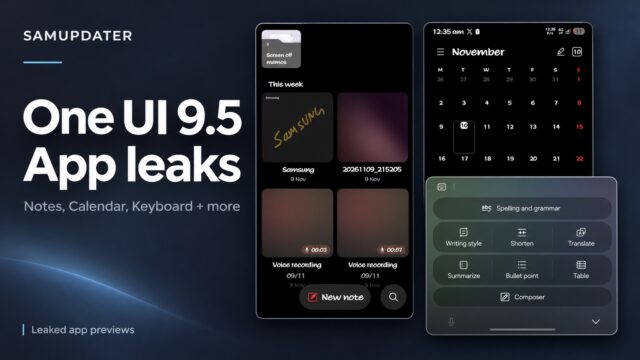
See the One UI 9.5 app leaks in real screenshots, including Samsung Notes, Keyboard, Calendar, Clock, Health and Bixby, plus reported app versions.
Assign Galaxy Side button shortcuts, choose a specific Camera action, and set Long press to show the power menu. Includes Samsung support screenshots.
Choose how apps continue onto your Galaxy Z Fold cover screen, recognize the different menu layouts, and compare app-specific refresh behavior.
Set up Auto Hotspot for your Galaxy devices and understand the current Group sharing, member invitation, and Family device sharing controls.
Get Samsung's official Windows USB driver, inspect the download signature, reinstall through Smart Switch, and verify the Galaxy connection.
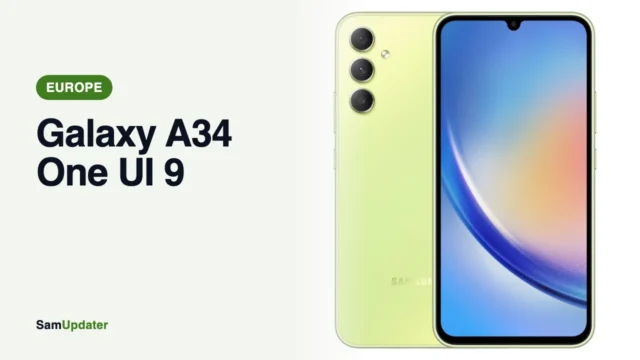
Samsung's One UI 9 update for the Galaxy A34 has reached Europe with build A346BXXUHGZJ8 on Android 17. Here's the build and how to install it.
Samsung is building a Memory app for One UI 9.5 that saves screenshots, text and voice notes and uses AI to name, tag and summarize them.
Samsung is testing a Galaxy AI Premium subscription with usage limits on free features and a Max plan that app strings price at $4.99 a month.