
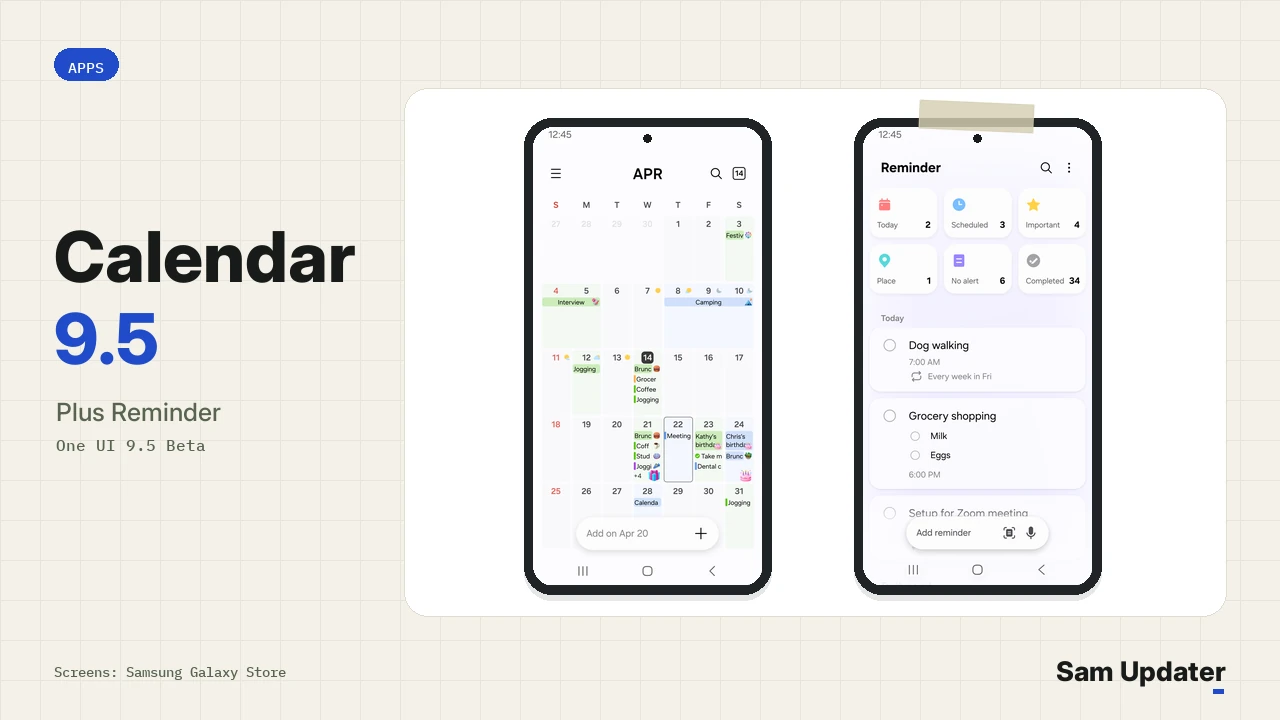
Samsung has rolled out Samsung Calendar 12.8.05.29 and Samsung Reminder 12.8.05.24 globally on Galaxy Store for One UI 9.5 Beta phones. Beta testers across eight markets can install both builds right now from Galaxy Store > Menu > Updates.
Both packages hit Samsung’s servers early on November 25, with global offers syncing between 09:03 and 09:49 UTC. Calendar 12.8.05.29 (version code 1280529000) weighs 55.81 MB (55,809,345 bytes). Reminder 12.8.05.24 (version code 1280524000) comes in at 50.71 MB (50,710,512 bytes).
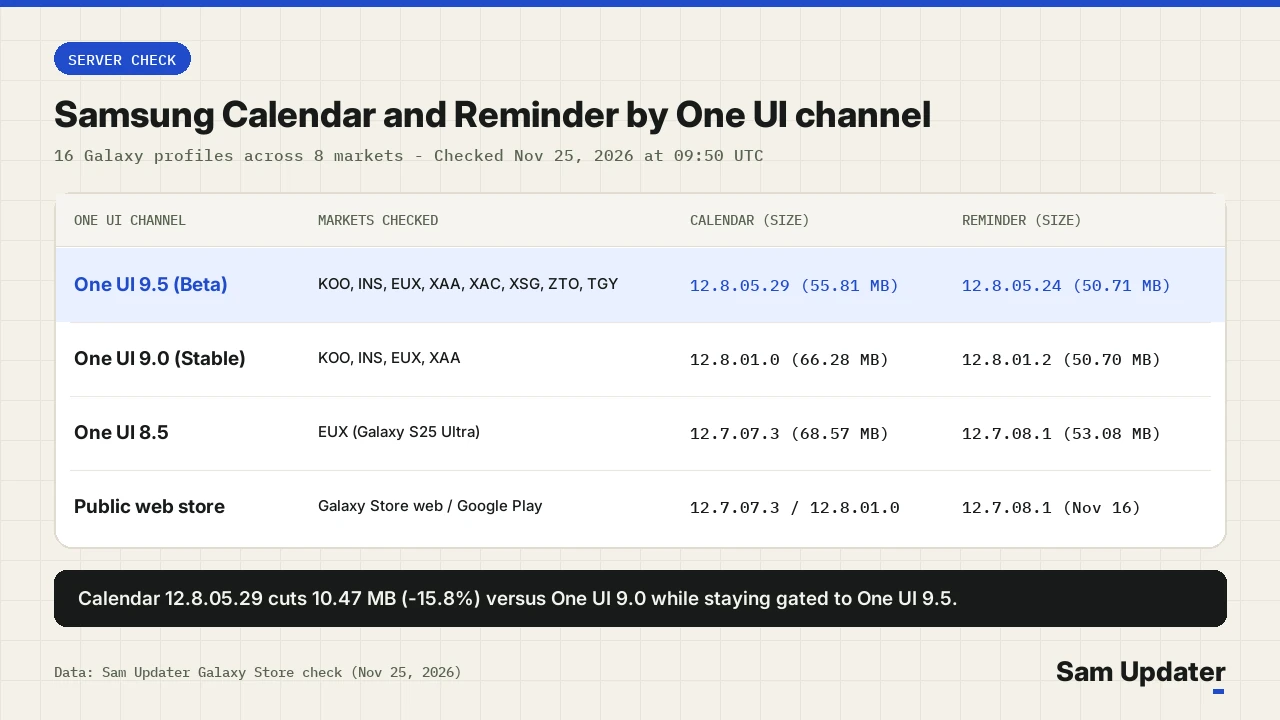
The biggest surprise is how much smaller Calendar got. One UI 9.0’s stable 12.8.01.0 build weighs 66.28 MB, so version 12.8.05.29 trims 10.47 MB from the download. That is a 15.8% reduction.
What is new in Samsung Calendar 12.8.05.29?
Calendar 12.8.05.29 adds smart schedule suggestions that spot dates in messages, emails and notifications so you can save them in a tap. Because Samsung’s web storefront still lags behind, that changelog line comes from an on-device Galaxy Store screen shared by @Kailash0729 on X.
On the web, the official Samsung Calendar Galaxy Store page still lists version 12.7.07.3 from September 22, 2026. Its notes cover older features like hiding past schedules, marking reminders complete, natural-language search and multiple image attachments.
Reminder 12.8.05.24 arrives on the same 12.8.05.x One UI 9.5 branch, though Samsung has kept its changelog quiet so far. The public Samsung Reminder Galaxy Store listing still points to version 12.7.08.1 from November 16, 2026 with a short “Fixed bugs” line.
Global rollout across eight Galaxy Store markets
We queried 16 Samsung device profiles at 09:50 UTC on November 25, 2026 across South Korea, India, Europe, the US, Canada, the UAE, Brazil and Hong Kong. Every One UI 9.5 profile returned Calendar 12.8.05.29 and Reminder 12.8.05.24 with identical byte sizes.
These numbers come from direct Galaxy Store server offers, not hands-on installs across all 16 phones. They show Samsung pushed both builds worldwide at once instead of holding them to South Korea first.
| One UI channel | Models and CSCs checked | Calendar version (size) | Reminder version (size) |
|---|---|---|---|
| One UI 9.5 (Android 17 Beta) | Galaxy S26 Ultra & S26 (SM-S948N/B/U1/W/0, SM-S942B) in KOO, INS, EUX, XAA, XAC, XSG, ZTO, TGY | 12.8.05.29 (55.81 MB) | 12.8.05.24 (50.71 MB) |
| One UI 9.0 (Android 17 Stable) | Galaxy S26 Ultra, S25 Ultra, Z Fold8 Ultra (SM-S948N/B/U1, SM-S938N, SM-F976B) in KOO, INS, EUX, XAA | 12.8.01.0 (66.28 MB) | 12.8.01.2 (50.70 MB) |
| One UI 8.5 (Android 16) | Galaxy S25 Ultra (SM-S938B) in EUX | 12.7.07.3 (68.57 MB) | 12.7.08.1 (53.08 MB) |
| Public web storefronts | Galaxy Store web / Google Play | 12.7.07.3 / 12.8.01.0 | 12.7.08.1 |
Why does One UI 9.0 still stay on 12.8.01.0?
Samsung gates the 12.8.05.x branch strictly to phones reporting One UI 9.5. Devices on stable One UI 9.0 stay on Calendar 12.8.01.0 and Reminder 12.8.01.2 from November 20. Switching the same Galaxy S26 Ultra profile from One UI 9.0 to 9.5 swaps both offers right away, so your OS version controls access rather than your country.
Checking the Samsung Calendar listing on Google Play shows the same split. Play Store remains on 12.8.01.0 (updated November 3, 2026), making Galaxy Store the only official source serving 12.8.05.29 today.
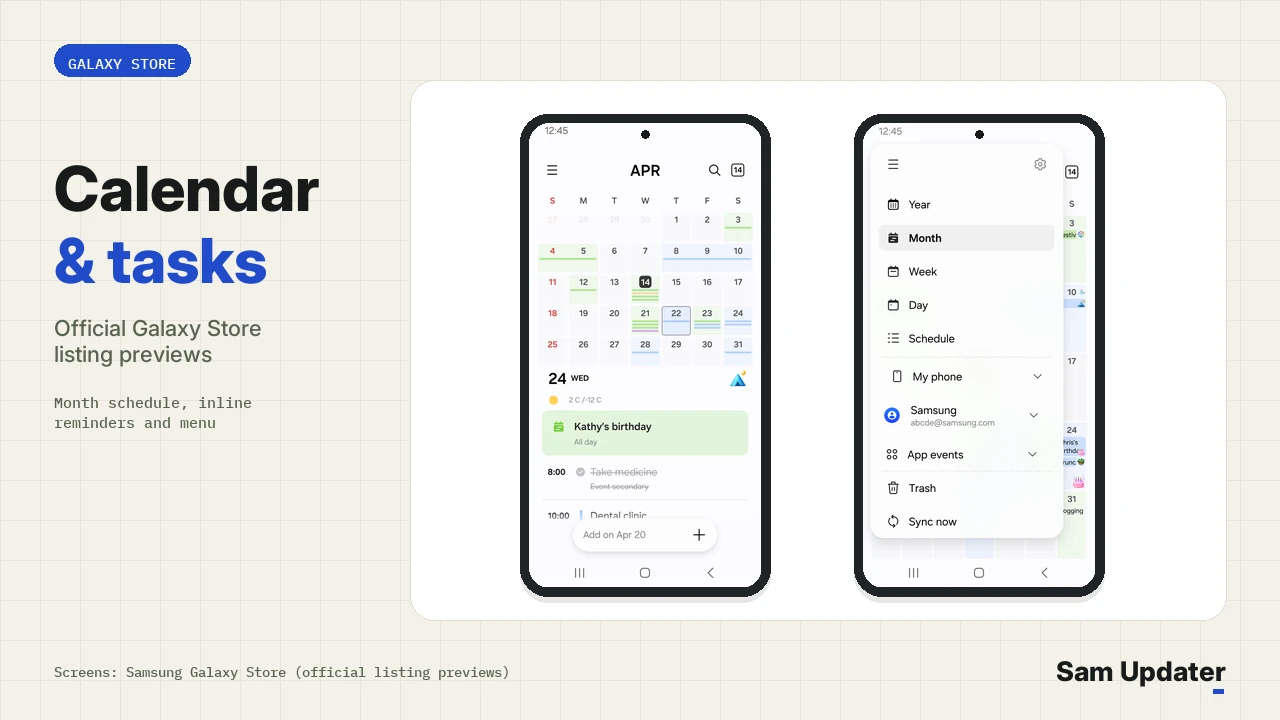
Those store previews already place tasks like medication reminders inside the Calendar timeline. Pulling schedule suggestions straight from messages, emails and notifications builds on that link between Calendar and Reminder on One UI 9.5.
How these builds fit Samsung’s One UI 9.5 app wave
Ever since the One UI 9.5 Beta Program opened on November 18, 2026 for the Galaxy S26 series, core Samsung apps have been picking up One UI 9.5 branch updates. You can check the broader OS changes in our One UI 9.5 beta changelog.
Rollout behavior here flips what we saw earlier today in our Nice Catch 9.5.00.2 rollout check. Nice Catch stayed restricted to South Korea’s KOO channel across One UI 9.5, 9.0 and 8.5. Calendar 12.8.05.29 and Reminder 12.8.05.24 went global across all eight tested regions, yet stayed locked to One UI 9.5.
Check for Calendar 12.8.05.29 on your Galaxy
Enrolled Galaxy S26 series beta testers can pull both updates straight from Galaxy Store in under a minute:
- Open the Galaxy Store app and tap Menu in the bottom-right corner.
- Tap Updates to refresh your pending Samsung app list.
- Tap the update icon beside Samsung Calendar and Reminder to install versions 12.8.05.29 and 12.8.05.24.
- Open Settings > Apps > Calendar (or Reminder) and scroll to the bottom to verify the installed version.
Still seeing an older version in your queue? Our Galaxy app update guide explains why Galaxy Store and Google Play builds drift apart. Track live Samsung rollouts in our firmware checker, or get instant alerts through the SamUpdater Android app and our Telegram channel.
Did Samsung Calendar 12.8.05.29 or Reminder 12.8.05.24 show up in your Galaxy Store updates today? Drop your Galaxy model, One UI version and country in the comments so we can track any wider changes.
Was this article helpful?
Your answer helps us keep it accurate.
Comments (0)
Comments are moderated, and published only if they are relevant to the topic and add value in a constructive way. If you disagree with something, please be polite and respectful.