
SW REV CHECK FAIL means the firmware you loaded in Odin carries an older bootloader revision than the one already fused into your Galaxy, so the phone rejects it before anything is written. To fix it, flash a package for your exact model whose bootloader number is the same as or higher than the fused value, and read that number from the build string before you download anything.
The error usually shows up during a downgrade, for example when someone on One UI 9 tries to go back to One UI 8.5. Odin itself is fine. The phone is doing what Samsung designed it to do.
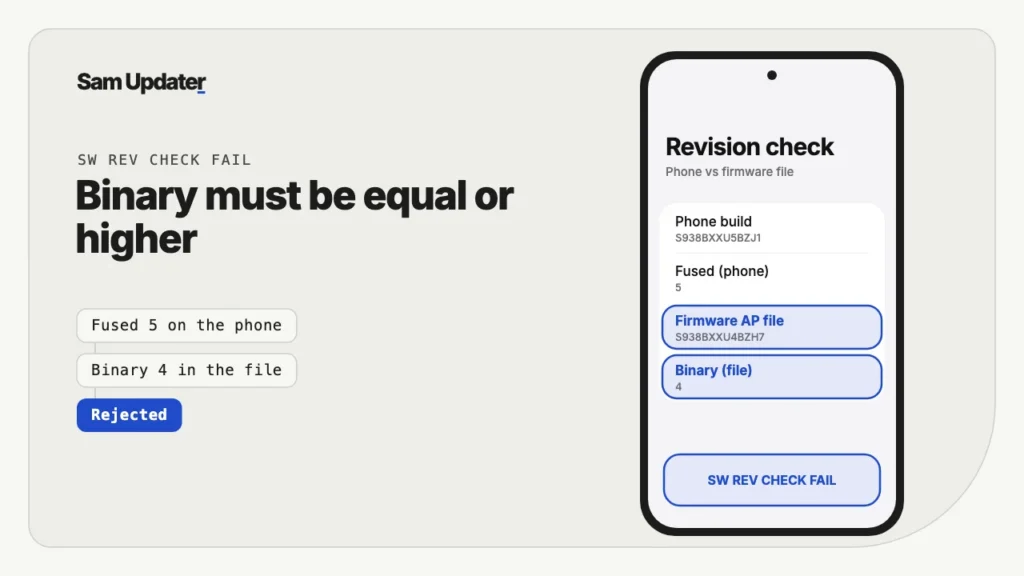
What does SW REV CHECK FAIL actually mean?
It means a version check failed in the bootloader. Samsung’s Knox documentation says its rollback prevention fuses store the minimum bootloader version the phone will accept, and that once this number is set the phone can’t go back to older software. When the firmware’s revision is lower than that stored minimum, Download mode stops the flash and Odin reports FAIL.
Samsung’s Knox hardware-backed security page also explains when the number moves. It’s set when system software is first installed and then adjusted after specific software updates. So the fused value isn’t fixed at the factory. It climbs over the life of the phone.
Android has the same idea at a lower level. Google’s verified boot documentation describes rollback protection that records the most recent version in tamper-evident storage and refuses to boot anything older. It also notes that versions are typically tracked per partition, which matters for one of the questions at the end.
Reading the bootloader number in a Samsung build
Every Samsung build number has the bootloader revision baked into it. Count five characters from the right. That character is the binary revision. It runs 1 to 9 and then continues with letters, so A comes after 9, then B, C, D and so on.
Take S938BXXUDDZJB, the current India build for the Galaxy S25 Ultra (SM-S938B). Reading from the right you get B, J, Z, D and then D. The fifth one, D, is the bootloader revision. If you want the full breakdown of every character in the string, we cover it in our Samsung firmware version guide.
Here’s what each part of that same string tells you:
- S938B is the model, the Galaxy S25 Ultra international variant.
- XX is the region group.
- U marks an update build, while S usually marks a security build.
- D (fifth from the right) is the bootloader revision you care about here.
- D (fourth from the right) is the major release letter.
- Z is the year, J is the month, and B is the build count within it.
Find the two numbers before you flash
You need two values. The first is the revision on your phone right now. The second is the revision inside the package you downloaded. Odin only gets past this check when the second is equal to or higher than the first.
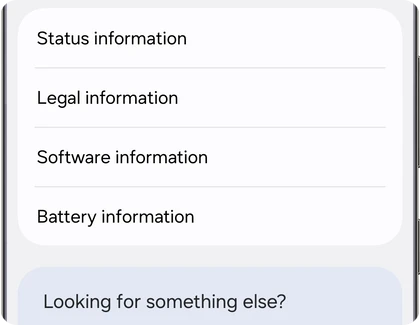
- Open Settings > About phone > Software information on the Galaxy.
- Note the Build number line, for example S938BXXUDDZJB.
- Count five characters from the right and write that character down.
- Look at the firmware file name or the AP file inside the package and read the same position in its build string.
- Compare the two. If the package character is lower, stop here, because Odin will fail with SW REV CHECK FAIL.
If the phone won’t boot, the build in the last update you installed is your best guide. You can also look up your model and CSC in our Firmware Checker to see which builds Samsung has pushed and in what order.
A real case: fused 6 > binary 4 on a Galaxy S10e
A Galaxy S10e owner on the Samsung Community forum ran into this exact message in February 2022. Their phone had moved from Android 10 (G970USQS4DTG1) to Android 12 (G970USQU6HULD) through Smart Switch. They then tried to roll back with Odin and got “sw rev check fail: fused 6 > binary 4”.
Look at the two build strings. G970USQU6HULD has a 6 in the fifth position from the right, and G970USQS4DTG1 has a 4. The phone had already fused revision 6, so the Android 10 file with revision 4 had no chance.
There’s more. The owner’s real problem was mobile data, and it was fixed when their carrier assigned a different APN. The downgrade they were attempting wasn’t needed at all. That’s worth keeping in mind before you spend an evening hunting for older firmware.
Which Galaxy S25 Ultra builds can you still go back to?
On the India SM-S938B, any phone already on S938BXXSDDZJ1 or S938BXXUDDZJB is fused at D and can only accept D or later packages. Every earlier build, including the first Android 17 release, uses C or lower. The table below is taken from Samsung’s SM-S938B release notes for India.
| Build | Android | Samsung release | Security patch | Bootloader |
|---|---|---|---|---|
| S938BXXUDDZJB | Android 17 | 2026-11-05 | 2026-10-05 | D |
| S938BXXSDDZJ1 | Android 17 | 2026-10-22 | 2026-10-05 | D |
| S938BXXUCDZIF | Android 17 | 2026-10-06 | 2026-09-05 | C |
| S938BXXSCCZH1 | Android 16 | 2026-08-31 | 2026-08-05 | C |
| S938BXXSBCZG3 | Android 16 | 2026-07-14 | 2026-07-05 | B |
| S938BXXUACZF1 | Android 16 | 2026-06-15 | 2026-06-05 | A |
| S938BXXS9CZE1 | Android 16 | 2026-05-20 | 2026-05-05 | 9 |
Two things jump out. The revision went up every month over the summer, from 9 in May to A, B and then C in August. And the move from C to D came with a security build inside Android 17, not with a new Android version.
Our tracker first logged S938BXXUDDZJB on November 6, 2026, a day after Samsung’s listed release date. If you want alerts the moment a new build appears for your model, the Sam Updater app sends them.
Flash a package that passes the check
Whatever the model, the fix is the same: use firmware with a revision that matches or beats the fused value. A matching revision only clears this one check, though, so the package still has to be the right one for your exact model.
- Download the latest firmware for your exact model and CSC instead of the older one you picked. The newest build carries the highest revision Samsung has released for that model.
- If you want older software, look for a build with the same bootloader letter as your current one. On the S938B above, that means S938BXXSDDZJ1 if you’re on S938BXXUDDZJB.
- Load BL, AP, CP and CSC from the same package. Since rollback versions can be tracked per partition, one stray file from an older build is enough to fail the check.
- Pick HOME_CSC if you’re trying to keep your data, or CSC for a clean install that wipes the phone. Back up first either way.
- Boot the phone into Download mode, connect it, and press Start in Odin.
If Odin then throws a different error, the revision problem is solved and something else is in the way. Our guides on Odin FAIL (Auth) and Odin stuck at SetupConnection pick up from there.
When a downgrade simply isn’t possible
Sometimes the older software you want only exists with a lower revision. In that case there’s no file trick, Odin setting or patched package that gets around it. Knox says the fused number can’t be reverted.
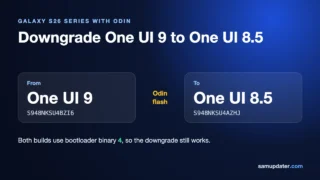
What you can do is check whether the build you actually need is still reachable. Our One UI 9 to One UI 8.5 downgrade guide walks through the full process and the checks to run before you start. If your device has already moved past that point, staying on current software and waiting for a fix is the only route left.
Frequently asked questions
Can a normal monthly update raise the minimum bootloader version?
Yes. On the India Galaxy S25 Ultra, S938BXXSDDZJ1 was a security update released on October 22, 2026, and it moved the bootloader revision from C to D. Knox says the fuse is adjusted following specific updates, so a monthly build can do it. Check the fifth character from the right before installing.
Can two Android 17 builds have different rollback limits?
Yes. S938BXXUCDZIF and S938BXXSDDZJ1 both run Android 17 on the SM-S938B, but the first carries revision C and the second carries D. A phone that installed S938BXXSDDZJ1 can no longer flash S938BXXUCDZIF, even though it’s the same Android version and the same One UI 9 release.
Can the rejected version belong to a single partition?
Yes, that’s possible. Google’s verified boot documentation says rollback versions are typically tracked per partition. So if you mix files from different builds, one older file can fail the check while the rest would pass. Loading all four files from one package rules that out.
Will a factory reset clear the fused number?
No. A factory reset wipes your apps and data, but the rollback value sits in hardware fuses, not in user storage. Samsung’s Knox page says the fuse version can’t be reverted once it’s set. After the reset, only firmware with an equal or higher revision will flash.
Was this guide helpful?
Your answer helps us keep it accurate.

Comments (0)
Comments are moderated, and published only if they are relevant to the topic and add value in a constructive way. If you disagree with something, please be polite and respectful.