
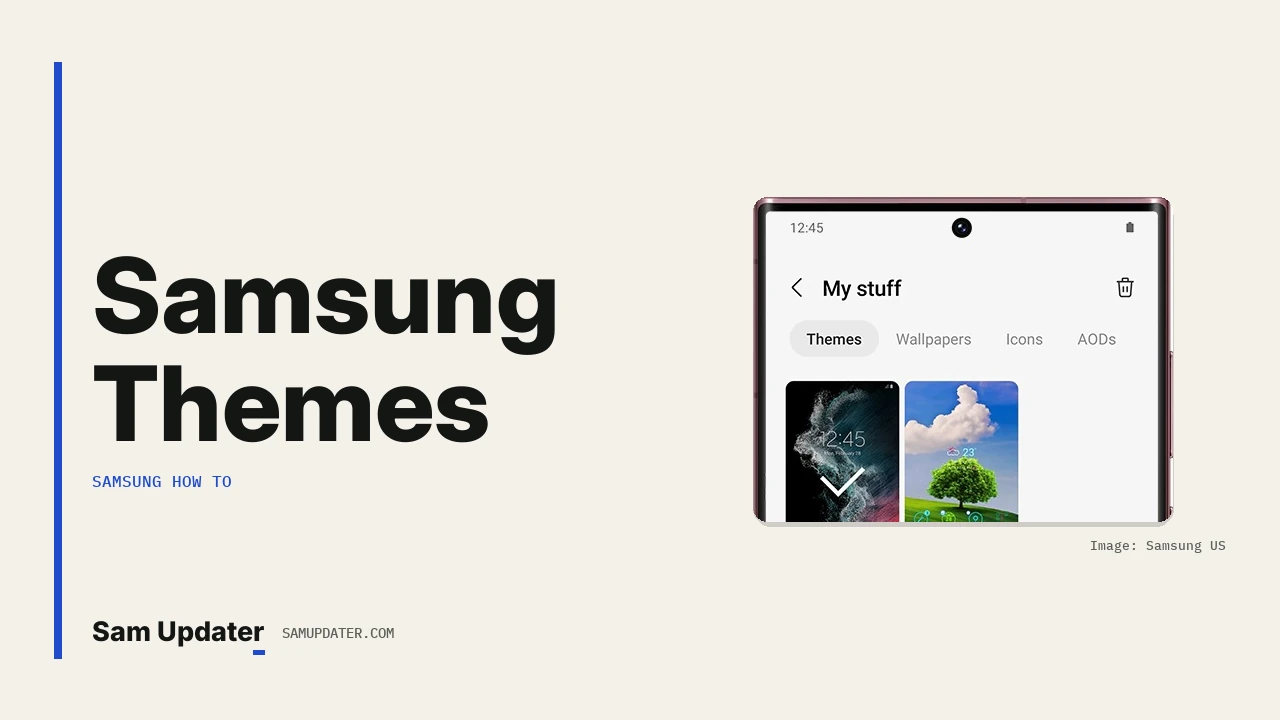
For a Samsung themes download, touch and hold an empty spot on your Home screen, tap Themes, pick a theme and tap Download. Free themes say Download, paid ones show a price. Once it’s on your phone, open Menu > My stuff > Themes, select it and tap Apply.
I’ll go through free themes, icon packs, switching back to the default look and recovering things you bought. The steps follow Samsung US’s themes and icons guide and Samsung Canada’s Galaxy Themes page.
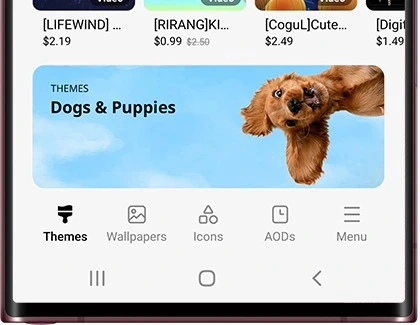
What do you need to use Galaxy Themes?
You need a Samsung account, because Samsung US says it’s required to access Galaxy Themes. Samsung Canada lists Galaxy phones from the Galaxy S6 onward with HD or higher resolution. Themes aren’t supported on Galaxy Tabs, and in Samsung DeX on One UI 8.0 you can only change app icons.
A theme goes further than a wallpaper. Samsung says it can change icons and the color design for Contacts, Messages, Settings and the Quick settings panel.
Download a free theme
Galaxy Themes opens from the Home screen edit mode, so there’s no separate app icon to hunt for.
- Touch and hold an empty area of the Home screen.
- Tap Themes.
- If it’s your first time, read the information and tap Continue or Agree.
- Swipe up through the available themes and select one.
- Tap Download if it’s free.
A paid theme shows a price instead of Download. Samsung US says you can tap Download trial on paid themes to test one before you pay. That’s the safer way to see a theme on your own screen first.
If you do buy one, Samsung US says you can choose Select payment method or Use discounts before tapping Pay now. Theme updates only arrive when the seller or creator releases a new version.
Samsung Canada also lists a second way in. Open Settings, tap Themes, then Menu and My stuff to reach the same list. Themes are sold in Galaxy Store too, if you’d rather browse there.
Apply a theme you already downloaded
Everything you’ve downloaded sits under My stuff. Here’s how to switch to it.
- Touch and hold an empty area of the Home screen, then tap Themes.
- Tap Menu, the three horizontal lines.
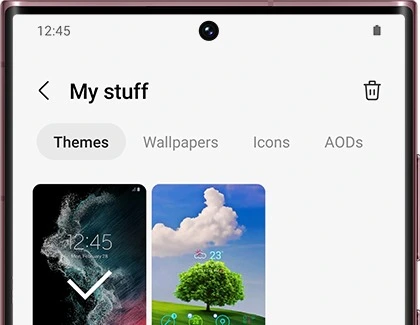
- Tap My stuff, then Themes.
- Select the theme and tap Apply.
- Tap Apply again if your phone asks you to confirm.
Some apps can only follow a light or dark theme. Samsung US says to change those inside the app’s own settings, such as Theme in Chrome.
Can you change only the icons?
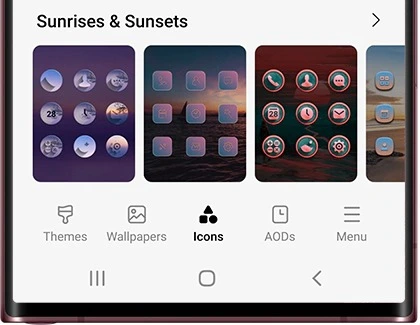
Yes. Icon packs download and apply separately from full themes, so you can keep your current wallpaper and colors. Samsung US notes that an icon set may not change every app icon, and you can’t use your own images as icons. Open Themes, tap Icons, pick a set and tap Download, then apply it from Menu > My stuff > Icons.
Want your icons to match the wallpaper without a pack? Our guide to Samsung’s color palette for menus and app icons covers the built-in option under Settings > Wallpaper and style.
How do you go back to the default theme?
Samsung US says applying a theme can’t be undone. To return to the stock look, open Menu > My stuff > Themes, select the default theme and tap Apply. The same goes for icons. There’s no undo button, you just apply something else.
Delete or recover themes
Downloaded the wrong one? You can remove it, and you can get back anything you paid for on the same Samsung account.
| Task | Where to go in Themes | What Samsung notes |
|---|---|---|
| Delete a theme | Menu > Purchased items > trash icon | Deleted purchases have to be downloaded or bought again |
| Recover a bought theme | Menu > Purchased items > Download | Works for items bought on another device with your Samsung account |
| Recover wallpapers or icons | Purchased items, then the menu at the top | Same page as themes |
Samsung Canada adds that content can’t be downloaded again if the seller suspended it. Our Galaxy S27 wallpapers download post is a free way to refresh the look without buying anything.
FAQ
Are Samsung themes free?
Many are. A free theme shows a Download button in Galaxy Themes, and a paid one shows its price instead.
Why won’t a theme change some of my app icons?
Samsung says icon sets may not change all of your app icons. Apps without a matching icon keep their original look.
Can I use themes on my Galaxy Tab?
No. Samsung US states that themes aren’t supported on Galaxy Tabs.
Still stuck on a theme that won’t apply?
Tell us your Galaxy model, One UI version and the theme name. Leave out your IMEI and account details.
Was this guide helpful?
Your answer helps us keep it accurate.
Comments (0)
Comments are moderated, and published only if they are relevant to the topic and add value in a constructive way. If you disagree with something, please be polite and respectful.